Distance

Distance

Not enough ratings
How to Mirror Mode
By Ferreus
Not enough tracks on the workshop? Really feeling like playing your favorite
levels for the first time again? You just need some Sharp Right corners in
your life?

Then this guide is for you!
   
Award
Favorite
Favorited
Unfavorite
How to Mirror Mode
Not enough tracks on the workshop? Really feeling like playing your favorite
levels for the first time again? You just need some Sharp Right corners in
your life?

Then this guide is for you!

Satisfied users confirm:

"Where am I and how did I get here?"
- Me

"I just did my second blind run."
- Me again

"Desert Bus is finally challenging again."
- Me yet again

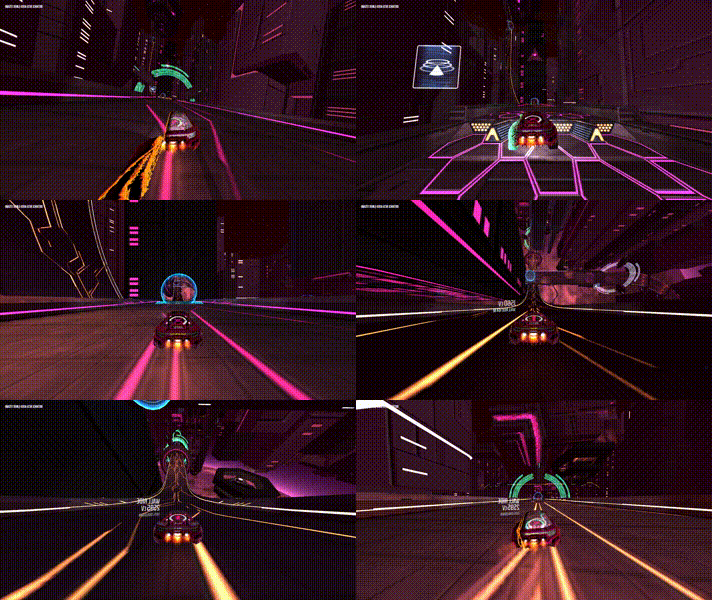
Not convinced? Try this: Can you guess which level this is?


See? It's like a completely different game.
Step 1: Create an inverted control scheme
Just go into the controls options and duplicate your control scheme. Then edit
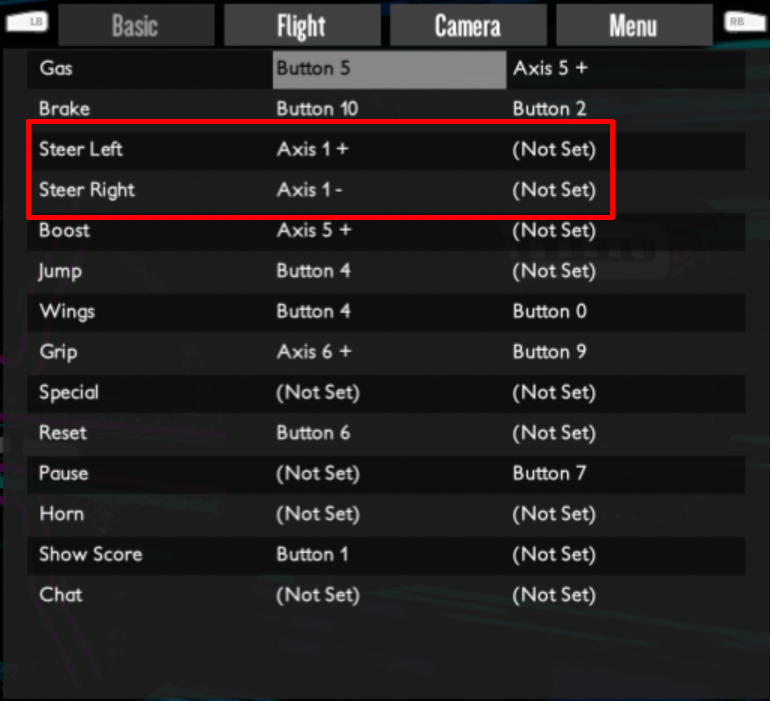
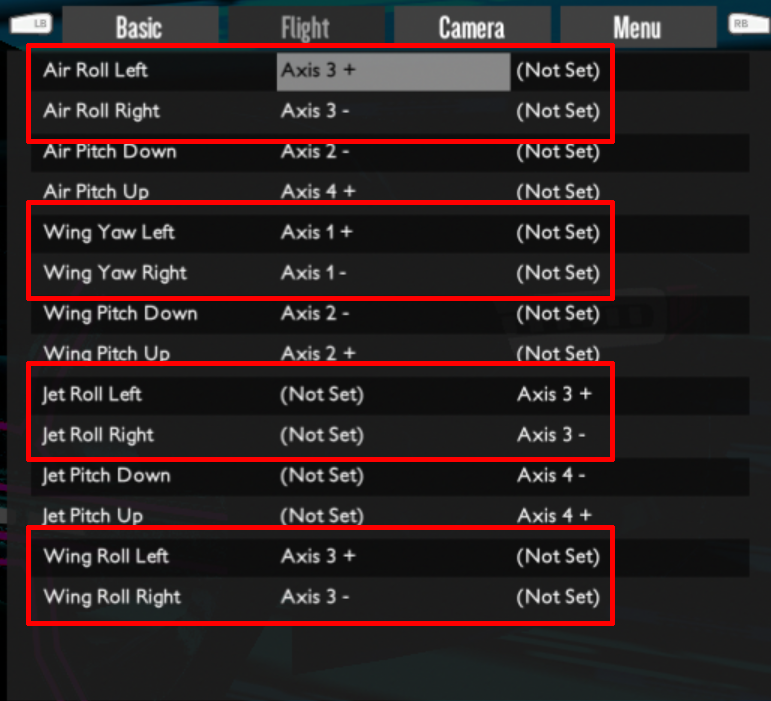
it to swap all the left/right controls in the Basic and Flight tabs:


In the Basic tab:

In the Flight tab:

Optionally, you can also invert your camera controls in the "Camera" tab.

I would recommend against inverting your menu controls, because using the menu
in mirrored mode is not really practical. Just disable the screen mirroring
when using the menu.

Step 2: Flip your screen horizontally
Disclaimer: If the mirroring command is entered wrong, you may be unable to see
anything on the screen after running it. Make sure to be able to run the revert
command blindly, or you will have to reset your PC to go back to normal. I take
no responsibility for any damage or data loss or anything else whatsoever.

Linux (X.org)

  1. Make sure you have the "xrandr" utility installed.
  2. You may want to pre-type the command in step 4, or you'll have to enter it
    while the screen is mirrored.
  3. Mirror the screen by executing the following command:
    xrandr --output <output> --reflect x
    For example, assuming the output is "LVDS1":
    xrandr --output LVDS1 --reflect x
  4. To reset it back to normal, use this command:
    xrandr --output <output> --reflect normal

Other platforms

Linux only for now, sorry - if you know a way on different platforms let me
know in the comments and I'll be glad to add them.

Step 3: Play all the levels
And you thought you had completed Distance? Now do it again!
1 Comments
HeliGungir Nov 19, 2018 @ 5:45pm 
In other words, invert your controls, then invert your video output. Tada! Now all tracks are mirrored. Right turns are now left turns, and visa versa.