
Project Zomboid

Project Zomboid

51 ratings
Jim's Movie Theater - Watch Real Movies
2
2
2
   
Award
Favorite
Favorited
Unfavorite
File Size
Posted
Updated
40.004 MB
Nov 11 @ 2:07pm
Nov 19 @ 3:50pm
4 Change Notes ( view )

Subscribe to download
Jim's Movie Theater - Watch Real Movies

Description
Jim's Movie Theater
I heard you like movies. I like movies, too!


Make sure to read everything and also check the available sandbox options.

This mod DOES NOT include any movies. You make your own movie addons with Jim's Movie Maker, see below.

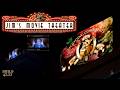
Watch real movies on the big screens at the Rosewood Onyx Drive-In, March Ridge Theater and the Star-E-Plex Cinema in Louisville. Only the south and east facing screens will work, since you can't see west and north facing screens from the isometric angle.

Watch real movies on VHS tapes from the comfort of your base. Movies only play in a window. Drag your tape into the TV's device options like you would a normal VHS tape and press play.


Making Movies


Added Items
  • Spiffo Popcorn Buckets: Get your Spiffo Popcorn Buckets at theater snack counters and munch on some popcorn while watching your movie. Leaves behind an Empty Spiffo Popcorn Bucket when you're done.
  • Film Canisters: Find your movies on film cans to play at theaters and the drive-in.
  • VHS Tapes: Find VHS tapes of your movies to play on TVs that can play tapes.


Single Player
Theaters
  • Find film canisters for your movies in theaters, home cinemas, storage units and rental stores. The film canister requirement to watch a movie can be turned on/off in sandbox options.
  • Make sure the screen has power if you're using the Screens Need Power sandbox option.
  • To watch a movie you have installed, first right click near a movie screen and turn the screen on.
  • When the screen is on, you can right click near the screen and get a list of installed movies to play.
  • When the movie starts, it plays an intro while warming up the video and sound.
  • When a movie is playing, you can right click near the screen and stop the movie.
  • You can also right click and watch your movie on a resizable window with volume control.
  • When you are done watching movies, you can turn the screen off to stop some small checks.
  • You can play different movies on different screens if you're into that sort of thing.
  • If you leave the area while a movie is playing, your movie will pick up where it should be based on real time.
VHS on TVs
  • Find VHS tapes for your movies in movie rental stores, living rooms, tape crates, home cinemas, rec room shelves and some book shelves.
  • Right click a TV and open the Device Options. Drag your VHS movie there just like a normal tape and press play.
  • This will open the movie window with audio control, captions and audio tracks.
  • If you close the window, the movie continues with sound only. Right click the TV and pick Watch Tape in Window to open it again.
  • If you stop the movie, it will start over from the beginning the next time you play it.
  • If you close the window and leave the area, your movie will pick up where it should be based on real time.
  • You can leave the movie window open and go wherever you want and still watch it.


Multiplayer
  • With Film Cans in MP off (default), you must have one of the control roles to pick, play or stop movies. No film cans will spawn.
  • With Film Cans in MP on, film cans spawn as loot and any player can play a movie they have the film can for.
  • With VHS Tapes in MP on (default), VHS tapes will spawn as loot and anyone can play them on a TV.
  • If you connect or enter the theater after the movie has started, you will pick up from the next 60 second video chunk. Audio should start playing within 10 seconds.
  • Audio will stay synced to the movie on all clients.
  • The server and clients will need to have the movie addon mod installed to watch a movie.
  • If the server is empty and isn't "pause while empty" and a movie is playing, it will continue to play in real time and keep attracting zombies.
  • Captions and audio tracks are picked by each player in their own movie window and don't change anything for anyone else.

Note: Pausing in SP, moving your game window around or running below about 8-9 fps can make the video show a loading screen or the audio cut out until it catches back up. In MP, one player can drift out of sync with what everyone else is seeing and hearing.


Sandbox Options
  • Control Roles: Comma separated list of who can control movie screens, e.g. admin, moderator. Control roles can play any installed movie.
  • Zombie Attraction Radius (in squares): How far away a zombie can be and hear the movie sound. Default is 30. Set to 0 for no attraction.
  • Screens Need Power: Keep checked if your theater screen needs to have power to play a film. Also works with generator power. Screens turn themselves off when no power is available.
  • Movies Need a Film Can (SP Only): You must have a film canister of the movie you want to play. Turn it off to play every installed movie.
  • Film Cans in MP: Spawns film canisters on the server, and any player can play a movie if they have the film can.
  • Film Can Loot (%): Tweak how often film cans spawn. 100 = normal, 200 = twice as often, 0 = never.
  • VHS Tapes in MP: VHS tapes spawn as loot on a server and anyone can play them on a TV.
  • VHS Tape Loot (%): How often VHS tapes spawn. 100 = normal, 200 = twice as often, 0 = never.
  • Movie Trailers: Plays a random trailer from your other movies (that have trailers) before the main feature.
  • Movie Moodle Rewards (%): Change the amount of moodle rewards for boredom, stress and unhappiness you get. Sitting down while watching gives a bonus. 0 = No Reward.


Player Mod Options
  • Movie volume: How loud movies are for you, 0 (muted) to 100. The volume slider in the movie window changes this too.
  • Movie view distance (squares): How close to a screen you need to be to see the movie, 10 to 300. Default is 80.


Movie Window
Right click near a screen that's playing and pick Watch Movie In Window to open it. You can resize and move the window.
  • Picture: This is the movie.
  • Sound: While the window is open you hear and see the movie no matter how far away you are.
  • Movie volume: Volume level. Same as the mod option.
  • Captions: Pick a caption track or Off. Only shows when the movie has captions.
  • Audio: Switch audio tracks or back to original. Only shows when the movie has other audio tracks.
  • Pause, Stop, Rewind and Fast Forward: For movies cut in to chunks only. Pausing will take you to the beginning of the next video chunk. Rewind and Fast Forward will take you to the start of that video chunk.


Shout Outs!
  • The GOAT, Chuckleberry Finn, whipped up the "Modding Community" loading graphic. Thank you for being such a huge part of the modding community!
  • Huge thanks to NotLoc for the Spiffo Popcorn Bucket model! It is perfect in every way!


Workshop ID: 3838107692
Mod ID: JimsMovies
Popular Discussions View All (3)
7
1 hour ago
PINNED: Movies on the Workshop
jbdiablo
0
Nov 11 @ 2:13pm
PINNED: How to create addon movie mods
jbdiablo
0
Nov 11 @ 2:19pm
Known Jank
jbdiablo
27 Comments
jbdiablo  [author]
21 hours ago 
Added a bunch of stuff, namely fast forward, rewind and pause. These will start at the beginning of the video chunk, every 1 minute is default, due to the limitations of what's exposed in Lua. If the movie is only one file, you won't have those options. Still working on the placeable screens and it's next up to bat, so should be soon.

The change notes should cover everything else that I remembered.

Updated the movie maker tools to use the new "read as needed" color data txt files. This is to limit how much heap memory you need when Lua loads. Old addons that use the table data are still supported so you shouldn't notice anything.

Cheers!
Great work! You can use my projectors as placable objects
Nov 16 @ 2:33pm 
Loverslab gonna go crazy with this
Nov 16 @ 1:59pm 
the coolest man around
Nov 16 @ 12:34pm 
ok!!!!! gracias nuevamente por el mod!
jbdiablo  [author]
Nov 16 @ 10:30am 
The size really depends on how they were created with the tools. There's options for 140p all the way up to 1080p. 240p seems like a good middle ground for PZ but those are still going to be around 600 MB for an hour and half movie.

That's why I made sure that movies can can added and removed without causing any issues.
Nov 16 @ 10:25am 
huooo sos un genio! jaja grant rabajo, quizas y hablo desde el desconocimiento, estuve viendo que los archivos de peliculas pesan al rededor de 1GB, quizas y solo quizas se pueda bajar ese peso a 30 o 50mb, ya que para que se necesitaria tanta calidad si es solo una simulacion de la pelicula en el juego, recortar la pelicula poner solo imagenes, no se, o la gente realmente se pone la pelicula entera en el proyector? ejjeje eso no lo se, GRACIAS y GRAN TRABAJO!!
jbdiablo  [author]
Nov 16 @ 8:46am 
Working projectors and placeable screens are in my to do list.

I'm currently working on fast forward, rewind, pause, stop, fixing a couple of bugs I'm surprised no one has mentioned, cleaning up the code because the band aids and after thoughts are all over the place, and the big one is loading and reading the color files in chunks when a movie is playing instead of all of it when the game loads, so y'all can have more than like 5-6 movies in your library at the same time. I'm hoping to have the "working on" done for an update on Thursday.

Cheers!
Nov 16 @ 4:28am 
Hola amigos ya dejen en paz si sabe o no el codigo, dicho esto, mi consulta es, encontre un proyector casero en una casa, que obviamente parece ser decorado, es posible reproducir estos films en ese proyector?
Nov 16 @ 2:00am 
@vivian_adler_richards What’s the difference who wrote the code—a human, or a human using a neural network? One uses their own brain, the other uses software to write the code! And why would someone even need to understand the code if it was written by artificial intelligence? I honestly don’t follow your logic. These are just game mods, not the code for a life-support system for a colony on Mars! Guys, this isn’t normal… you’re being paranoid.