Counter-Strike 2

Counter-Strike 2

30 ratings
A Guide to Muting Players Using Key Binds
By imcraigo`
This guide is meant to help people set up key binds to mute and unmute players in Casual and Competitive games.
   
Award
Favorite
Favorited
Unfavorite
Intro


Counter Strike offers two primary methods to mute players while playing Casual and Competitive games.

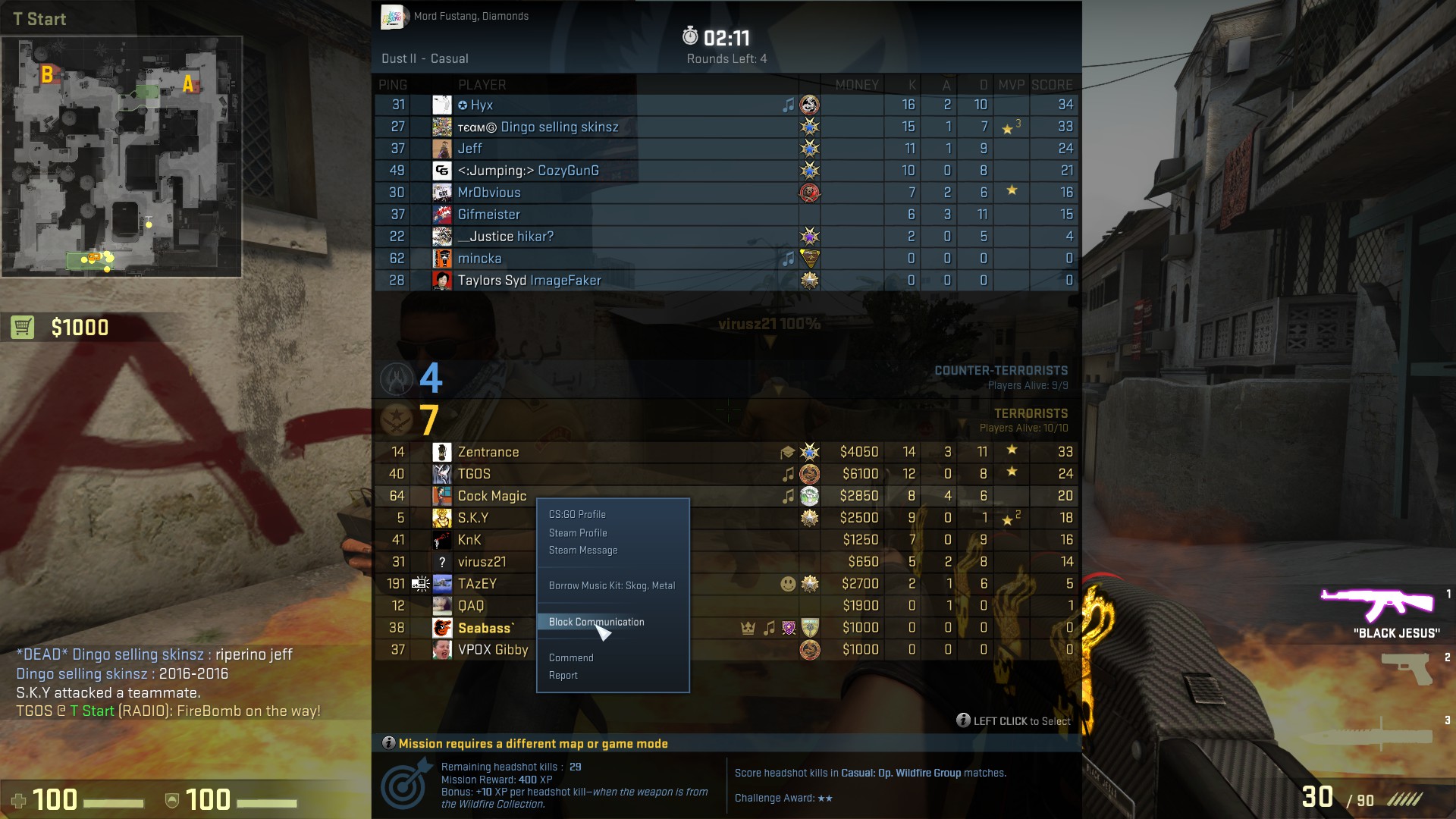
The first is muting individual players in game by holding down the TAB key which brings up the scoreboard, left click on the players name who you want to mute and then click "Block Communication". You can unmute the player by following the same steps you took to mute the player.


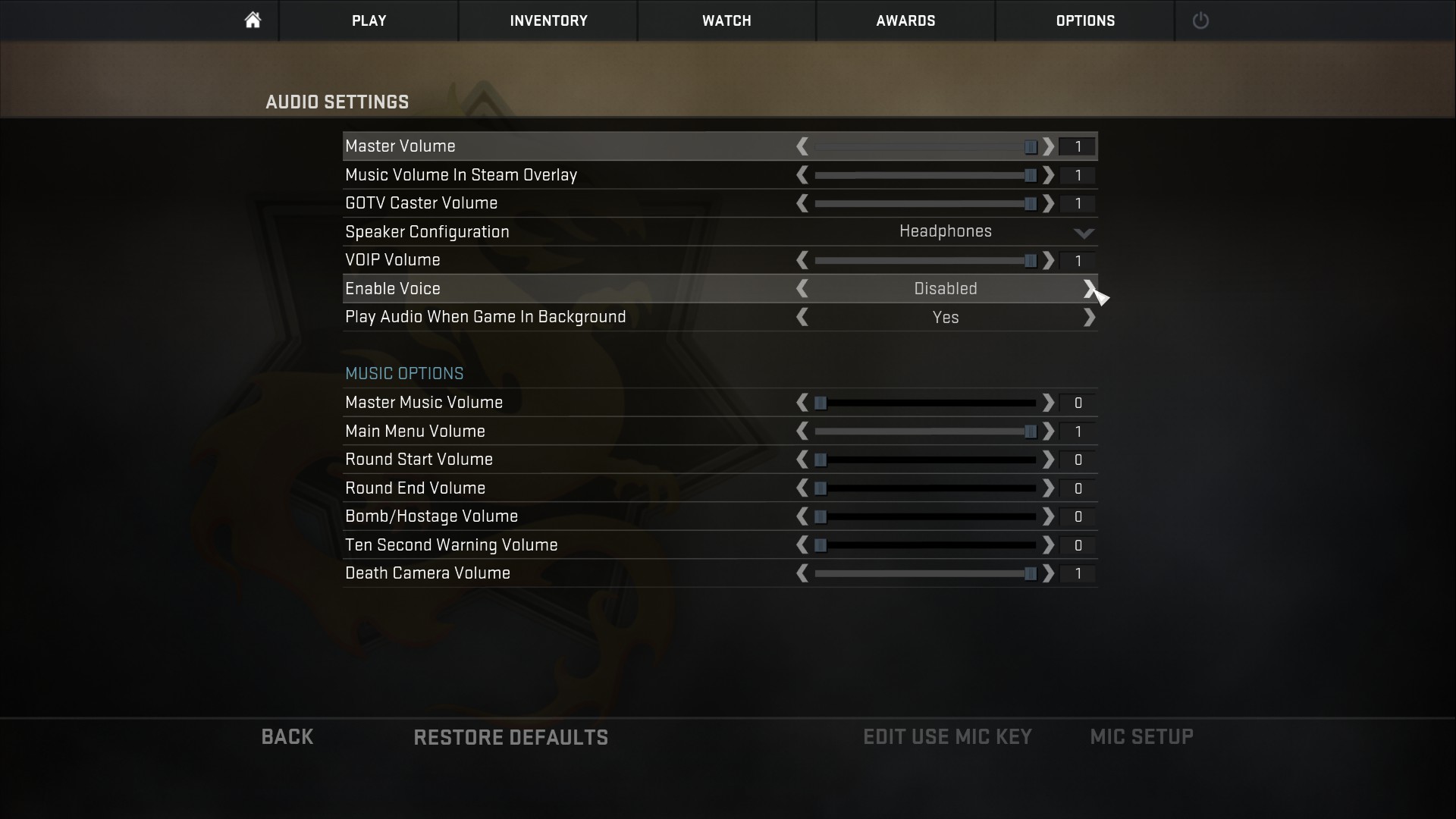
The second is muting all players using the options menu. You can do so from the main menu or in game by pressing the ESC key, click Options, then Audio Settings and then toggle Enable Voice to either "Press to Use Mic" or "Disabled".


However these two methods of muting players can be slow. When players are in game and listening for footsteps or concentrating during a clutch situation, they may require the ability to quickly silence other players by toggling between muting and unmuting.

This guide will explain exactly how you can set up key binds to toggle between mute and unmute and also unbind the keys to return everything to normal.
Using the console to add key binds
To add your mute and unmute key binds you will need to use the in game console. You will also need to think of which key you would like to use to mute and which key you would like to use for unmute.

For the purpose of this guide I will use the C key for mute and the V key for unmute. You can use whichever keys suit you.

To access the console: open CSGO and press the ` key. This key is normally the key to the left of the number 1 key.

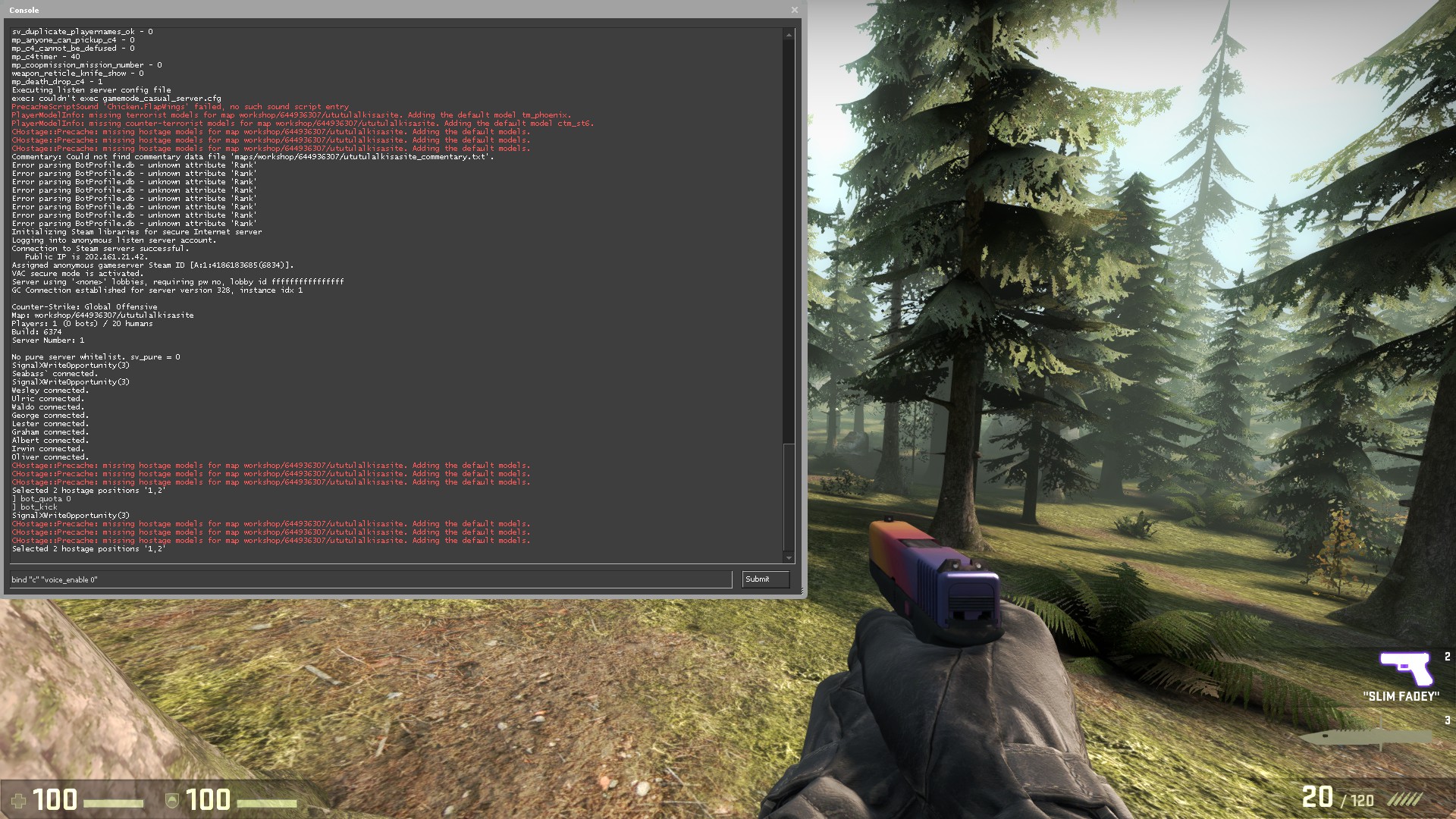
Once the console opens you will need to copy the below sentence and replace the "c" with the key you want to use to mute. After pasting this into console, press ENTER.

bind "c" "voice_enable 0"


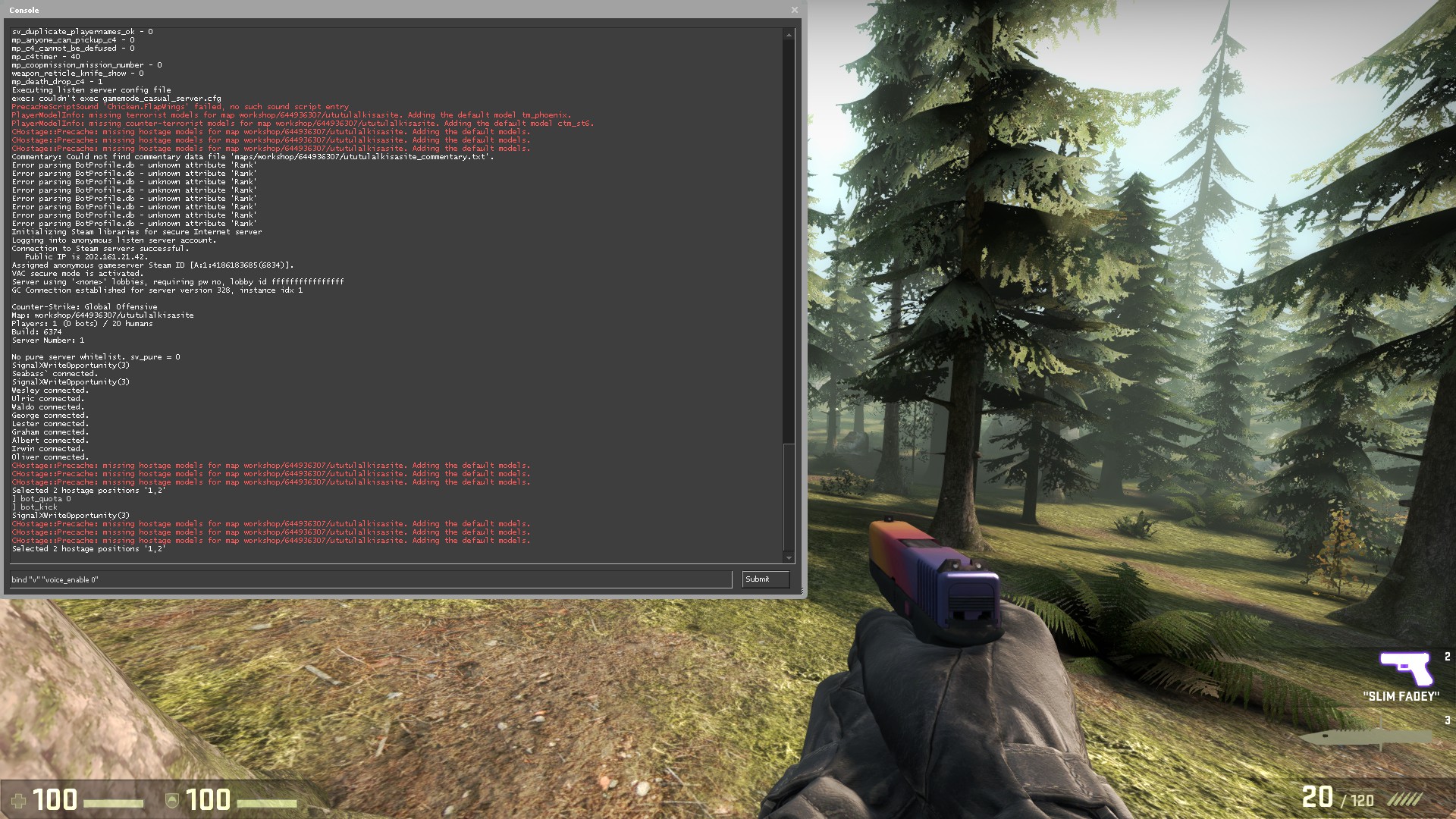
Now you can copy the below sentence and replace the "v" with the key you want to use to unmute. After pasting this into console, press ENTER.

bind "v" "voice_enable 1"


At this point you have programed CSGO to mute all players by pressing C and then unmuting them by pressing V.


Using the console to remove key binds
If you wish to remove the binds from the keys then the following steps will guide you through the process.

Once again I will use the C key for mute and V key for unmute. To unbind your key you will need to use your own key.

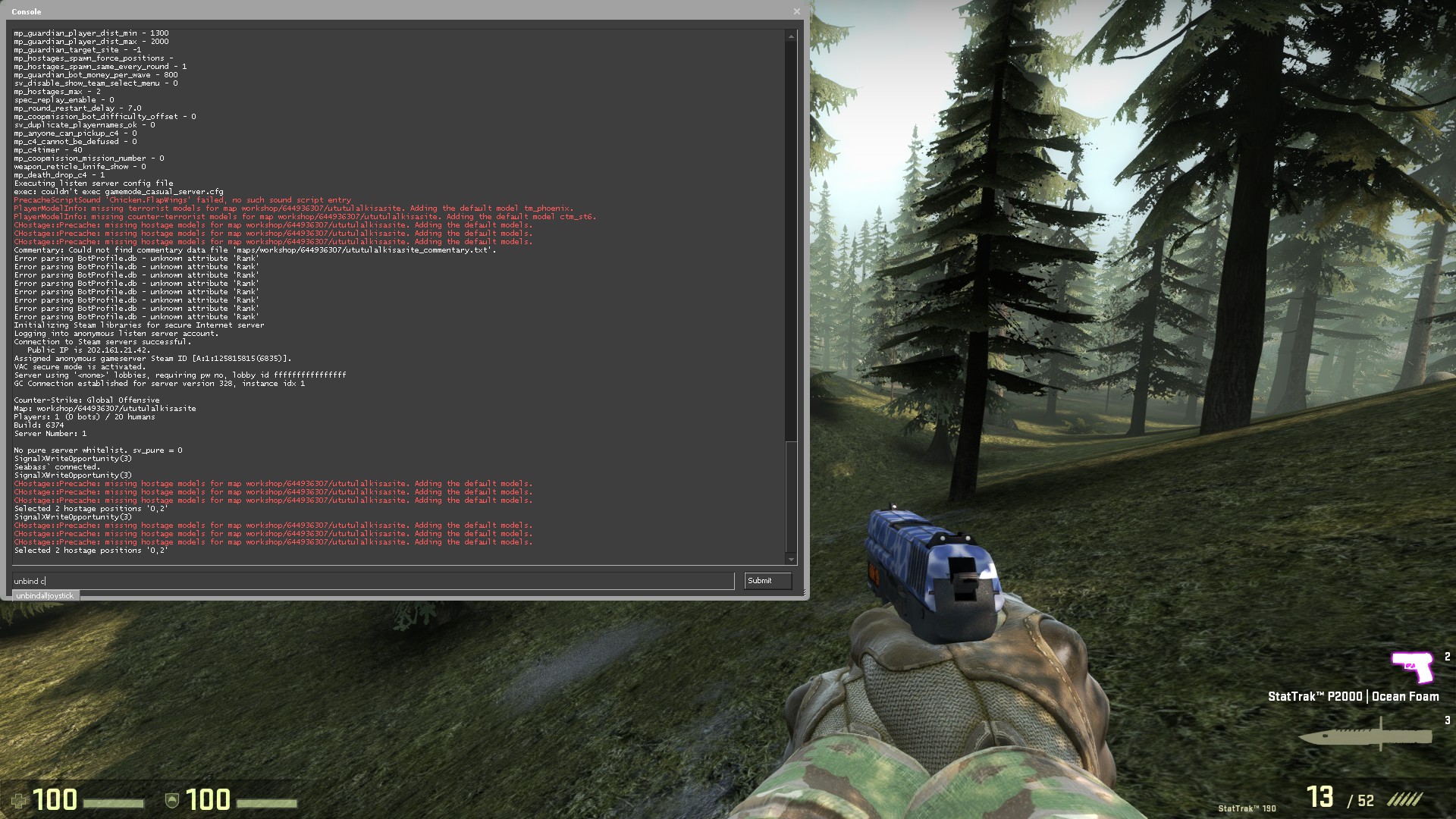
To begin, you will need to open the console by clicking ` while being in game.

Copy the below sentence and paste it into the console then click ENTER to unbind mute.

unbind c


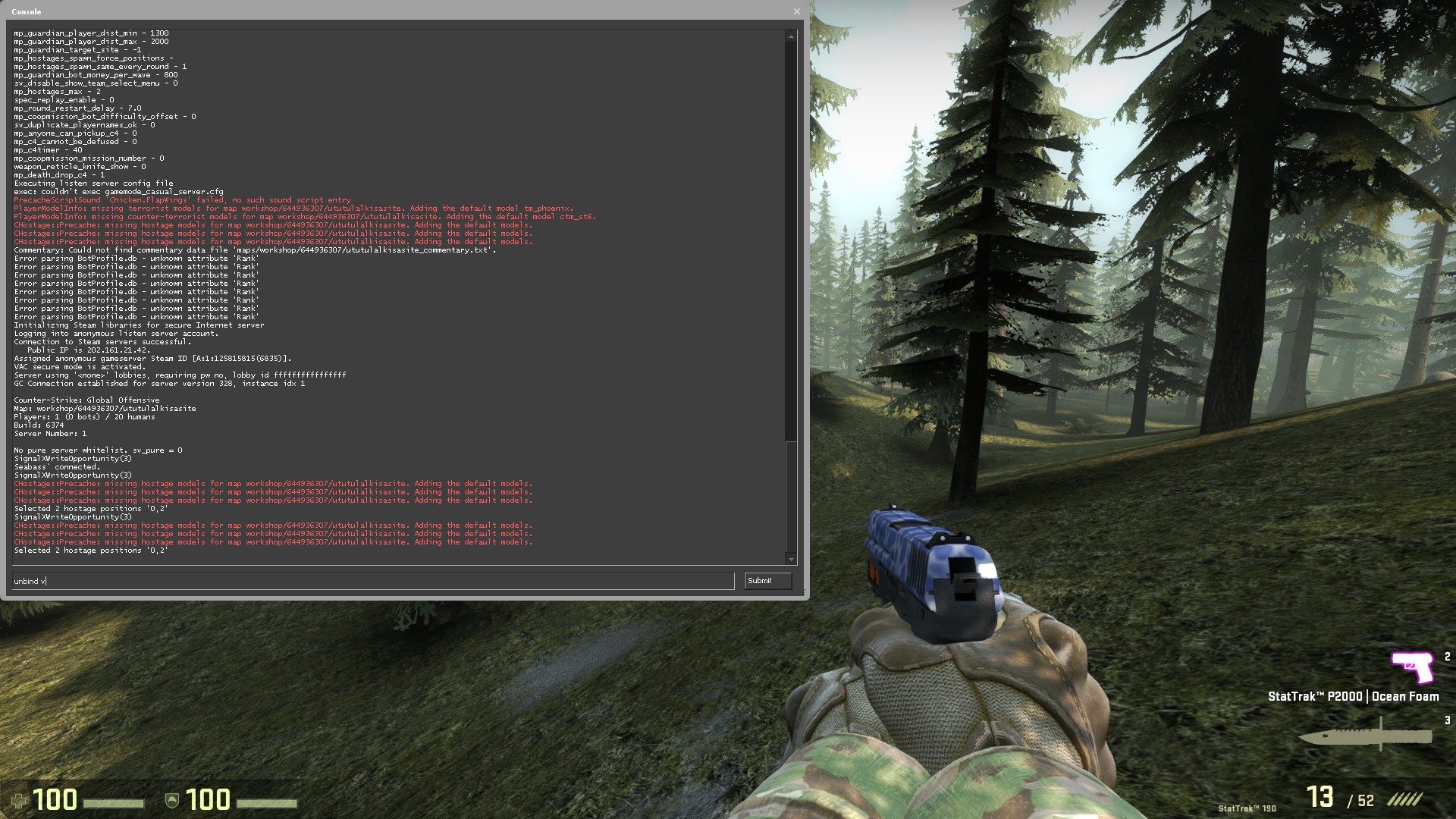
Now you can copy the below sentence and paste it into the console then click ENTER to unbind unmute.

unbind v


At this point you have programed CSGO to unbind your two keys and return them to normal.

Using the binds in game
Below is a short video to show how effective the muting key binds can be when you need silence to concentrate during important periods of a round.


3 Comments
finnich Apr 27, 2020 @ 8:51am 
thank you. that was very helpfull. last night all 4 teammates awas shouting in my ears when i was about to Clutch.. thank you.
unc talent 2016 Apr 21, 2018 @ 7:25pm 
ok

CJ miller Jun 3, 2016 @ 5:02pm 
great thanks for the advice next time i have a team of doubters and go full ham and clutch the ♥♥♥♥ out of 5 seprate rounds i will have silence to do it