Alice: Madness Returns

Alice: Madness Returns

2,851 ratings
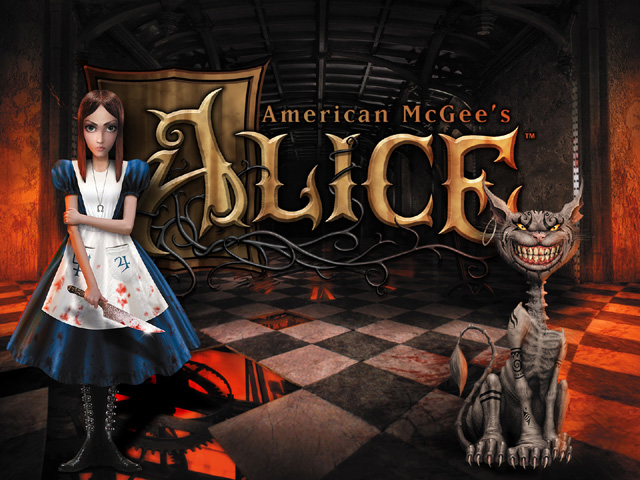
American McGee's Alice HD (From the Origin Complete Edition) for Steam's Alice Madness Returns Version
By PorcusGrunzus
Since I saw many people complaining about the Steam version missing the official HD version of the first Alice game, I decided to upload it and make a guide how to install and play it. The files come straight from Origin's Complete Edition.

Steam never released the Complete Edition and EA pretty much gave no support for Steam. Also its quite difficult to get the Complete Edition. Only a few stores offer it for Origin and also only for some specific regions like US. Origin itself removed the complete edition.

No need to bother anymore, thanks to this guide!
17
6
3
2
2
109
83
36
25
18
17
16
13
12
10
8
8
7
6
6
6
4
3
2
391
   
Award
Favorite
Favorited
Unfavorite
Download & Installation + Hints & Troubleshooting


1. Download the necessary files from here:
https://www.mediafireXcom/file/jn42h07jk4rmbs5/amral1steam.7z/file
Replace "X" behind mediafire with a dot "."

If you own the Complete Edition on Origin, but wanna play the game on Steam, you can simply use the Alice1 folder from the Origin version.

2. Extract and move the Alice1 folder to:
C:\Program Files (x86)\Steam\steamapps\common\Alice Madness Returns

3. You need to have launched the game at least one time for the next step.
Go to: C:\Users\Administrator\Documents\My Games\Alice Madness Returns\AliceGame\Config
And open the file "AliceEngine.ini" with notepad. Look for "GIsSpecialPCEdition=FALSE" and change it to "GIsSpecialPCEdition=TRUE". This will unlock the Complete Edition content. Now you will have a main menu option to launch the classic Alice HD game. Another positive side effect is that all the exclusive Complete Edition costumes and weapons for Alice Madness Returns will be unlocked. This trick was already known and explained in many other guides. However, Steam is missing the HD version of the first Alice and that is the sense of this guide after all.

4. This is the last step. In the same AliceEngine.ini search for "Alice1Path=..\..\..\Alice1\bin". This line is directly above the "GIsSpecialPCEdition=" line. Change it to: "Alice1Path=..\..\Alice1\bin".
Yes, there is a difference in case you wondered. I removed one "..\". This change is neccessary to get the game to run with the Steam version since it has a slightly different folder structure than the Origin/Complete Edition.

Thats it. After this you can launch the Alice HD version anytime from the main menu of Alice Madness Returns.

Have fun playing this old classic!


Other hints and troubleshooting:

I should note that this HD version includes all official languages for the game. English, German, Spanish, French. The game seems to use the language that is used in Alice Madness Returns.

By default the game never launches in fullscreen. You can fix this with editing the default_pc.cfg file in the bin/base directory of Alice1. Just change "seta r_fullscreen "0"" to 1. You maybe have to delete the other config files in the same directory. I think the only file that you need to have there is the default_pc.cfg. In fact the game puts a config file into your Documents/My Games directory. Just editing this one didnt fix the fullscreen for me though.

EAX might work. It always reverted to Miles after every restart though. Couldnt fix this sadly. I always changed it to EAX2 in the sound option each start. Or just leave it on default Miles if you dont wanna bother with it. But Windows Vista to 10 shouldnt use EAX correctly anyway. You should try using sound driver tools like Alchemy to enable EAX in the game. Alternatively a tool called DirectSound should work too.

If you have tearing, force Vsync over the driver. The game has no Vsync option sadly so forcing it over the driver is the only way. And to avoid Aliasing, just use 4x Anti Aliasing in your driver.
I should also note that this game works in 4K. Not kidding, was pretty surprised myself. Running an old game from 2000 with the Quake 3 engine in 4K is... Well, weird. Back then we mostly played with 800x600 and stuff. Good ol' times, haha.

There is also a nice HD texture pack available from an artist named OmriKoresh. She is very talented! Definitely check it out! This further improves the already "HD" version, since most textures were unchanged and only stuff like widescreen, controller support has been added. Also, if you play in German, Spanish, French language, there are further patches on the same website to fix some problems that appear when using other languages with the texture pack.
https://www.nexusmods.com/americanmcgeesalice/mods/1

>>>NEW 2024 MUST HAVE<<<
Recently there was a mod released that fixes countless issues the game has! You can find it here: https://github.com/Wemino/VorpalFix


Please tell me if the download file should be no longer downloadable.
You are also welcome to add mirrors in the comments. I will add them to the guide.
Please use 1 single file. So look for a hoster with at least 1GB file size uploads.
Thanks.
780 Comments
34 minutes ago 
just got this working today! I'm so excited, I've never messed with code to do something like this before and I'm so excited I get to play now I've been wanting to play the original forever!
Aug 8 @ 12:45pm 
That's unbelievable!
Being able to play this nearly forgotten classic again, even in the year 2026, really deserves a huge thank you from the community!
It worked perfectly, even without installing Madness Returns, just using VorpalFix (Windows 11).
Thank you so much for your effort and this truly valuable guide!
And a big thanks to Wemino for the fix, too!
Aug 2 @ 8:59am 
@brads.webdesigns - Best gaming advice I can give you is to downgrade from Win11 to Win10. Itll save you an entire universe of headaches when gaming.
Jul 31 @ 10:48pm 
trying to get this to run on win11, any help would be greatly appreciated
Jul 14 @ 7:36pm 
is this the 2011 remaster or the 2000 original version? because VorpalFix is not working
Jul 5 @ 4:52pm 
@LifeEternal: For the controller issues, try turning off Steam Input for the game's shortcut. Steam Input will wrap any non-XInput/Xbox controller into one, including games that either use SDL or other middleware like Rewired for Unity engine games to enable controller support for PlayStation and Nintendo controller. Alternatively, if that doesn't work, you can try and manually enable PS3 button icons for VorpalFix within its own configuration settings in the options menu if you have a newer version of VorpalFix installed.
Jul 4 @ 3:20pm 
Question: I added the VorpalFix and everything and this all runs fine. I run it as a separate executable rather than going through Madness Returns. I'm using a Playstation controller to play and it displays the proper playstation glyphs in game.

I decided to add it to my Steam library. When I run it from my steam library, it changes the playstation glyphs to Xbox controller glyphs. Is there a way to have it display the playstation glyphs when loaded from the Steam library? I tried disabling the gamepad input, but that just changes it to Keyboard glyphs.

Side note: I also created a desktop shortcut, but the game won't load from there. I have to go through the bin folder. Not sure why.
Apr 28 @ 6:39pm 
Mirror for alice1 archiveDOTorg/details/alice1steam
Apr 24 @ 6:25pm 
To get original Alice game to start in fullscreen mode I changes 2 config files (config.cfg and default_pc.cfg). Both had a line saying seta r_fullscreen "0" and I simply change 0 to 1 in both config files. I did NOT delete one of the config files like the instructions says above.
Apr 2 @ 11:52pm 
If someone have a problem with a crash when game starting. Try to write path to the game -example - D:\Steam\steamapps\common\Alice Madness Returns\AliceGame\Alice1\bin instead of just Alice1Path=..\..\Alice1\bin . For me this solution helps play a game