Microsoft Flight Simulator X: Steam Edition

Microsoft Flight Simulator X: Steam Edition

268 ratings
FSX Best Freeware Sites
By Spran1
Hello fellow Pilots,

If you have played FSX for a while, you're probably a bit tired of the default Aircraft.
So in this guide, i'm gonna show both how to Find and Install Freeware Planes.

Let's get started!
3
2
   
Award
Favorite
Favorited
Unfavorite
The Best Websites (In my Opinion)
The Files and How to Install them
Once you have downloaded your Freeware,
You will probably end up having either a .rar or a .zip file. (You'll need to download WinRar or 7zip to open them)
That's what file type it is in most cases.

You can also be lucky that the Freeware has an installer for it so you won't have to worry about
anything.
Usually most of these .rar or .zip files has a Read Me in it.

Anyway let's get to how to install the Freeware.

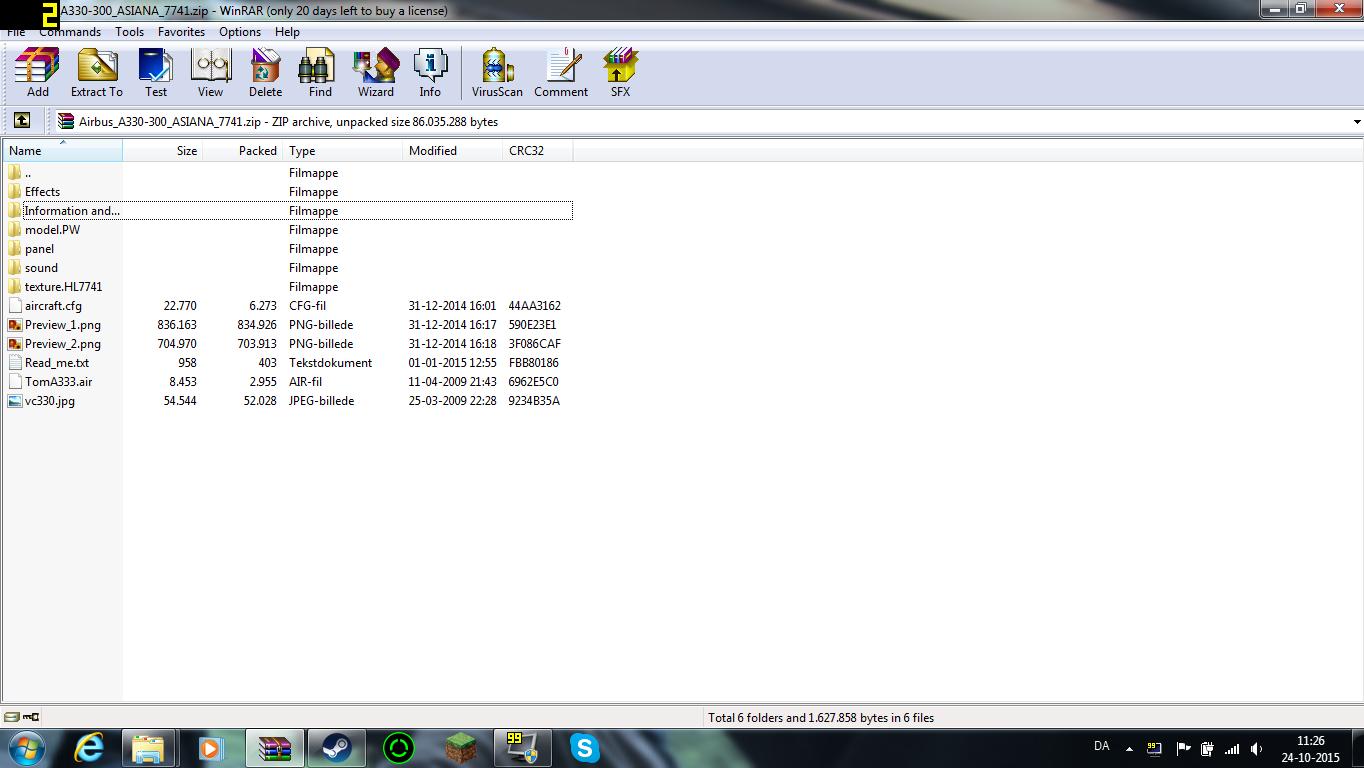
Let's say we have a pack that looks like that on the photo. (Sorry for the FPS counter)
If you have WinRar, you can open your file to see what the files inside looks like.
if it looks like that on the photo, you wanna exit the .rar/.zip file, and extract it either to a folder on your
desktop, or to C:\Program Files (x86)\Steam\steamapps\common\FSX\SimObjects\Airplanes

If you extracted it to a folder on your desktop, just drag and drop the folder into your installation folder.

Then you're pretty much good to go.


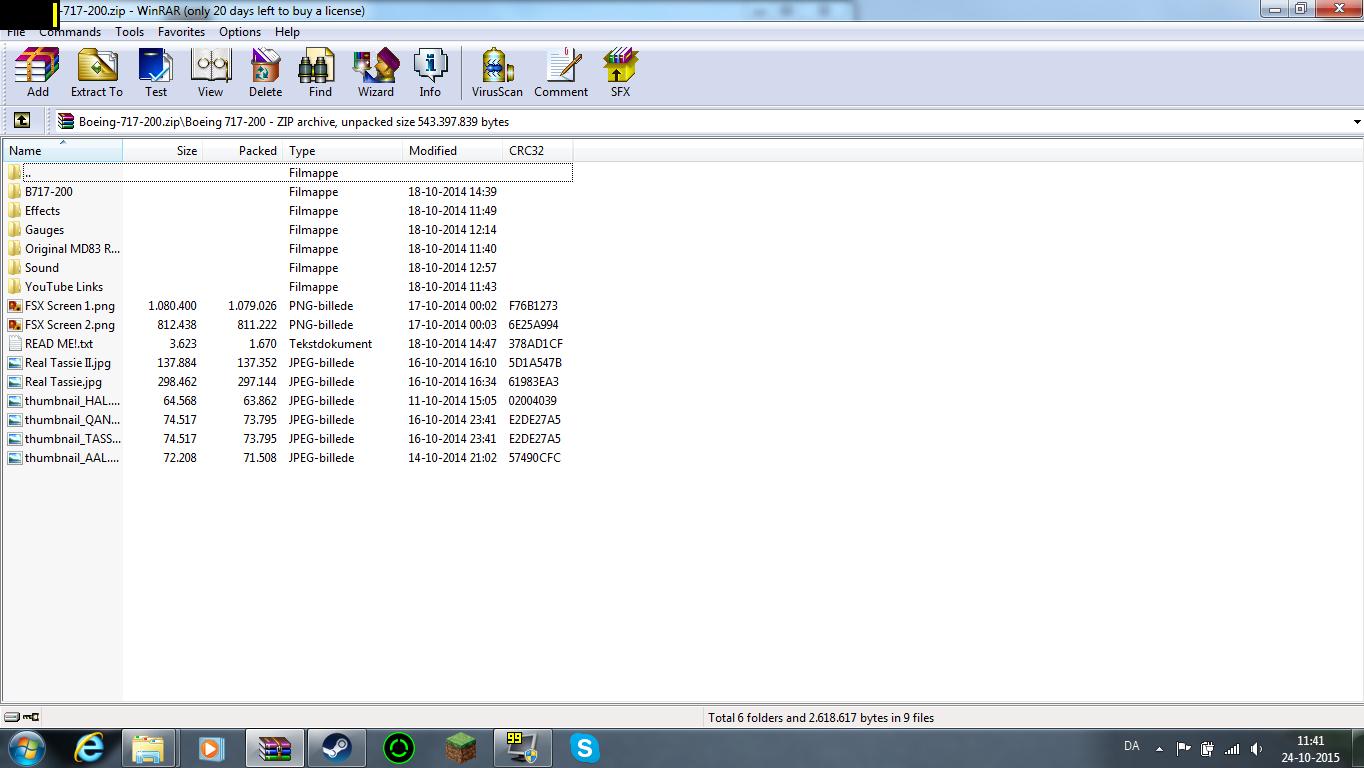
If you have a different looking file, say it looked like this:
You would need to Drop the B717-200 folder into your Airplanes folder, but you're not done yet. You would also need to open the ''Effects'' folder and copy the .fx files into C:\Program Files (x86)\Steam\steamapps\common\FSX\Effects and then put the Gauges and Sound into their respective folders.
Enjoy your New Airplanes!
And that's pretty much how to install Freeware!
If you have any questions regarding the installation, Just leave them down below and i'll try to answer them as best as i can.


Have fun!


104 Comments
肠胃炎 Dec 2 @ 7:24pm 
Thank you very much
old_pat Apr 8, 2022 @ 5:23am 
http://oldpat.e-monsite.com/ offers addons for FSX Xplane and MSFS 2020 and everything is free
shadowdad55 Apr 8, 2022 @ 4:57am 
go to flitesim.com.....the best for aircraft / scenery / and a lot of other things as well.
I.T. Professional Sep 25, 2021 @ 8:09pm 
Sick!

(plays air guitar)
Dragon of The West Jul 25, 2021 @ 12:37pm 
Here is an other greath site and all files have auto install and are free.

https://www.rikoooo.com/

Link_jon Feb 25, 2021 @ 1:42pm 
7Zip works well as a winrar replacement, if and when needed
kalnon Feb 16, 2021 @ 5:12pm 
I really like flyawaysimulation. They have such a huge collection of freeware and it's the best flight simming blog I've read so far for FSX, plus they always update the blogs every year like the top 35 best freeware page for example.
rozkalns.martin Jan 25, 2021 @ 11:27am 
i also use rikooooo
bigbackclock Nov 24, 2020 @ 7:21am 
@Carcharias113 only if they have it, or else they would see the aircraft thet have that is the most similar to yours
Hypothanos Nov 9, 2020 @ 9:12am 
Question: If you import an aircraft skin from flyawaysimulations, would other players be able to see the skin in a online lobby?