Assassin's Creed Syndicate

Assassin's Creed Syndicate

42 ratings
Force AF or how to improve the image
By Yoko and 1 collaborators
   
Award
Favorite
Favorited
Unfavorite
What?
Since this game was developed for consoles in the first place, developers had to remove as many features from the game as they could (including even some very basic ones) so the consoles don't explode when running this game. Like Anisotropic Filtering for instance that has zero performance impact on modern systems yet consoles can't handle it.
How?
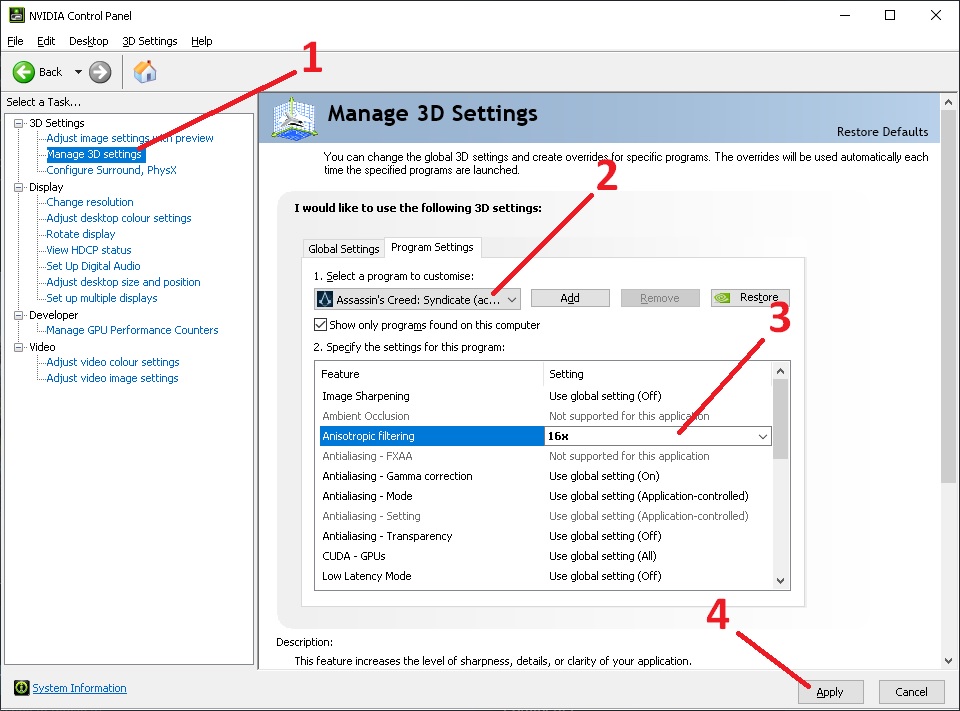
1. Head to your graphic driver settings.
For Nvidia this will be Control Panel. Open It by right click on your desktop and choosing "Nvidia Control Panel'.
2. Click Manage 3D Settings
3. Click Program Settings
4. Find AC: Syndicate in drop-down list and click on it
5. Find "Anisotropic Filtering" and set it to "16x"
6. Click "Apply"
7. Enjoy your game
Reference:
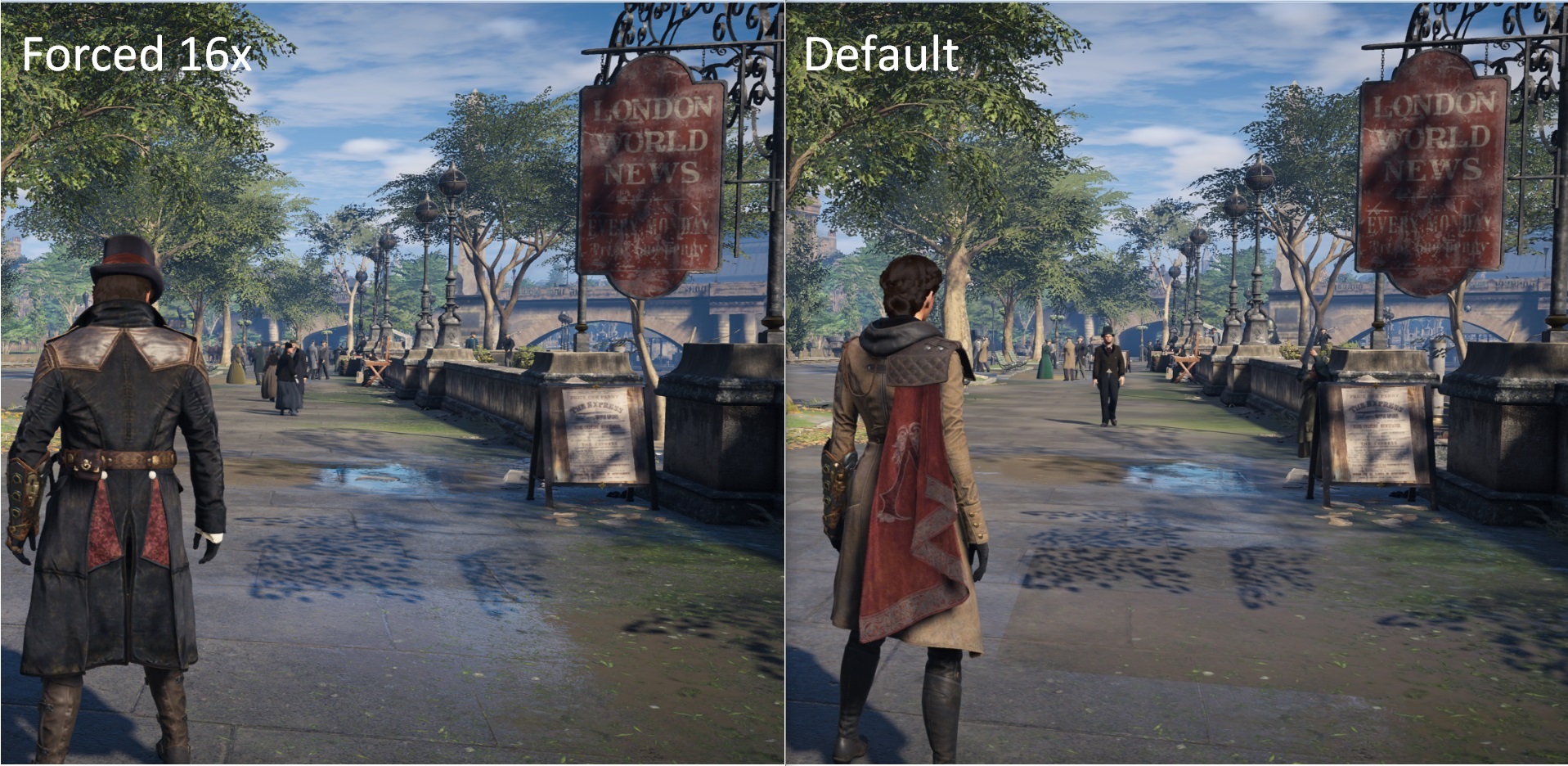
Comparison
10 Comments
Sentarry Aug 29 @ 2:07am 
Use NVIDIA Profile Inspector, a third party software, if your game isn't listening to any frame limiters you set in the control panel.
Nick May 19, 2024 @ 8:55am 
Doesn't work for me. Actually none of the NVCP settings seem to work for this game, as I can't cap my framerate using it. Am on Ubisoft Connect not Steam
LordNix Apr 14, 2023 @ 11:53am 
Y'all should seriously look up what AF actually does. There's a huge difference in the distant ground textures
Philly Wonken May 3, 2021 @ 11:09am 
JR, anisotropic filtering doesn't/can't affect cascaded shadows. It's a method of texture filtering.
SLAYER187 Apr 18, 2021 @ 8:20am 
THE FORCED 16X (JUST MORE CRAPPY UPSCALE) LOOKS FAKE! Shadows look run together and like a blob or like some weiner's spray can ran low. If consoles are crap the so are pc's as they use the same tech and architectures to do their jobs.
Voland Mar 7, 2021 @ 1:15pm 
"has zero performance impact on modern systems yet consoles can't handle it"

are you nuts? xDD
Chrisdyan Oct 23, 2020 @ 12:12am 
Just 1 screenshot does not tell much, but you can see the difference. Those crevices in the road are visible far beyond, while default you cannot see any detail in the road, just flat surface. Makes bigger difference while playing, being able to see way more detail way further away.
feb  [author] Jul 26, 2020 @ 2:54pm 
look right in the center at the ground
Wavehead Jul 26, 2020 @ 11:12am 
maybe it's because I don't know what exactly this is supposed to affect, but I don't see a difference between the screenshots. Should I be looking at the shadows? the trees? the people?
Sneefy Jul 26, 2020 @ 9:46am 
is it bad i don't see a difference