Steam
1,811 ratings
How to Download Older Versions of a Steam Game
By Aezillo and 1 collaborators
This guide allows you to access and download older versions of a Steam game. This guide is also in russian.

3
2
11
9
4
4
3
3
3
2
2
2
51
   
Award
Favorite
Favorited
Unfavorite
ORDER BEST STEAM DESIGN
If you're looking for someone to animate your profile, contact snaws design service.
Feel free to check his Website![www.snaws.design]
Introduction
This guide allows you to access and download older versions of a Steam game. This is made possible because SteamDB keeps track of updates to all games, so as long as the version you want was available after the game has been publicly released, this should work.

Credit for this guide goes to Reddit user /u/GMMan_BZFlag
Step 1
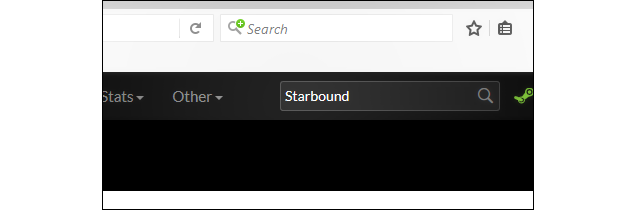
Go to SteamDB[steamdb.info] and search for the game you want.

Step 2
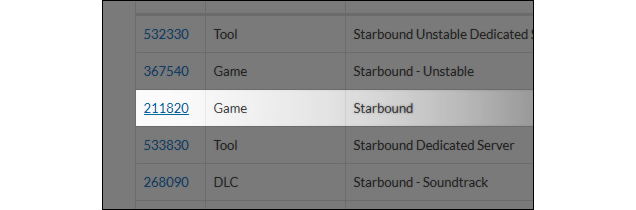
Click on the app ID of the game you're looking for. This will take you to it's details page.

Step 3
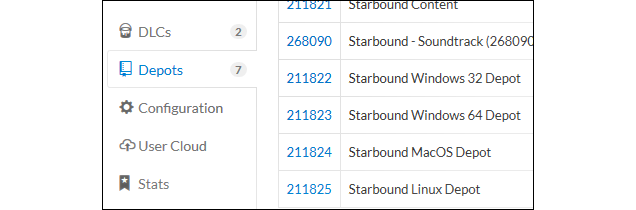
On the left of the screen you'll see a menu. Navigate to "Depots", and then click on the depot ID of the one you'd like to download.


Clicking your chosen depot ID will take you to a new page.
Step 4
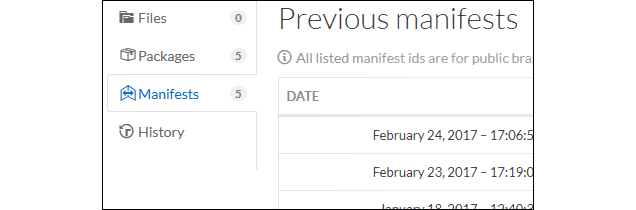
Now click on the "Manifests" tab.


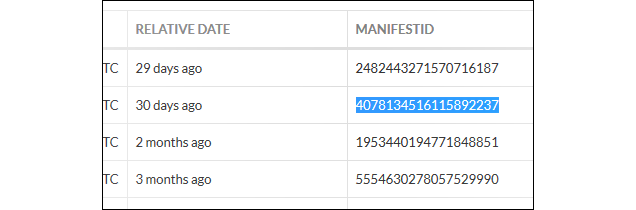
Look at the list and find the version that you want to download. Record it's manifest ID.

Step 5
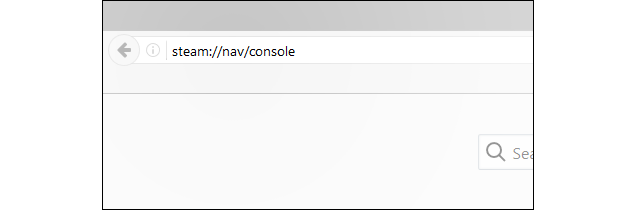
Open the Steam console by copy pasting this code into your browser's URL:
steam://nav/console


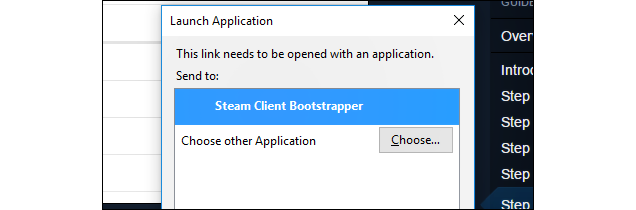
Press enter. A launch application should pop up. Select the Steam client and open the link.


This will open the Steam console in your Steam client.
Step 6
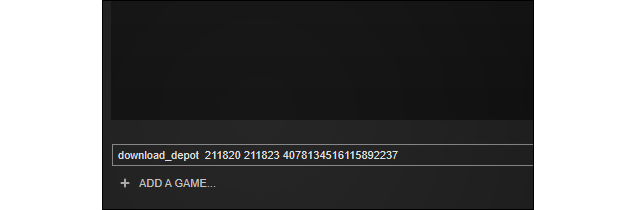
The syntax to the "download_depot" command is as follows:
download_depot <appid> <depotid> [<target manifestid>] [<delta manifestid>] [<depot flags filter>] : download a single depot

You only need to worry about the first three arguments to it. Type the command, then the app ID, depot ID, and the manifest ID of the depot version you want.

Step 7
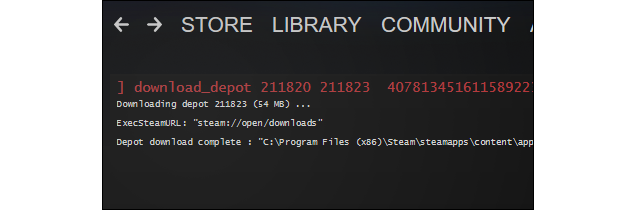
Wait for Steam to download the depot. You won't see any indication of progress, but you can tell it's downloading by looking at the network usage on your downloads page. The download can pause/resume if your connection goes out, but won't if you restart the client.

Step 8
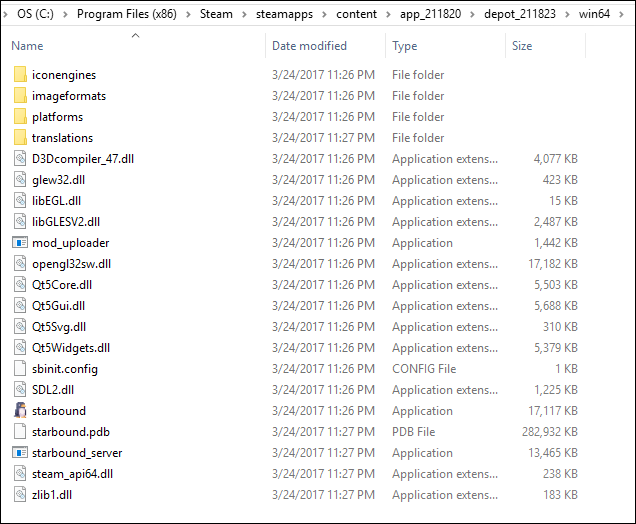
After the download is done, Steam will show you where the files were downloaded to.

Step 9
Go to the original game's installation directory, and move the files somewhere else. Then go to where the depot files were downloaded to, and move everything over to the game folder.
Step 10
You may have to rename the game's EXE file if the dev changed the launch options recently. You can find the current EXE name by going to the game's SteamDB page and clicking on the Configuration tab.
Finished!
You should now be able to launch the old version through Steam!
Note: Game updates will make a mess of things, so if you want to stay on the same version, you should make a copy of the files so you don't have to download them again after Steam's done trying to update.
⠀⠀⠀⠀⠀⠀⠀⠀⠀⠀⠀⠀⠀⠀⠀⠀⠀The largest collection of profile guides. Follow for more.
Donate a coffee! Ko-fi.com/AeGuides
psssst...
Like what I do?
Donate a coffee! Ko-fi.com/AeGuides
222 Comments
Jul 5 @ 6:31am 
check somewhere like
/home/<username>/.steam/steam/ubuntu12_32/steamapps/content/
You will see app_<appid> folder with depot_<depot_id> inside of it
(I am not on ubuntu, I don't know why Steam uses that folder name for me)
Jul 4 @ 3:03pm 
Hey, dumb question, but I think when I was trying to download a previous version it took up my entire hard drive when It saved. I need to delete the depot, but I can't find it anywhere on steamos. Where does it save these to?
Apr 18 @ 12:59pm 
@life3mau5: How old is the depot you're trying to download? Valve made a change about 8 months ago to their backend and depots older than 6 months now get automatically deleted if the dev doesn't set it as a dedicated game version.
Apr 17 @ 11:19am 
Preview from Thief can't access anymore, it's a bug. download_depot 239160 239161 5061267560767695705 Depot download failed : Failed downloading 1 manifests (No connection)
Feb 25 @ 8:33am 
can i goon to it i cant hold it in any longer
Feb 8 @ 8:04pm 
this was really useful for Blast Em!
Feb 4 @ 10:29pm 
Sadly, this didn't work for Apotheon. The game STILL refuses to run, still apparently because of the same issue .
Jan 25 @ 6:10pm 
@whatever your name is, i know but if the depots at all have none what do i do
also what do i do if there is manifest id's but its missing some i know exist like older or whatever
is there no way to get them other then steamDB
@Simplex if the game you're looking at has no manifest IDs you have selected the wrong depot, try some other ones for the game