Attack on Titan 2 - A.O.T.2

Attack on Titan 2 - A.O.T.2

32 ratings
How to really play Online (In Detail)
By Paladin La Tortola
This is a simple guide full explained for dummies or new players in this game, when you are new it could result a little difficult dealing with the Multiplayer system, so i hope this help you all to find lobbies and play
2
3
   
Award
Favorite
Favorited
Unfavorite
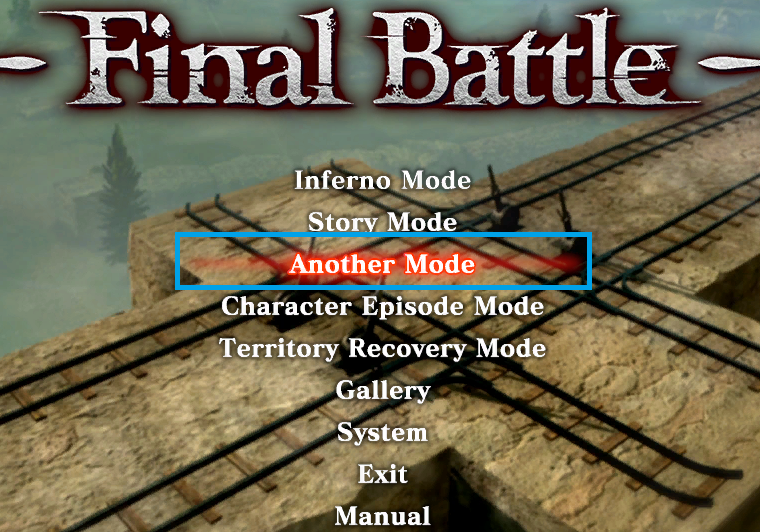
Another Mode
Another mode = Online Mode, you will be here most of the time while playing attack on titan 2, Another mode is a zone where you can create or look for lobbies to play online all game modes with all available characters.

Access through the main menu
Story Co-op, Character Episode(DLC), Territory Recovery
(This part is better explained in this video that is not mine):

The first time you are playing the story mode, character episodes (Dlc) or Territory Recovery and you want to play it with a friend (only 2 players per first time) there are two roles:

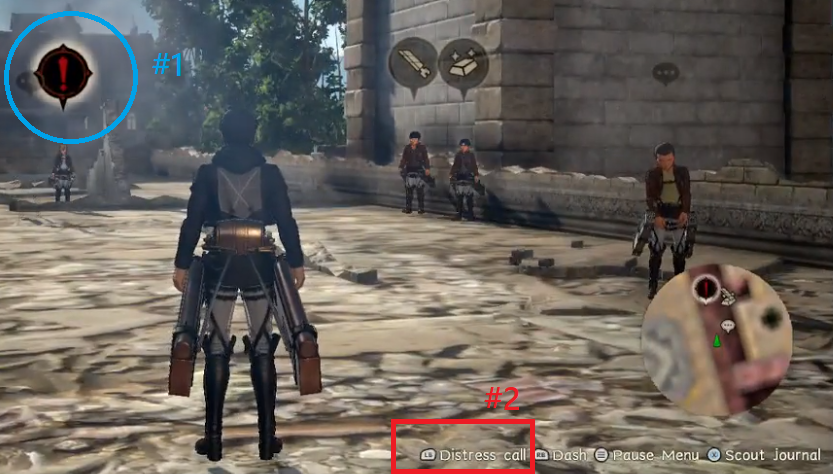
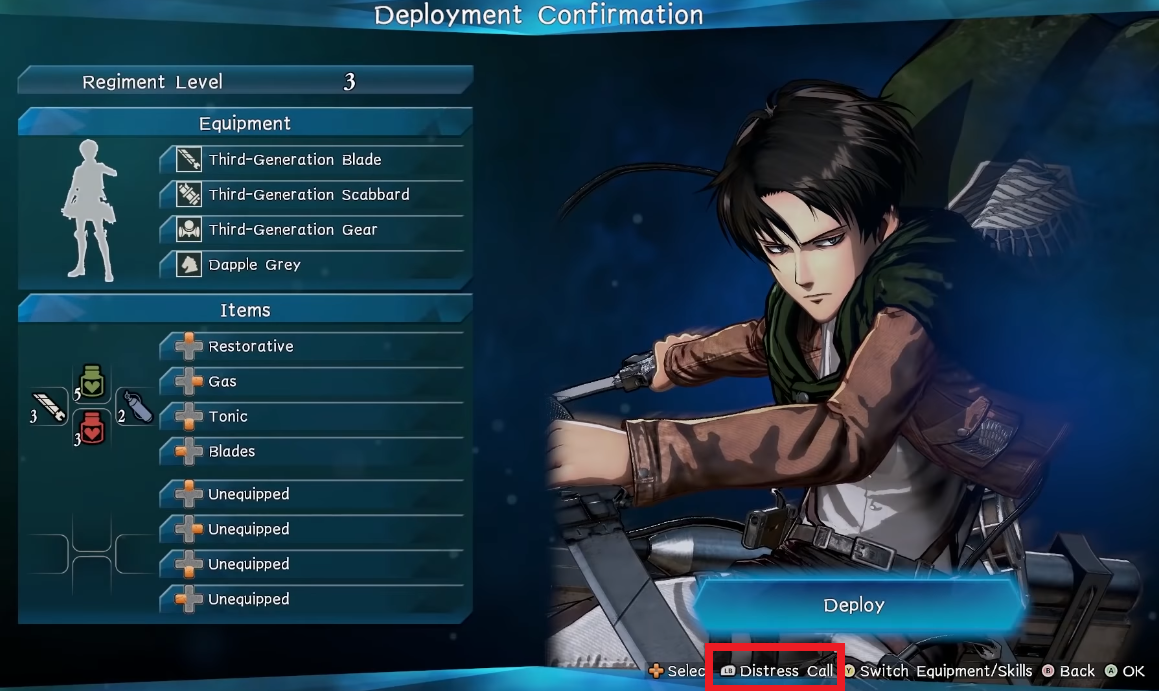
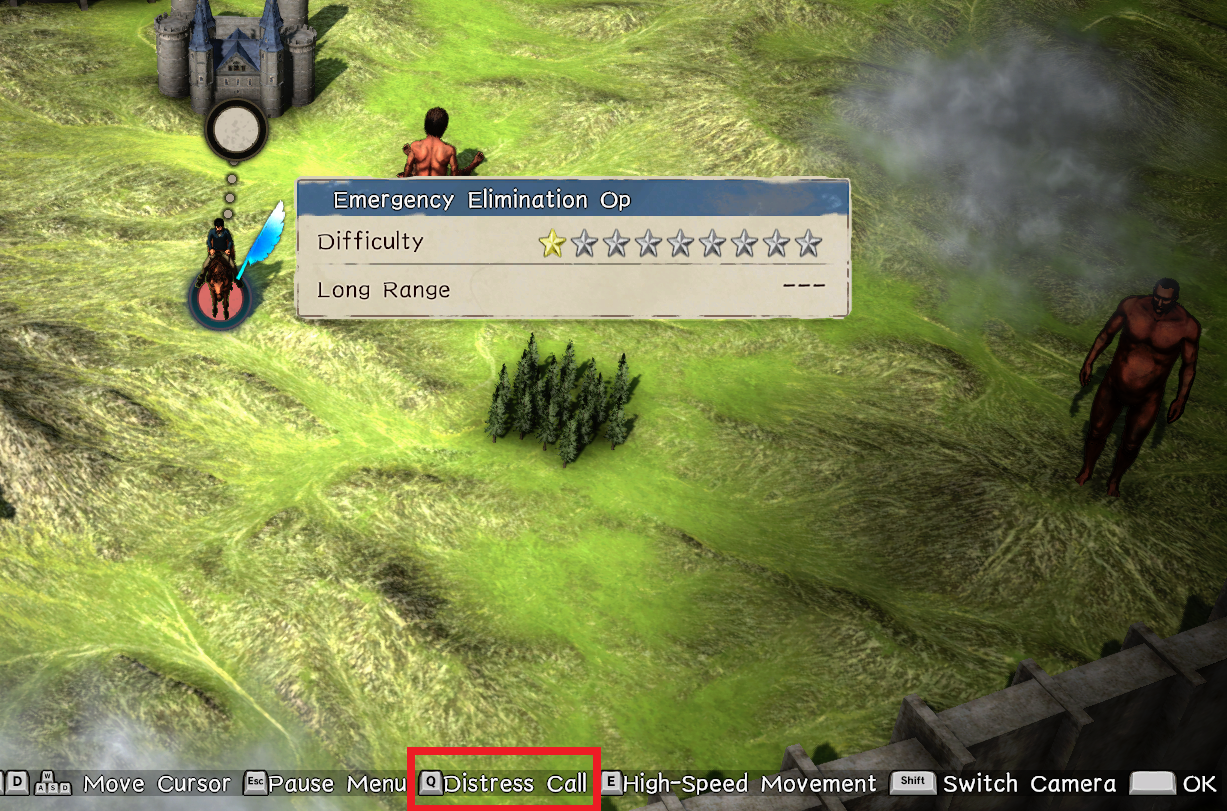
THE HOST: The player who has the mission and appear with a red symbol in story mode(#1), you need to select the option "Distress Call" (#2) to open your lobby for that mission

STORY MODE


CHARACTER EPISODE MODE (DLC)
(The first time you enter to character episode as host you need to finish a quick Armin's mission tutorial)


TERRITORY RECOVERY MODE


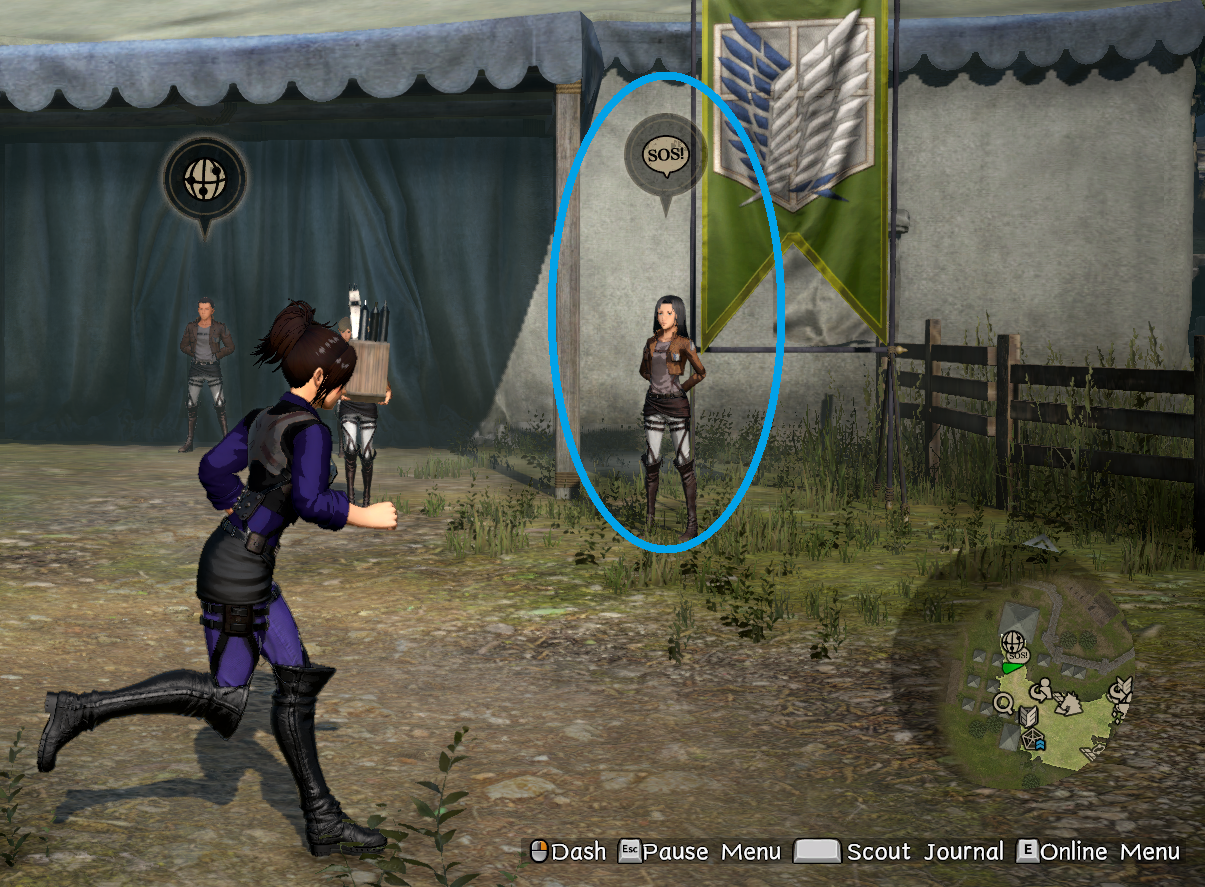
THE SECOND PLAYER: The player that wants to join your lobby, he must go to "Another Mode" on the main menu and go to the S.O.S npc


And then Select the respective option to search and join your friend's lobby


Notes:
  • Both need to do the same process with each mission you want to play using Distress Call, don't worry no need to do this hosting in "Another Mode"
  • All 3 modes only have distress call option the first time, after you have unlocked all game modes you only need to host or play in "Another Mode"
  • Not search games with S.O.S, no one really use it, is only for specifically first time friends
  • Not all of CHARACTER EPISODE MODE missions could be played co-op, some of them are single player only


Search for Lobbies
Lobbies and players are not that many, but you will usually find enough people to play anytime!!

To search for games and lobbies enter Another Mode, and then open the Online menu with key E or with this npc


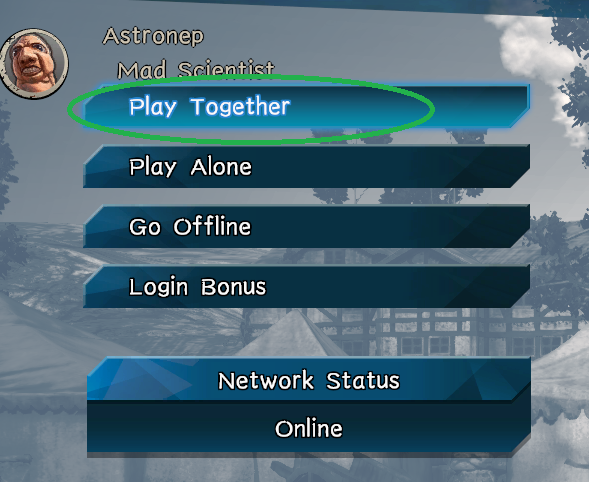
and you select "Play Together"


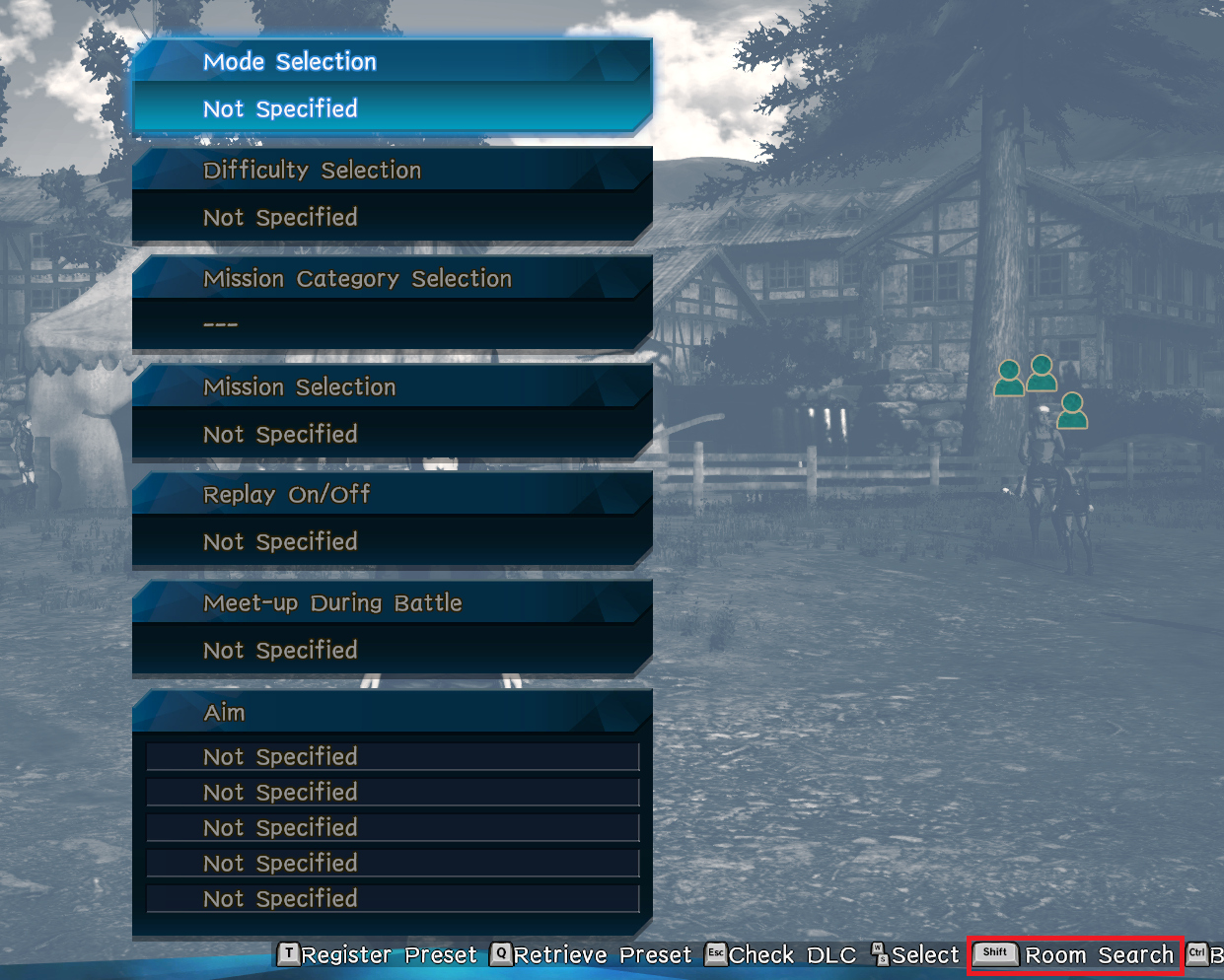
Then you select "Room Search (By Conditions)" and just press SHIFT, do not modify anything in the filter, with "Not Specified" It will show you all the existing games at the moment


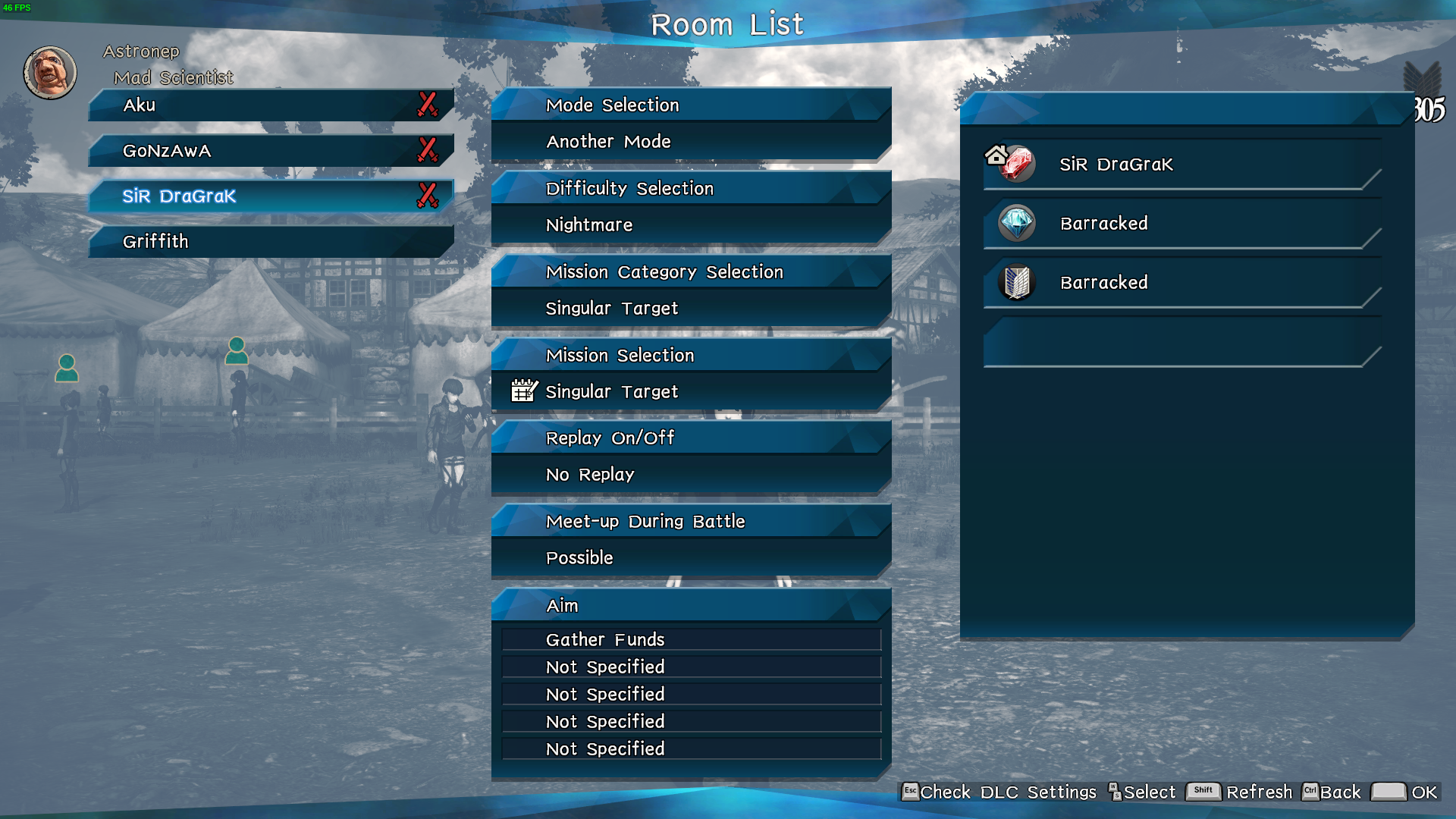
And then just join the game you prefer, you can see all info of every lobby


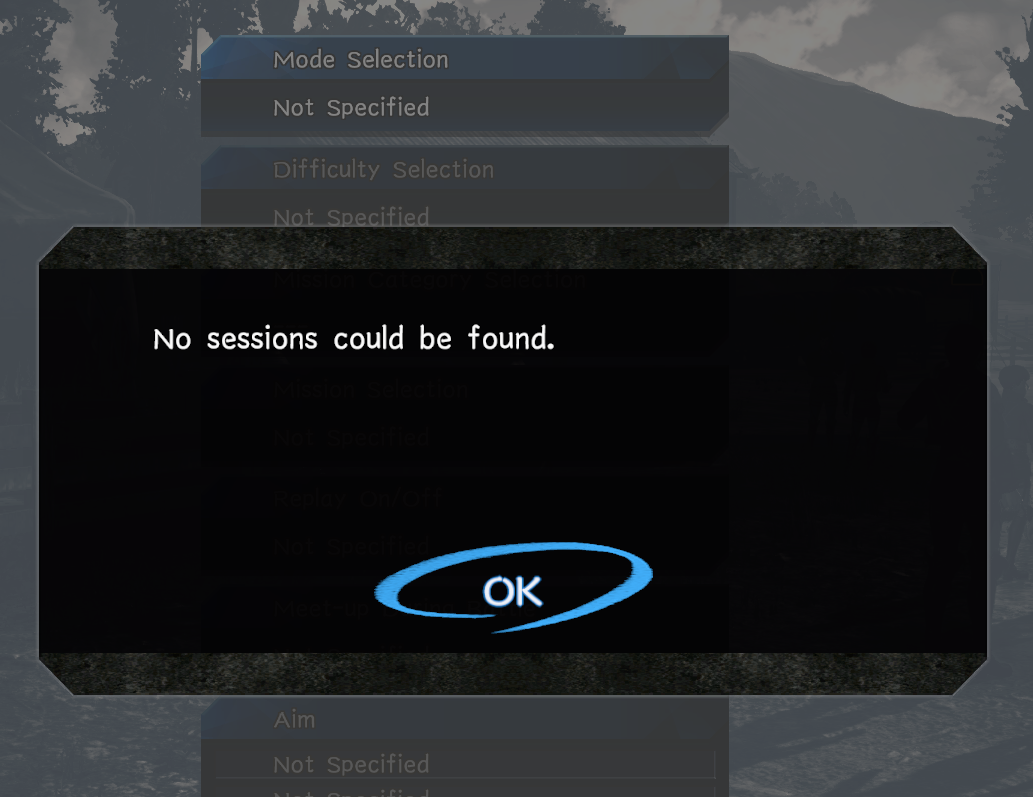
If you get this "No sessions could be found" don't worry it means no one is playing in public lobby right now, so search again someone may appear or just create your own lobby


Create Lobby
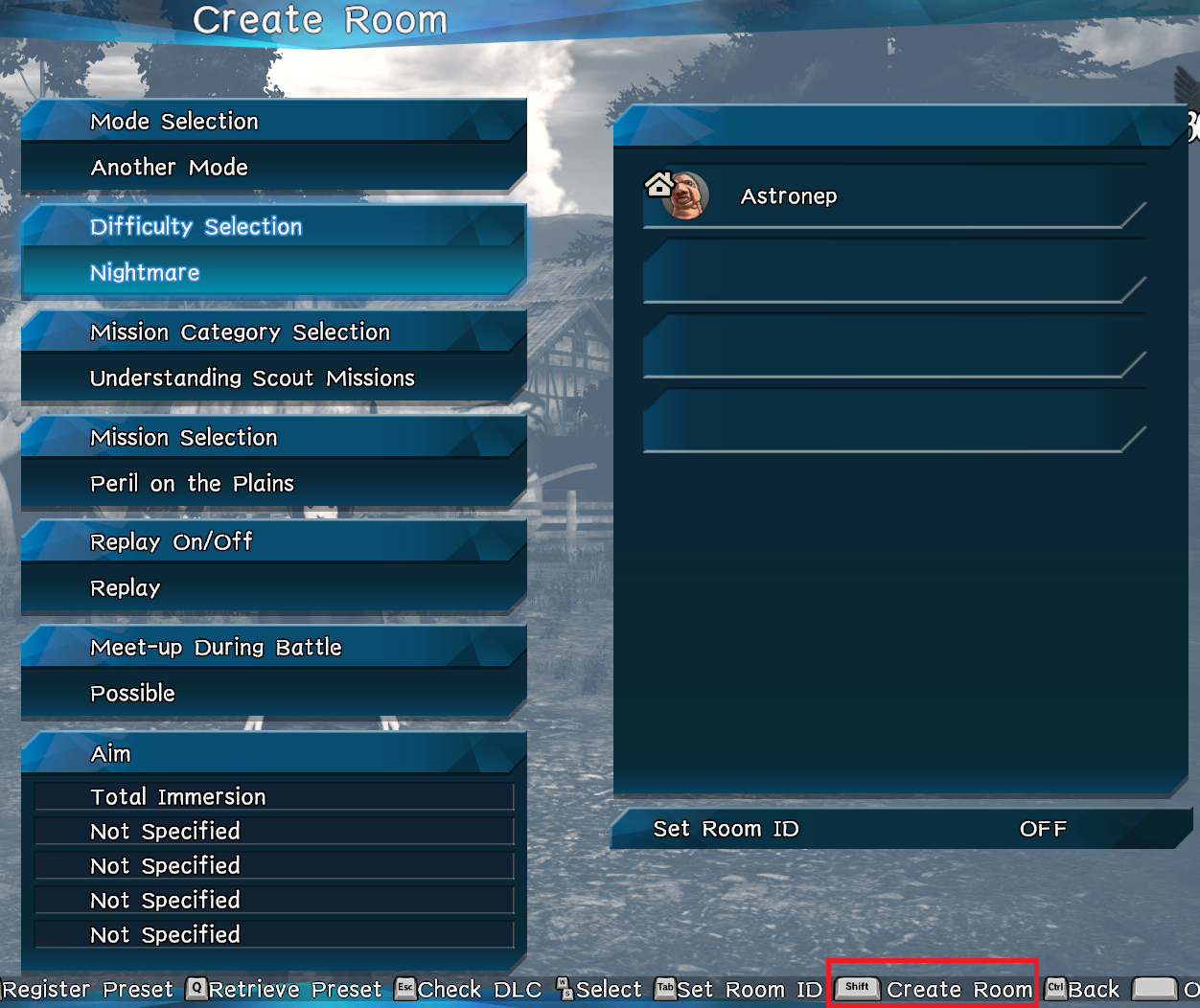
Same as search for lobbies, enter "Another Mode", open online menu, select "Play Together" and then "Create Room"

Select the mission, difficulty and other options you want and then create the room with SHIFT, just with that you are already online and appear on lobbies list.


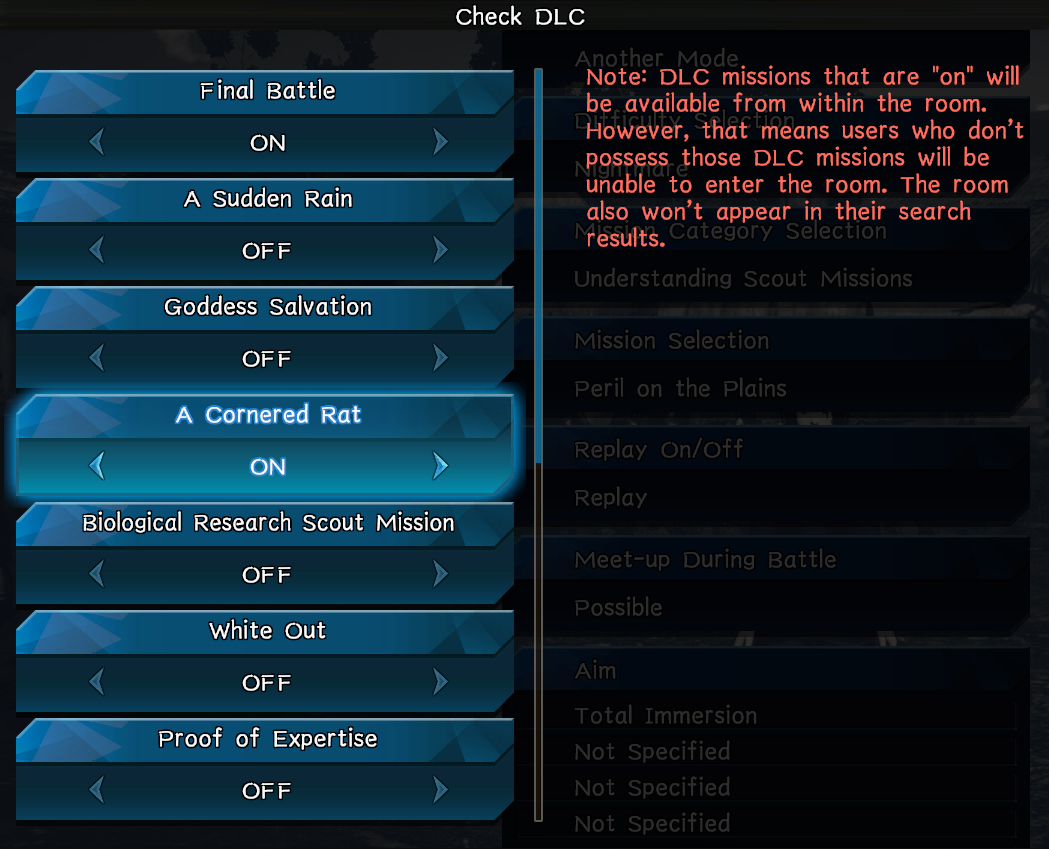
If you own the "Additional Episodes: 12-Episode Set" DLC to create games of these missions you need to first enable them pressing ESC while creating the room and change Off to On. And you can find them on the category Another mode > Understanding Scout Missions (You need to do this every time you want to create that episodes)


Room ID
This option works just fine to play with your friends alone in a private room that only allows the players that knows the ID


Notes:
  • Co-op allow 4 players for any type mission
  • Not all missions allow you to transform on a titan
  • You must unlock yourself all missions to be able to create them on your lobby
  • The Nightmare difficulty for story and territory recovery mode must be unlocked too playing "Inferno mode" and territory recovery on nightmare mode

Lobby
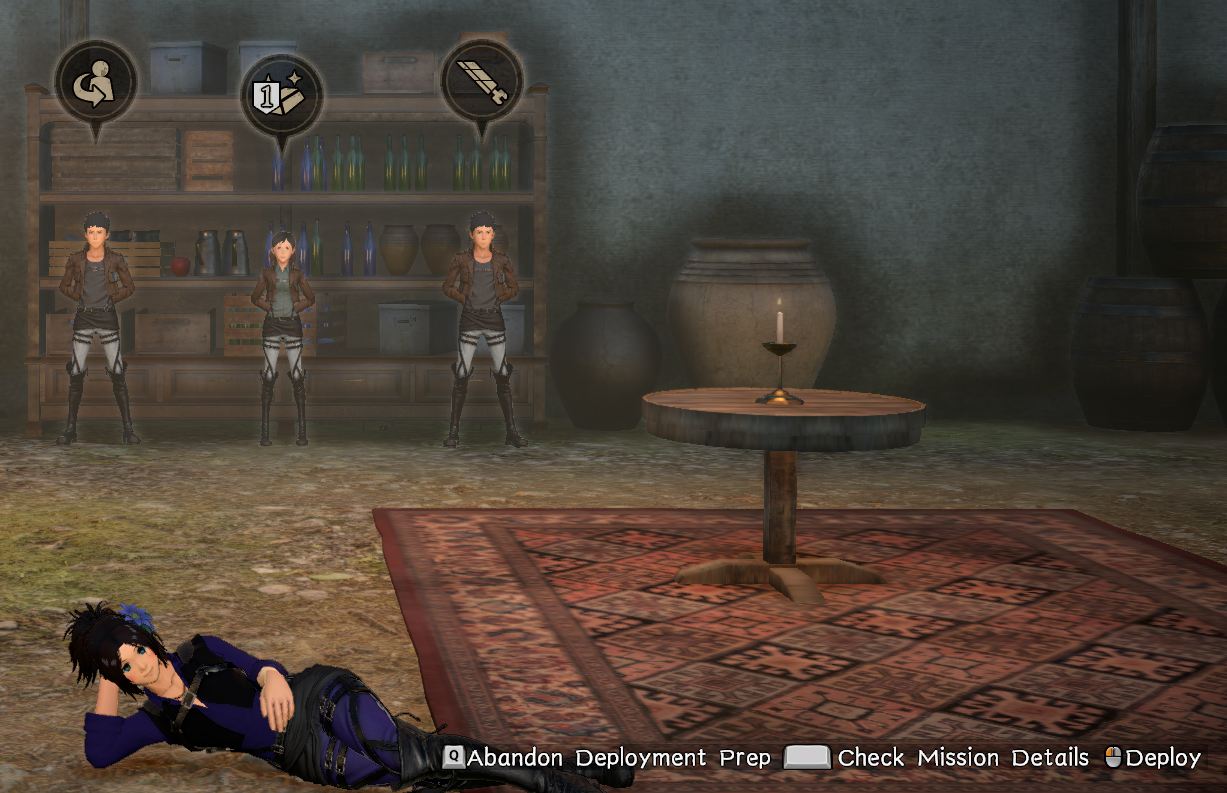
This is the place where the players in the room meet, anyone can stay there while the others are playing the mission, you can change character or buy-upgrade equipment without exit that lobby

Just remember always that you need to be "Ready" before deploy and join the mission, with Q "Complete Deployment Prep"


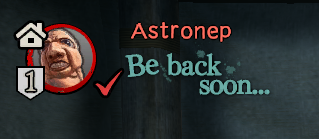
Note: If you enter a lobby and the host has the signal "Be back soon..." means that is AFK so maybe you want to look for other game


5 Comments
GryfalconA Sep 13 @ 4:25am 
If anyone comes across this again, join the discord. We’re still an active community and play together frequently
S.E.C. Apr 4 @ 2:11am 
i still am, i love it cx
Hinatzs Jun 14, 2024 @ 10:59am 
I want to play online, i couldn't find lobbies, and when im create my lobbies it took me forever and no one join
Croworan Feb 1, 2024 @ 10:55am 
Actually, I wondered if there's even anyone playing multiplayer at all nowadays - the last time I checked, everything was absolutely dead ~

Would love to have a multiplayer experience in this game.
Dream Nov 5, 2023 @ 12:38am 
When joining another character in co-op during a story distress flair does your gear/level matter? Like I don't want to things to scale up to me and leave the lower level person helpless and on the same note I don't want things to scale to them and have me as being totally OP and ruin the fun for them. Since at least one of us needs to have done the mission to accept summon from the distress flair and my friend's new it seems a bad idea for me to start a new character just to try to play with them but I also don't want to have enemies or myself super outclass them.