Microsoft Flight Simulator (2020)

Microsoft Flight Simulator (2020)

144 ratings
Easiest way to find your house (or anywhere!) Updated 2022
By Moga CMDR
This quick and simple guide will show you how to use Google Maps Lat/Long information to set a custom departure or destination in MSFS.
2
12
   
Award
Favorite
Favorited
Unfavorite
Credits
I didn't figure this out myself! I got some information from Squirrel on youtube, then JamesAMD on Steam tipped me off to a comment by Guillaume201 on Youtube.

I decided to put this together so the information would be easier to find. But I take no credit for the ideas!
Super Simple Explaination
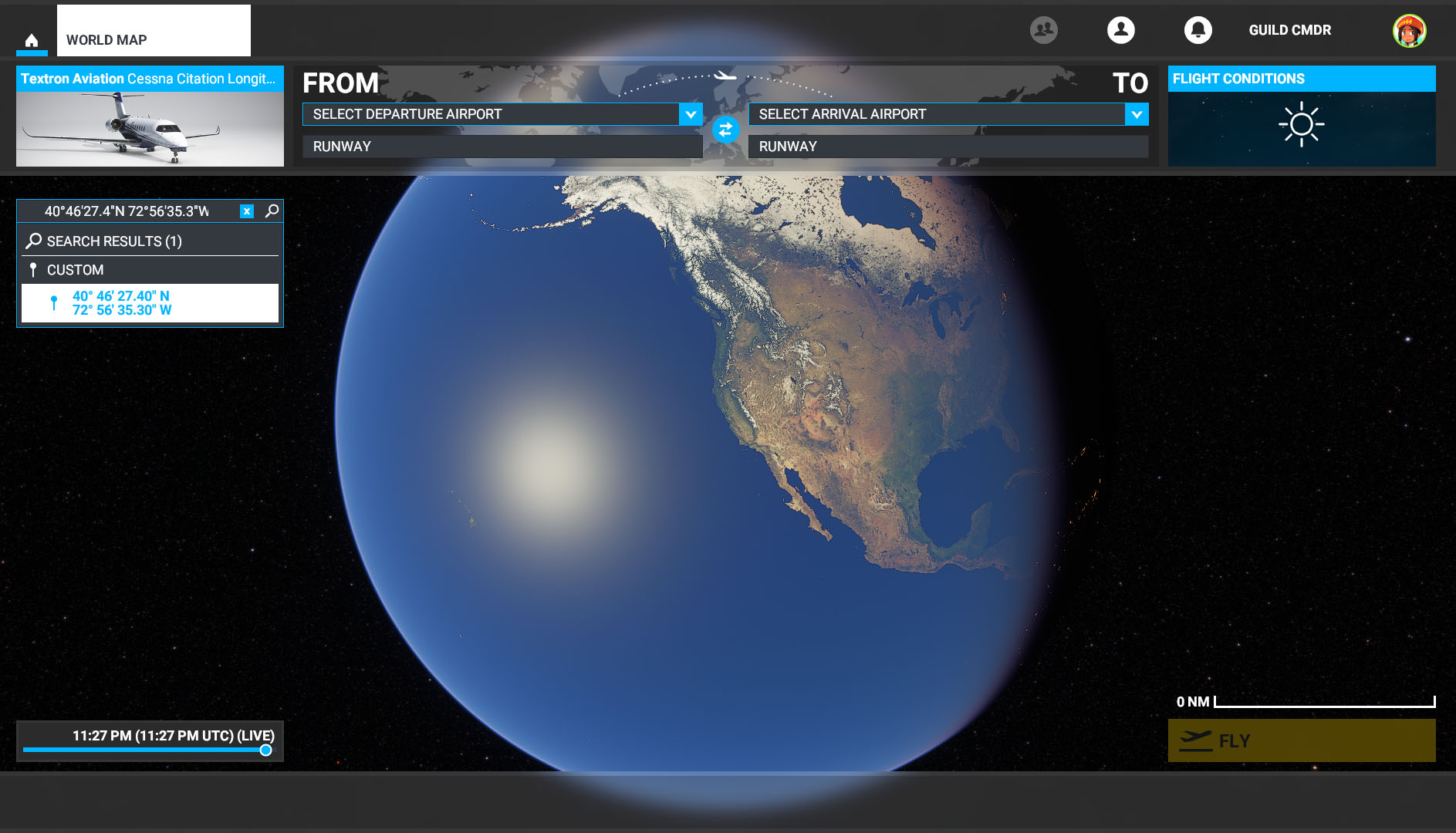
Copy and Paste the GPS coordinates you get from Google Maps into the "Search" field on the world map.

It seems to support both formats found on a Google Map page such as:
43.055231, -76.160241
Or
43°03'18.8"N 76°09'36.9"W

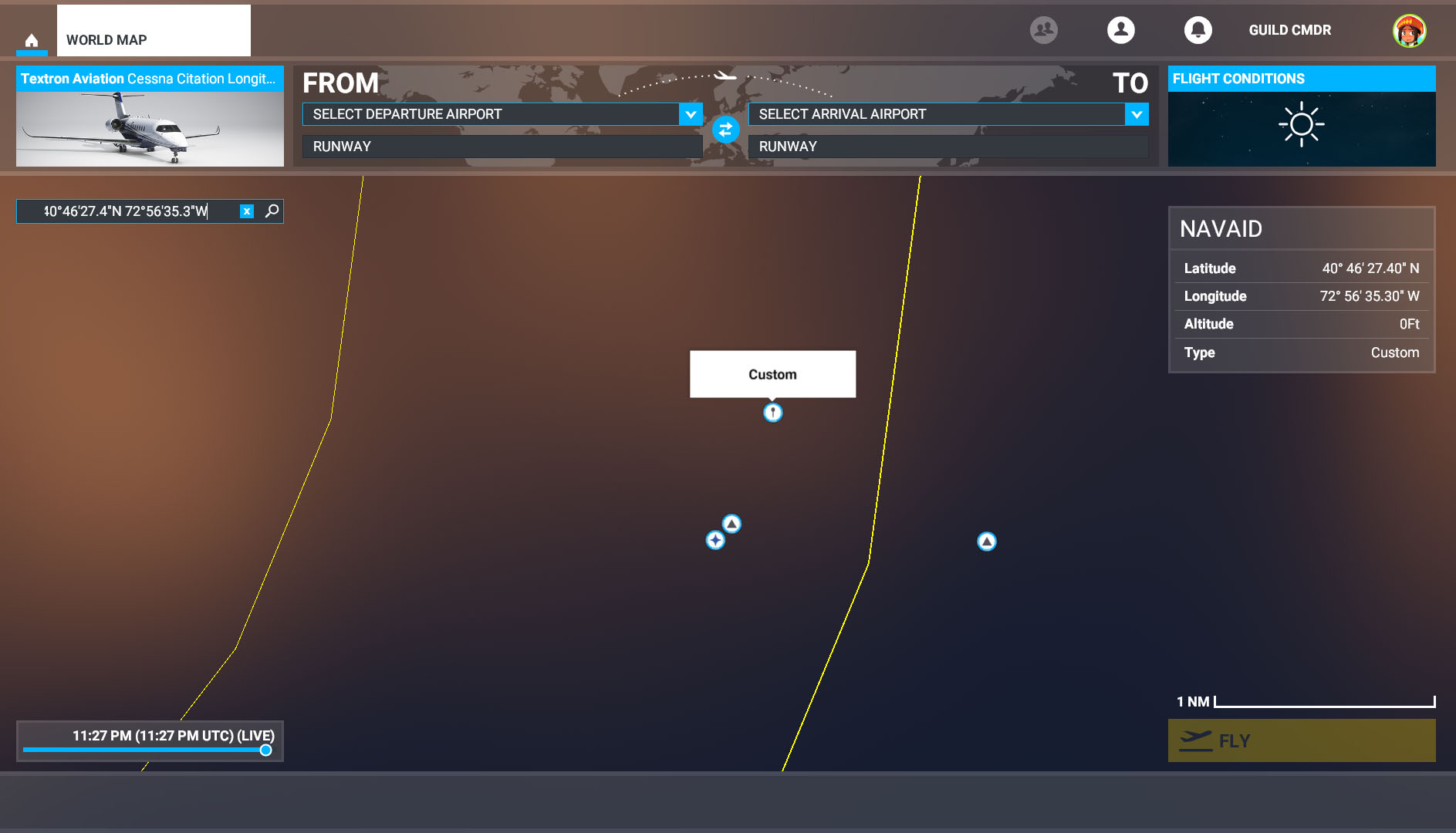
Paste this info in the search box and you will see a custom pin option displayed. Click on that pin and the map will zoom into your location. You can now set it as a departure or destination point for your trip.

You are done!

How to Use Google Maps
We will quickly cover how to use Google Maps to get the Lat/Long information to use in the Sim. Some of you may not be familiar with this process, but it is very easy.

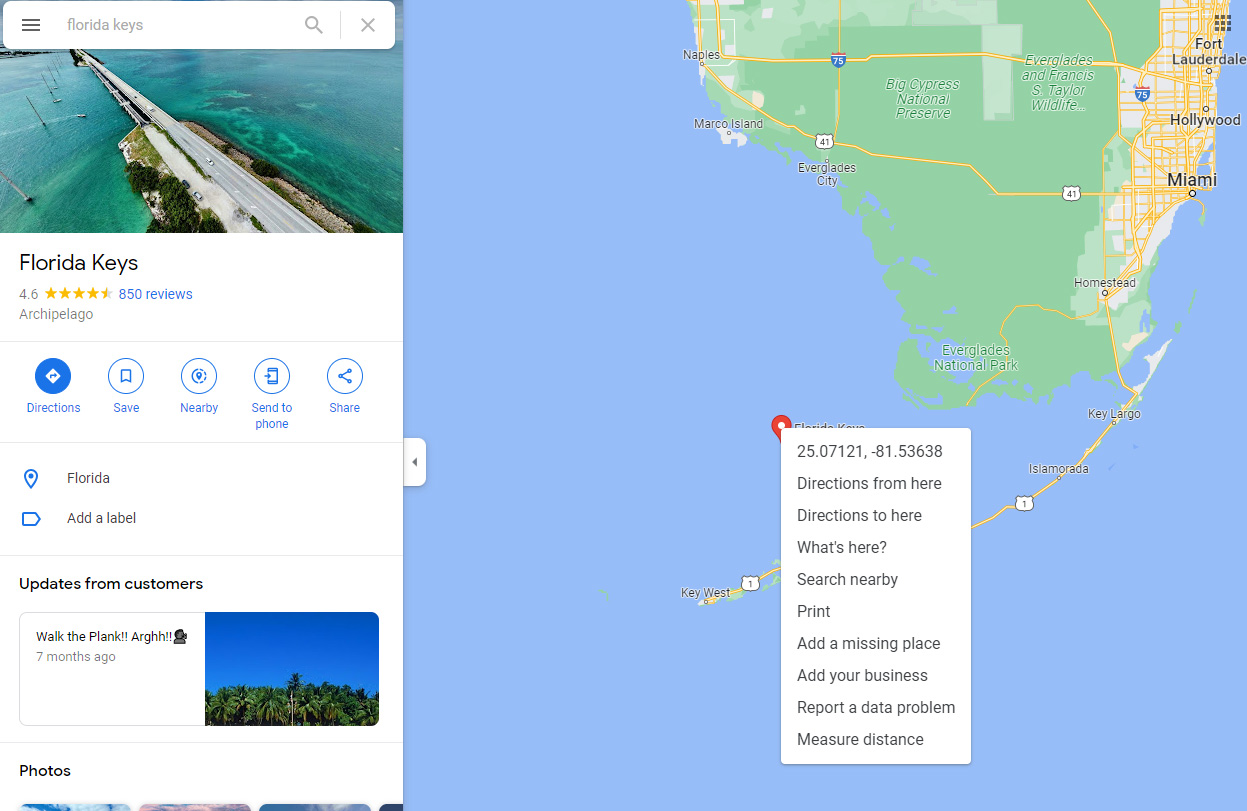
Go to Google Maps and search for the address you want
Once the pin shows up on the Map, you can right click on it and select the coordinates shown. The coordinates are now copied to your clipboard.

You don't need to use a pin, you can right click anywhere and use those coordinates instead!


Go into the Sim and paste the coordinates into search (on the left under the plane)
You will see a custom waypoint option. Select that.


it will zoom into your custom location and from here you can set it as a departure or arrival point for your trip.


Hope this helps.
30 Comments
Daveeee :D Nov 28, 2023 @ 6:05am 
im from slovakia id didnt need DLC?:steamsalty:
die-wc-ente Jul 17, 2022 @ 7:57am 
my house isn´t there.
and nothing else that really is there.
bulgariamapperofficial May 19, 2022 @ 3:38pm 
hentai
h Aug 14, 2021 @ 2:58pm 
Yay, now I can crash into my own house and burn it down!
zero Jun 13, 2021 @ 9:47pm 
lmao, yea
owner of sex Feb 14, 2021 @ 6:08pm 
wow noice
Luigi Shizzione Sep 1, 2020 @ 5:47pm 
You rock.
acano2000 Aug 31, 2020 @ 1:45pm 
Super simple. Thanks for sharing
Tmangus Aug 30, 2020 @ 12:23am 
Thanks Guild for putting this together. Very helpful 😊
Moga CMDR  [author] Aug 25, 2020 @ 6:36pm 
You can turn off cities, airports etc in the options on the flight screen. The controls should be listed at the bottom of the screen.