Actions
Gameplay Stats
Steam Group
Quantums Little Config (QLC)
Profile _
A HighFps, HighQuality and Movie Config Pack
Since June 4, 2009
This group is ment for anyone you uses my config, want to get in contact or just like it.
If there is some update i would pronounce it here.
And yea i would like feedback, feel free to comment :)
Forumposts where could get help or find answers
http://www.dieall.de/da2008/index.php?mod=board&action=thread&action=thread&where=1663
Quantum Little Config v2.1 is the latest release :D
Announcements _
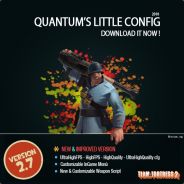
I'm planing to release QLC v2.7 this year, which will include a WeaponScript and a reworked installer.
I´m looking especcialy for people who are using the Mousewheel and/or Lastused "Q" since i dont use that ;)
The Testing should be about one week.
... More
0 comments...
I´m looking especcialy for people who are using the Mousewheel and/or Lastused "Q" since i dont use that ;)
The Testing should be about one week.
... More
Upcoming Events _
Quantums Little Config has 0 upcoming events in the next 2 weeks
Comments _
You must be logged on to add comments.
Ah forgot it to add it here. Just past this line in "Quantum.cfg\HelperCfg/QLC_Alias.cfg"
alias QLC_EnableNormalUber “r_worldlights 4; r_maxdlights 32;mat_specular 1″
I think the cl_crosshairscale bug is normal, It doesn't effect it much as I believe that there is also a cl_crosshair_scale command in the config in the cfg folder. Not quantum's.
Bug in new version 2.1. There's no enableNormalUber alias in the alias cfg.
You add the string in the main cfg but you didn't create the alias.
Unknown command “QLC_EnableNormalUber”
Pls fix it! Keep up the good work
You add the string in the main cfg but you didn't create the alias.
Unknown command “QLC_EnableNormalUber”
Pls fix it! Keep up the good work
"cl_crosshairscale" doesn´t exist, its "cl_crosshair_scale" ;) the voiceprob is not be caused by my cfg. Maybe you config. is writeprotected ? the cvar should be somehting like voice_* if you want to find it.
I''m having a problem. For some reason, whenever I tried to decrease my voice transmit level, after I push OK, it goes back to the max. I'm using the latest edition of the config, but I'm not great at looking through code, so is there anything in the config that would be causing this? Also, whenever I click OK it says in the console "unknown command cl_crosshairscale. I don't know if this is related.
Thanks.
Thanks.
The Installer should work as far as i known. For the Uninstaller i have to wait for the nsis guys to fix it.
@SourcePackage: correct path (overwrites the existing folders)
Members _