
DiRT Rally

DiRT Rally

118 ratings
DiRT Rally Service Park - Guide
By Adrian Paul Smith
Guide for sharing Force Feedback and Vehicle Tuning via Steam Workshop with DiRT Rally
   
Award

Favorite
Favorited
Unfavorite
Force Feedback - Uploading

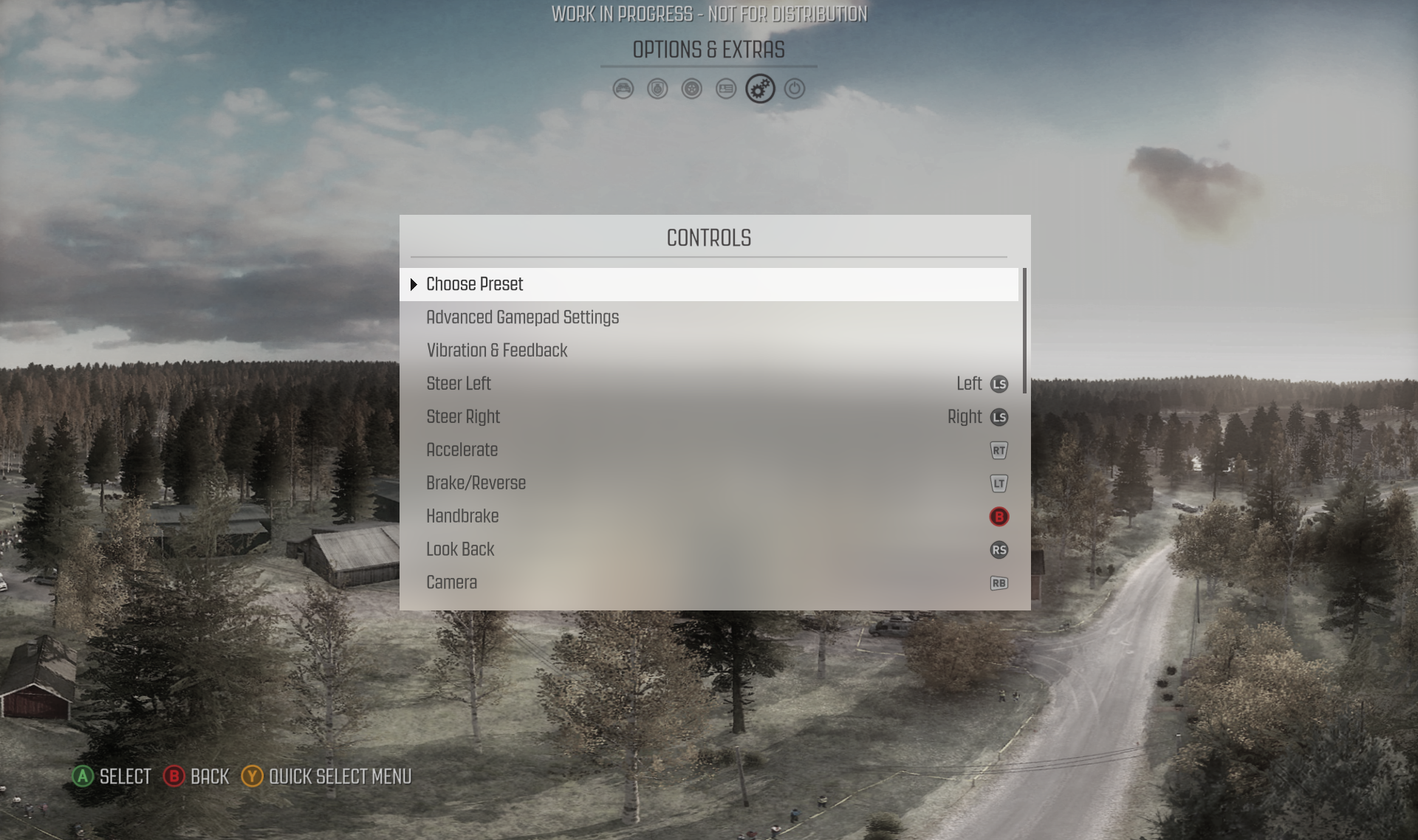
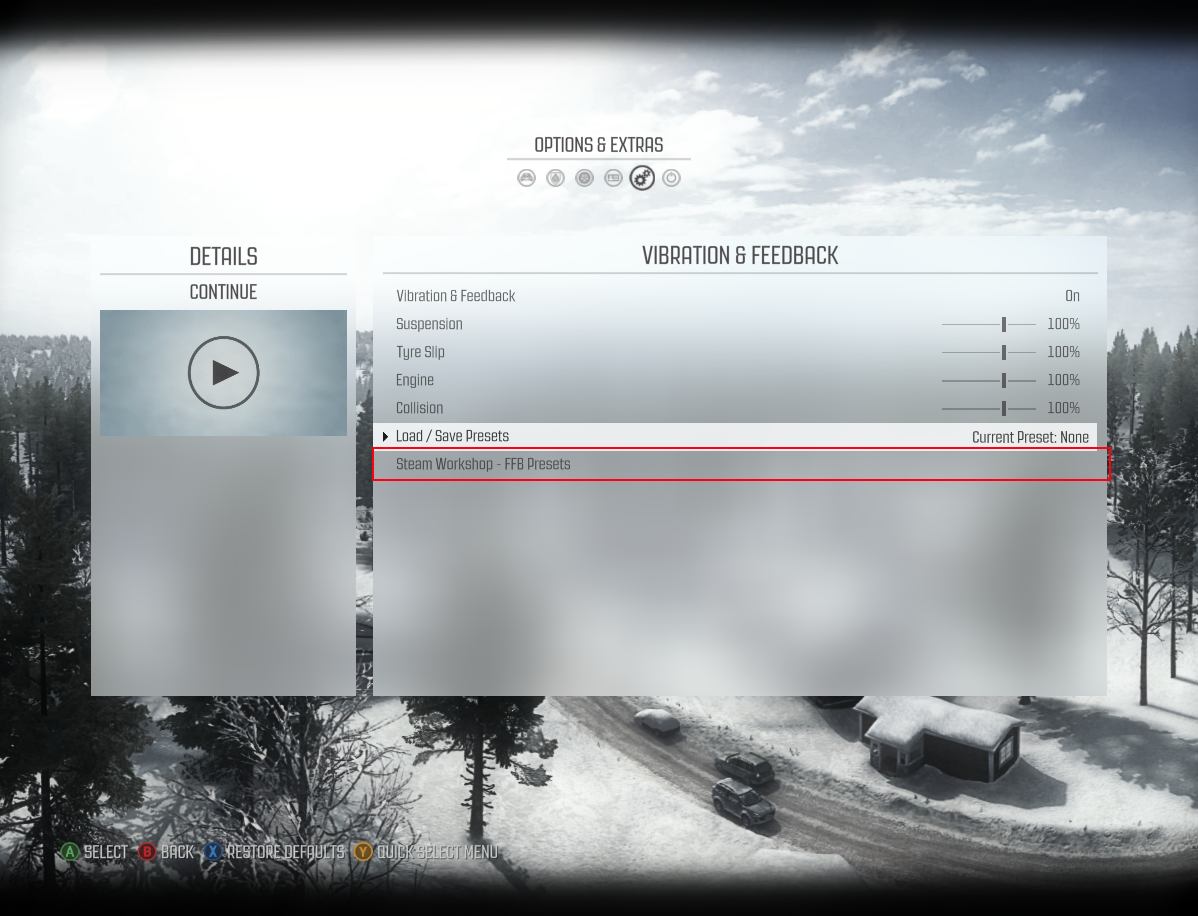
FFB presets can be accessed in the Vibration & Feedback section of the Controls menu.


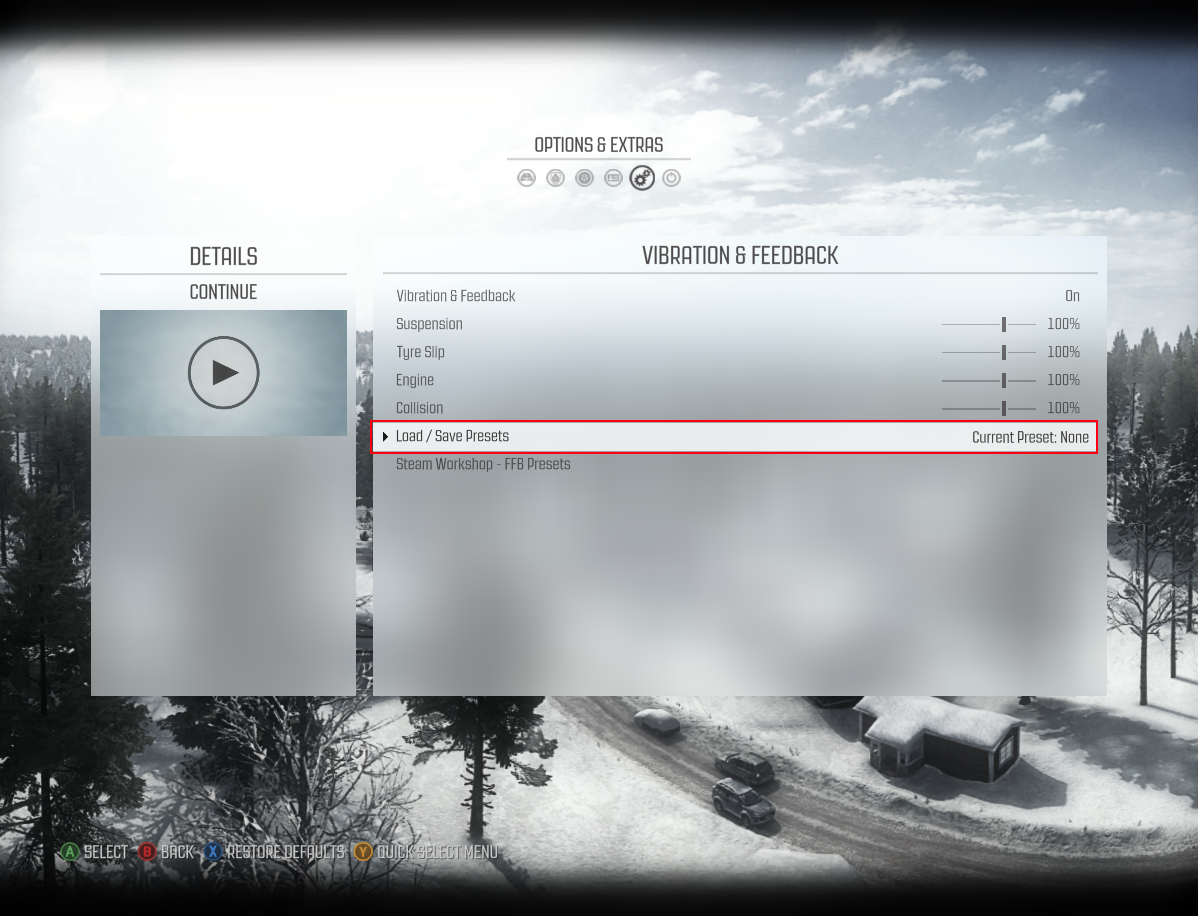
Once you have edited your settings sliders, go to the ‘Load/Save Presets’ section.


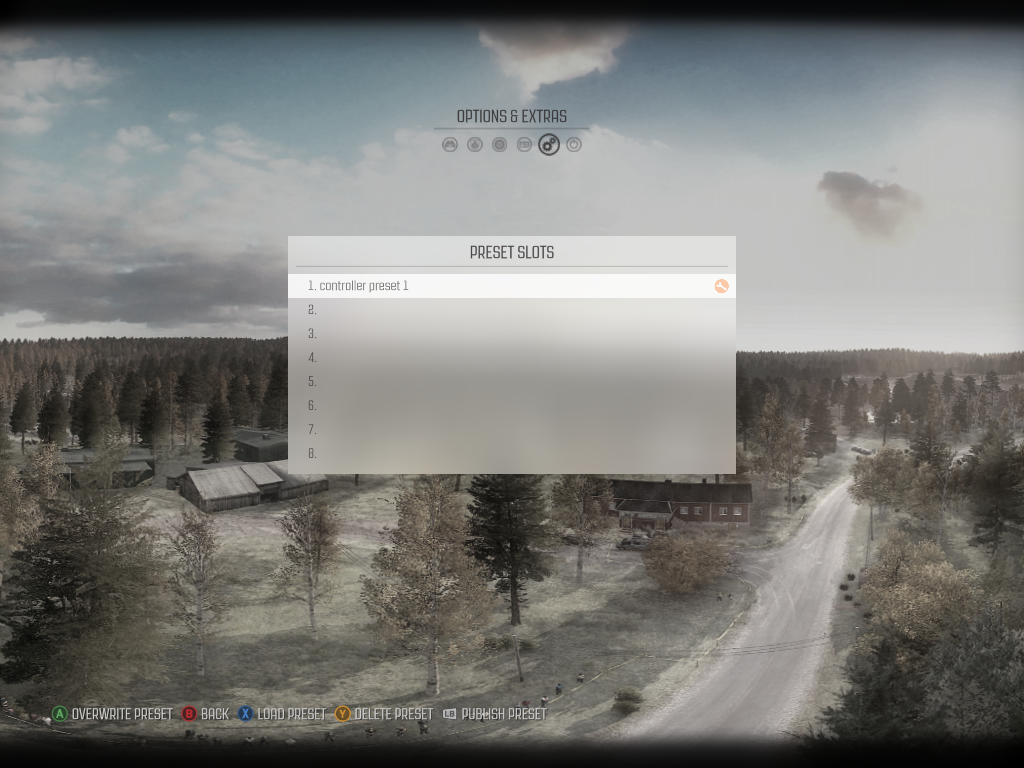
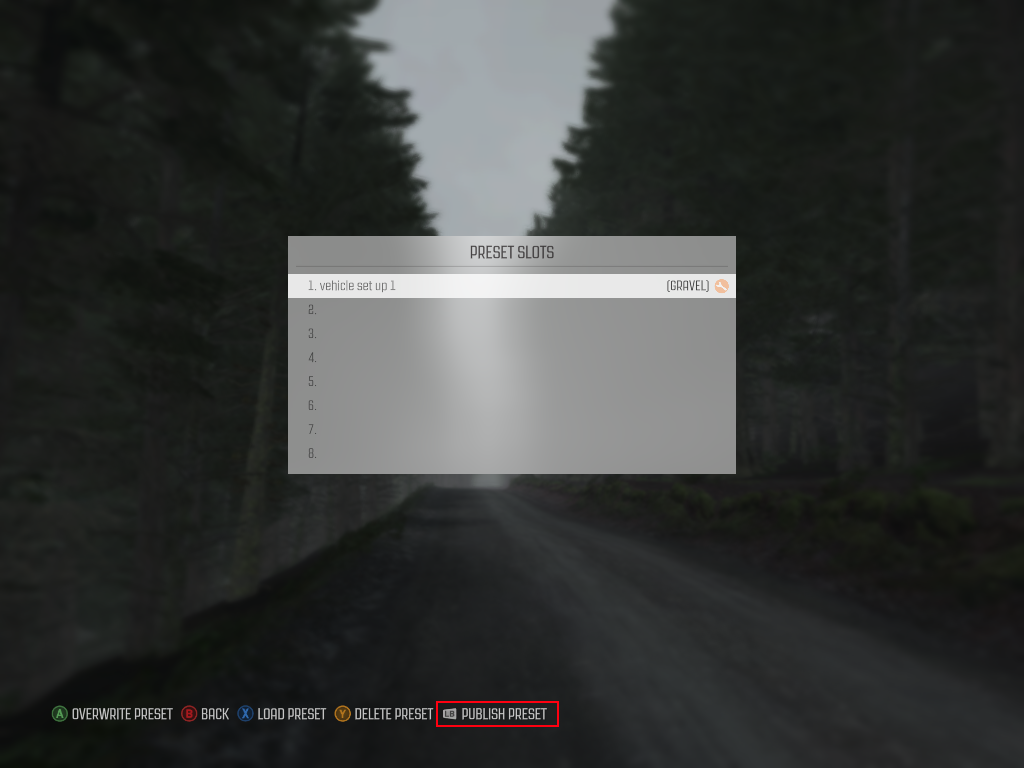
Here you can save a preset to a slot. Saved presets can be uploaded to the Workshop by pressing the Publish Preset button.


While uploading a PLEASE WAIT dialog should be displayed (this could take a couple of minutes depending on your internet connection speed).


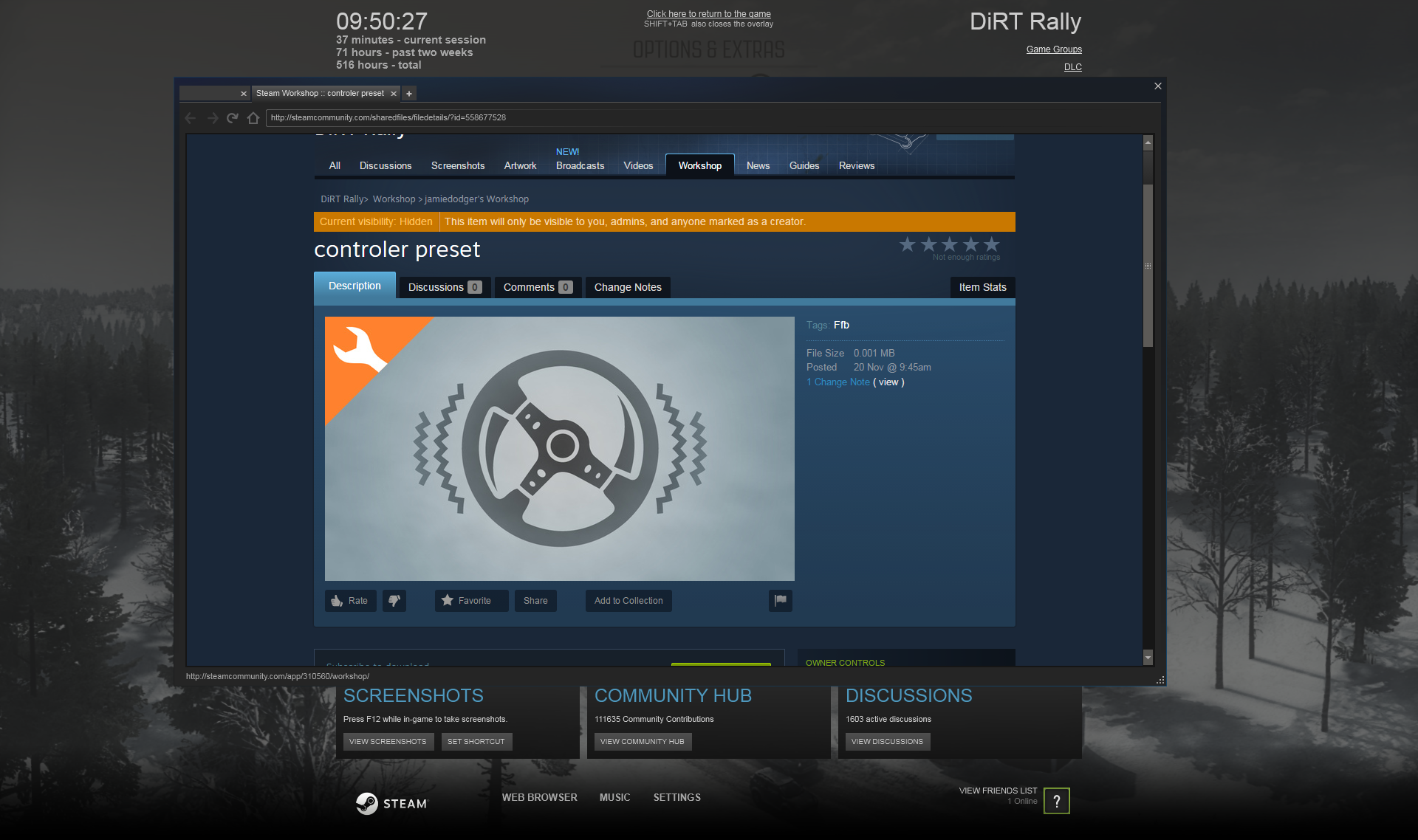
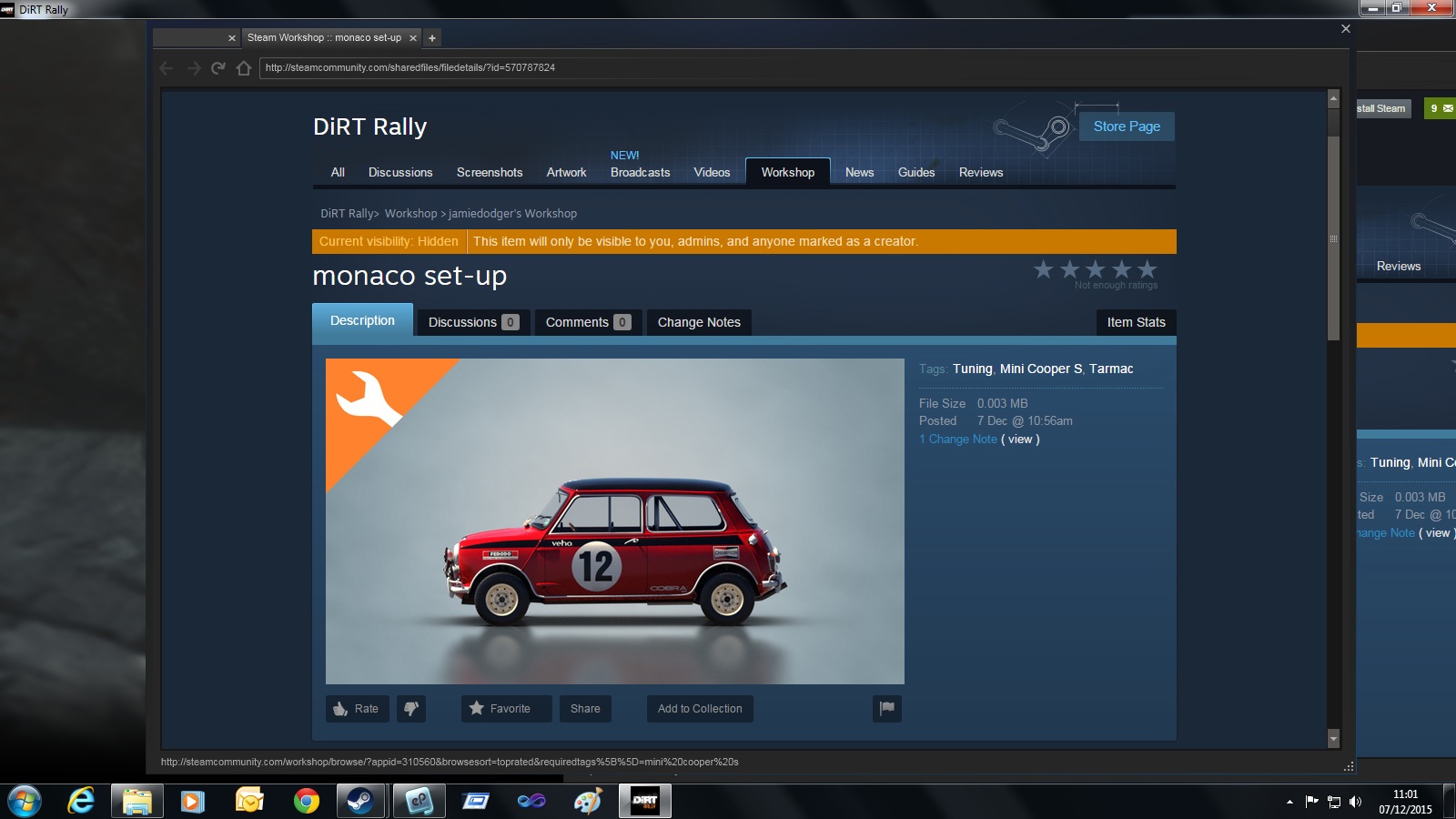
On successful upload, the game will bring up the Mod page in the Steam Browser, where you can edit information about the mod.
Note that all mods are uploaded with default name, tags and picture. It is recommended you fill in these details to describe the devices used and the values tweeked in your title/description.


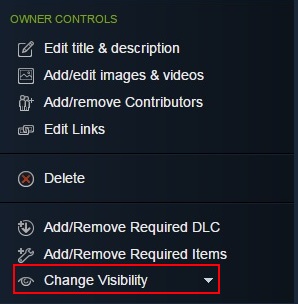
Once you are happy with your controller preset you need to set the mod to visible before it can be viewed/subscribed to by others.
Force Feedback - Loading
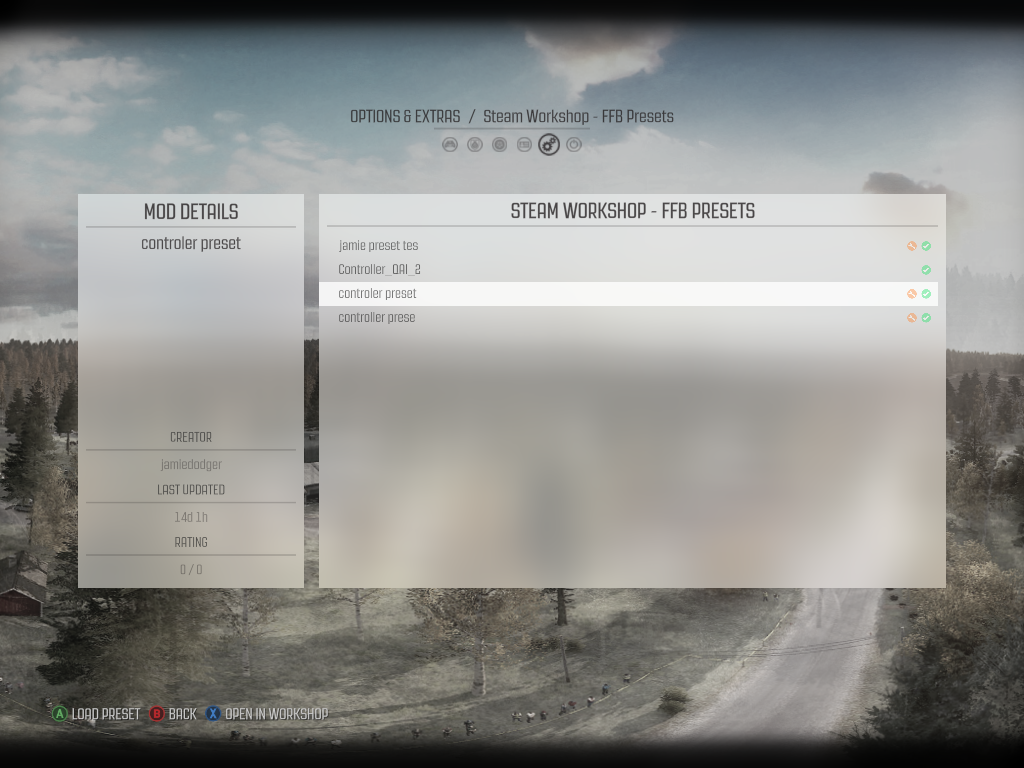
Once subscribed you can see the subscribed tuning mods in the Steam Workshop manager.

Subscribed mods will be displayed with a tick icon.
Mods you have published will be displayed with a spanner icon.

Select a mod to load the into the current FFB preset.
Vehicle Tuning - Uploading
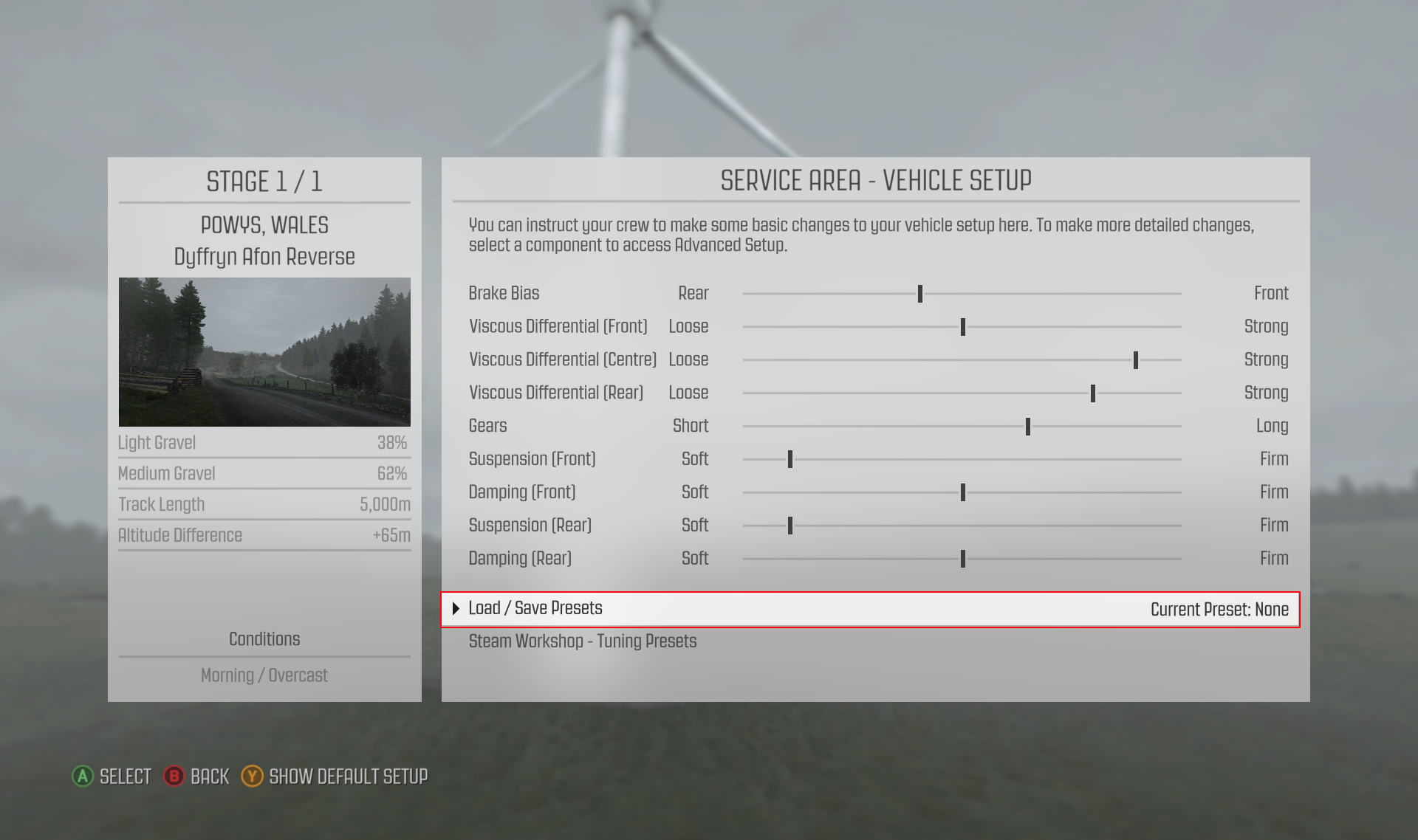
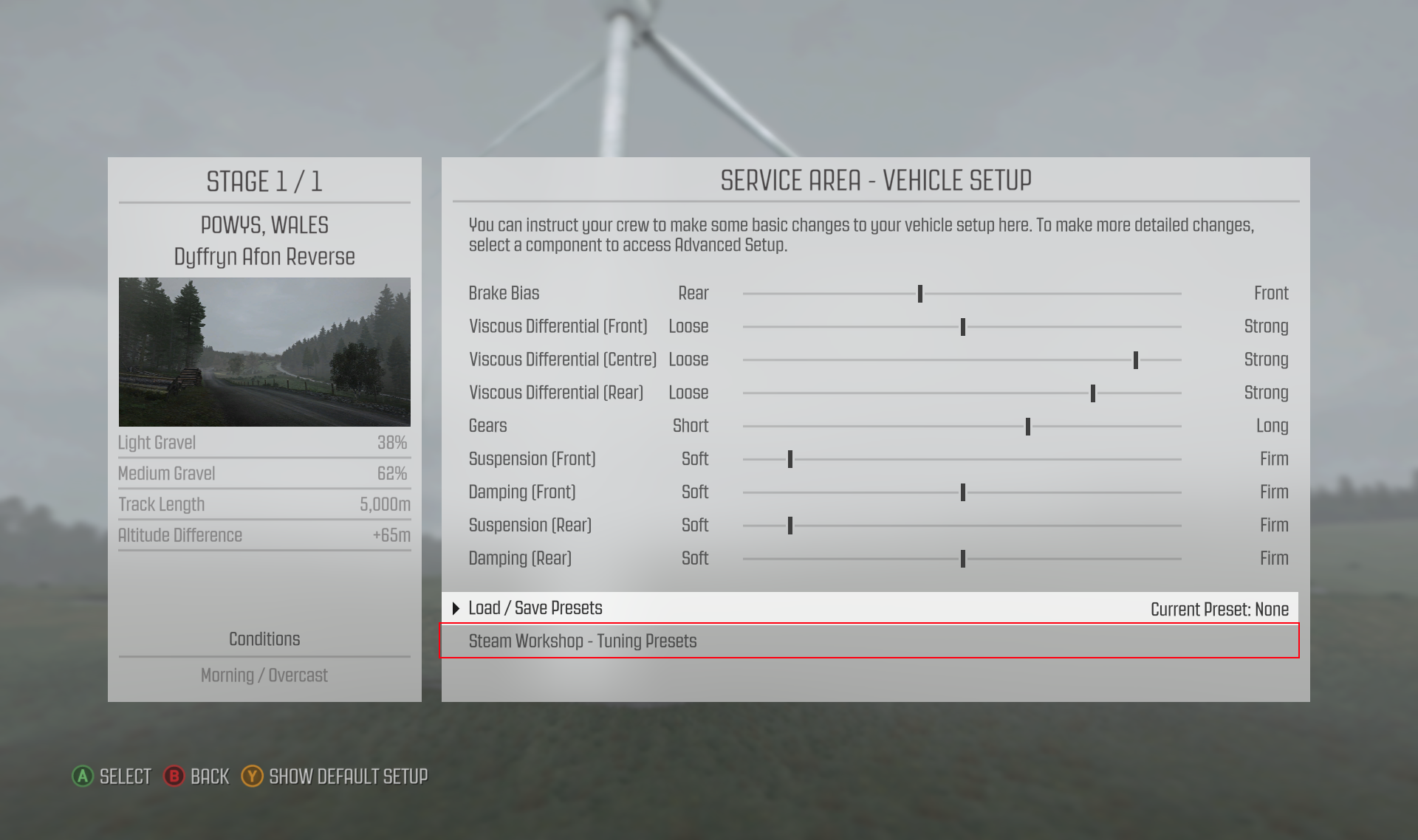
Creating a tuning preset requires you to actually enter an event. In the Service Area, navigate to the Setup Vehicle page. Edit your sliders to the desired settings and then go to ‘Load/Save Presets’.

Creating a tuning preset requires you to actually enter an event. In the Service Area, navigate to the Setup Vehicle page. Edit your sliders to the desired settings and then go to ‘Load/Save Presets’.


While uploading a PLEASE WAIT dialog should be displayed (this could take a couple of minutes depending on your internet connection speed).

On successful upload, the game will bring up the Mod page in the Steam Browser, where you can edit information about the mod.
Note that all mods are uploaded with default name, tags and picture. It is recommended you fill in these details to describe the devices used and the values tweeked in your title/description.


Once you are happy with your vehicle tuning preset you need to set the mod to visible before it can be viewed/subscribed to by others.
Vehicle Tuning - Loading
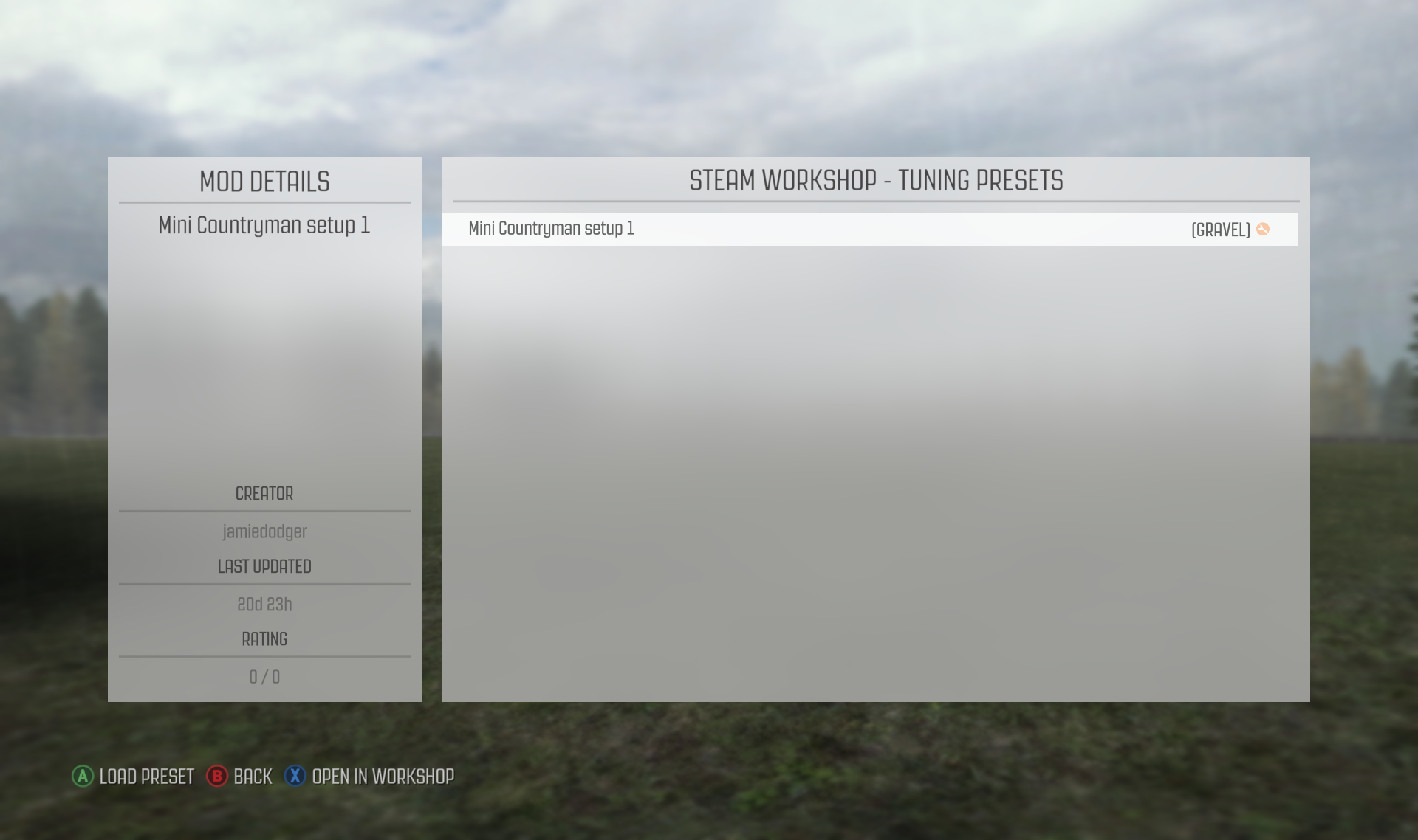
Once subscribed you can see the subscribed tuning mods in the Steam Workshop manager linked to from the service area.

Subscribed mods will be displayed with a tick icon.
Mods you have published will be displayed with a spanner icon.

Select a mod to load into the current Tuning preset.

Reuploading

Published mods can be modified both for FFB and Vehicle Tuning presets. You would need to edit the current settings for FFB/Tuning and then go to ‘Load/Save Presets’ section and select the slot you want to overwrite. Slots that contain a published preset have a spanner icon on them. To update a published mod, first overwrite it and then hit the Publish Preset button.
Subscribing / Unsubscribing
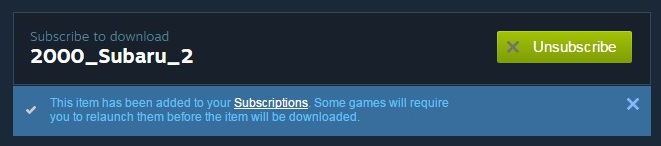
To get a community mod from the Steam Workshop into the game, you would need to subscribe to it. You can subscribe to mods on the Dirt Rally Steam Workshop page anytime.

If you don’t want a mod anymore, simply select unsubscribe from the Dirt Rally Steam Workshop page and it will disappear from the game.
13 Comments
May 9, 2023 @ 11:41am 
I subscribed to test one preset but is not showing in the FFB Presets option.
May 29, 2017 @ 1:46am 
Thank you very much for your help it is excellent !!!!!!!!!!!!!
Mar 16, 2016 @ 6:03pm 
guys, i can't see any of the subscribed setup... can someone tell me why? Thanx!!
Jan 6, 2016 @ 12:29pm 
For some reason the FFB and car tunings I've subscribed to only show up on the computer I subscribed to them on. To clarify, I run the game at home and work. On my home PC, I subscribed to tuning settings for the 1960's Lancia Fulvia HF as well as a FFB setting for my G27 wheel. At work these sub'd settings do not show up in the game. Is anyone else having this problem?
Dec 11, 2015 @ 8:22pm 
detailed i see
Dec 11, 2015 @ 7:26pm 
Nice Paul! very nice indeed!
Dec 7, 2015 @ 11:48pm 
This has blown me away!...Top Stuff!!!!
Dec 7, 2015 @ 4:20pm 
great idea!!
Dec 7, 2015 @ 12:04pm 
just what i hoped for :steamhappy: