
DARK SOULS™ III

DARK SOULS™ III

Not enough ratings
Dark Souls III Tracker - Interactive Map & Save File Progress Tracker
By krut43
An interactive map of Dark Souls III that knows your progress: hand it DS30000.sl2 and see which bonfires, bosses, items and Estus Shards are still ahead of you, on every map of the base game, Ashes of Ariandel and The Ringed City. The file is parsed inside your own browser tab and is never uploaded. The map, the search and the save reading are free.
   
Award
Favorite
Favorited
Unfavorite
Begin
In short

There is an interactive map of Dark Souls III that you can hand your save file to. After that it stops being a reference of "where the shards are in general" and becomes a map of your run: bonfires you have lit, bosses you have beaten and items you have picked up are marked as found, and one switch hides them, so what remains on screen is exactly what is still ahead.

The tracker lives here: https://darksouls.krut.top

Your save file never leaves your computer. JavaScript in your own tab reads it, there is no server on the other side that would accept it. How to verify that yourself is in the privacy section below.


What you need

  • A desktop browser: Chrome, Edge, Firefox, Opera.
  • The DS30000.sl2 file. It lives in %APPDATA%\DarkSoulsIII\<long number>\. Press Win + R, paste %APPDATA%\DarkSoulsIII and open the folder with a long number for a name. Under the load button on the site there is also a "Where is my save file?" hint with a "Copy path" button.
  • A free account on the site: Google, Discord, GitHub, or an email and password. Without signing in you can already look around: every map, the search and the marker cards are open to guests. The account is what lets the tracker read your save and keep your hand ticks.

You do not have to close the game, and nothing is installed into it: the tracker works with a copy of the data that you show it yourself.


The first five minutes

  1. Open https://darksouls.krut.top and sign in.
  2. Drag DS30000.sl2 onto the panel on the left, or click it and pick the file the usual way.
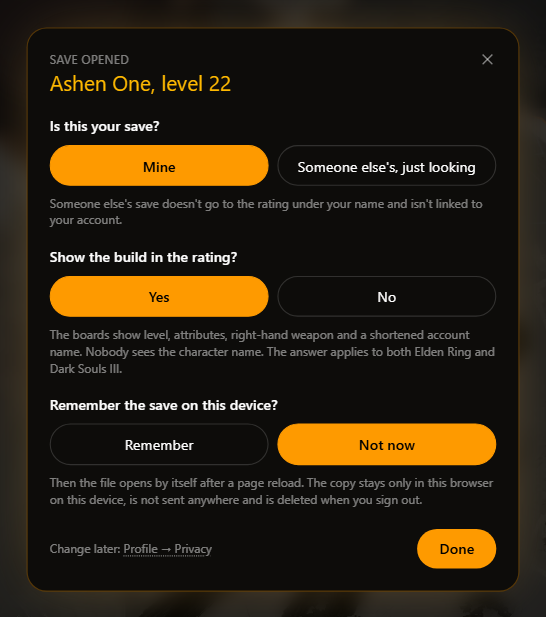
  3. Answer three questions in the Save opened window, more on them just below.
  4. Choose a character: a save holds up to ten, and the tracker shows the name and level of each.
  5. Take the tour: a few short cards about where everything is. You can call it back from the menu.
  6. Open Layers and switch on "only what is left". That is the switch this whole thing is built around.

The window asks about three things, and the tracker decides none of them for you: whether the save is yours (someone else's is only shown and goes nowhere), whether to show your build on the shared leaderboard, and whether to remember the file on this device so it opens by itself after a page reload. You can change your mind at any time under Profile -> Privacy.


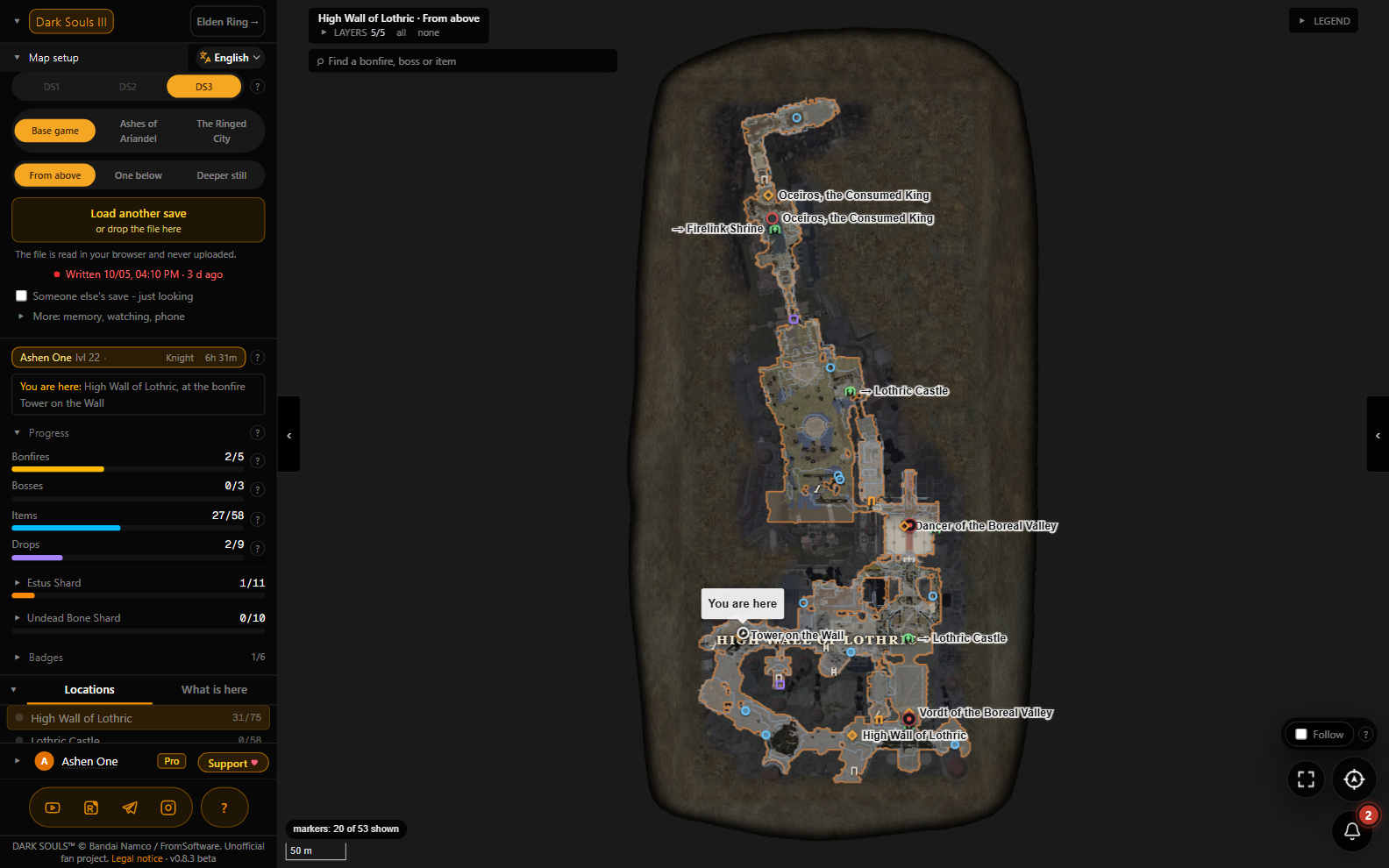
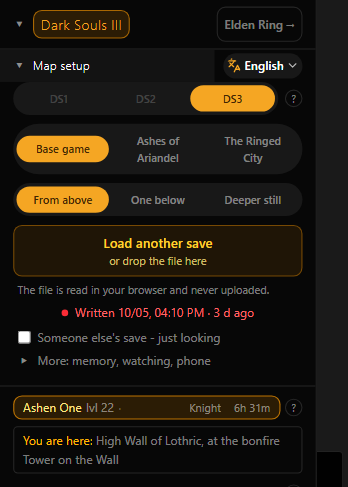
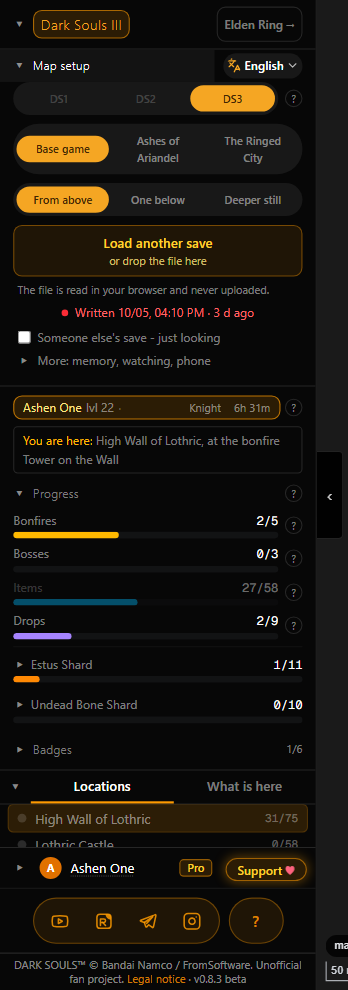
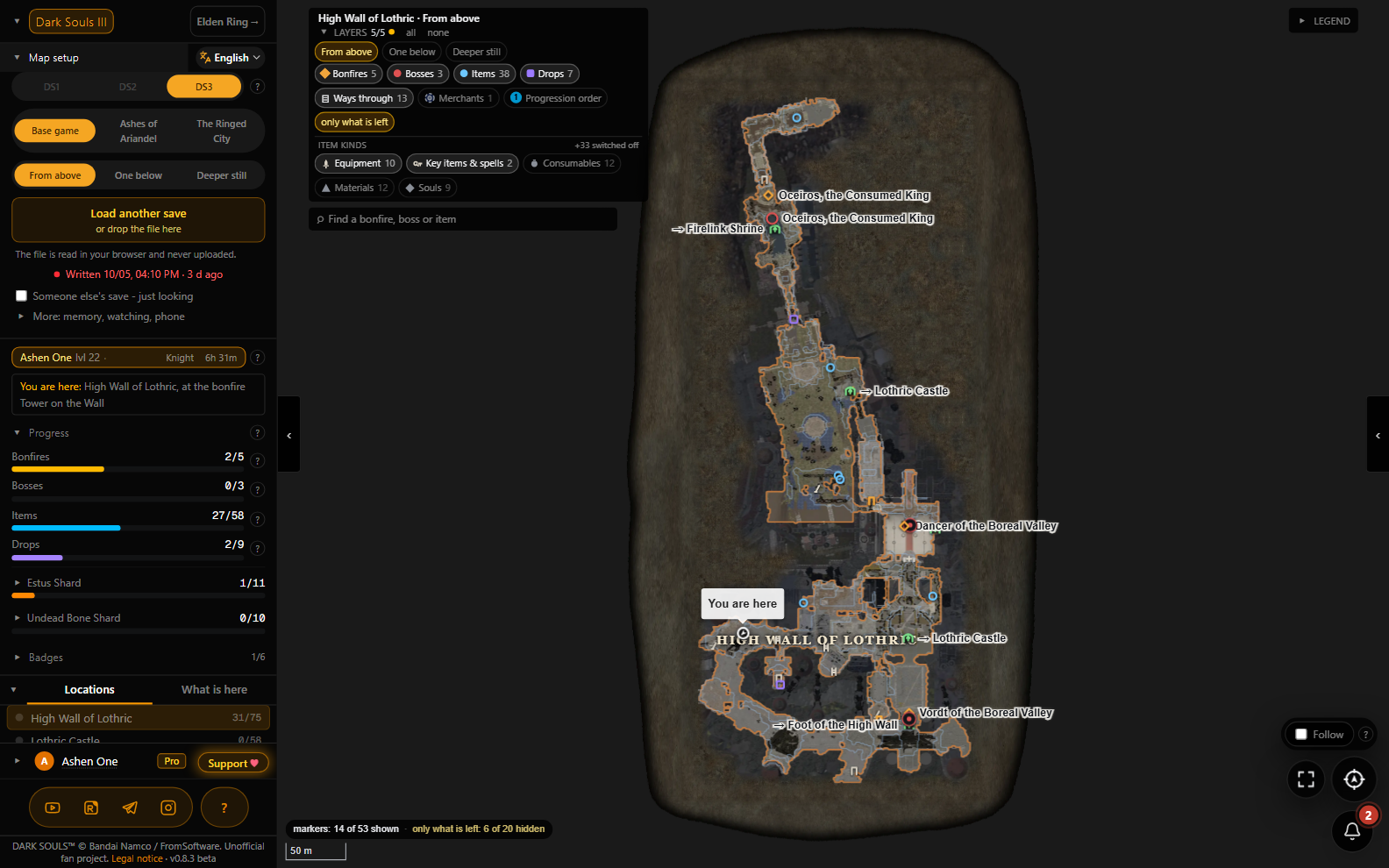
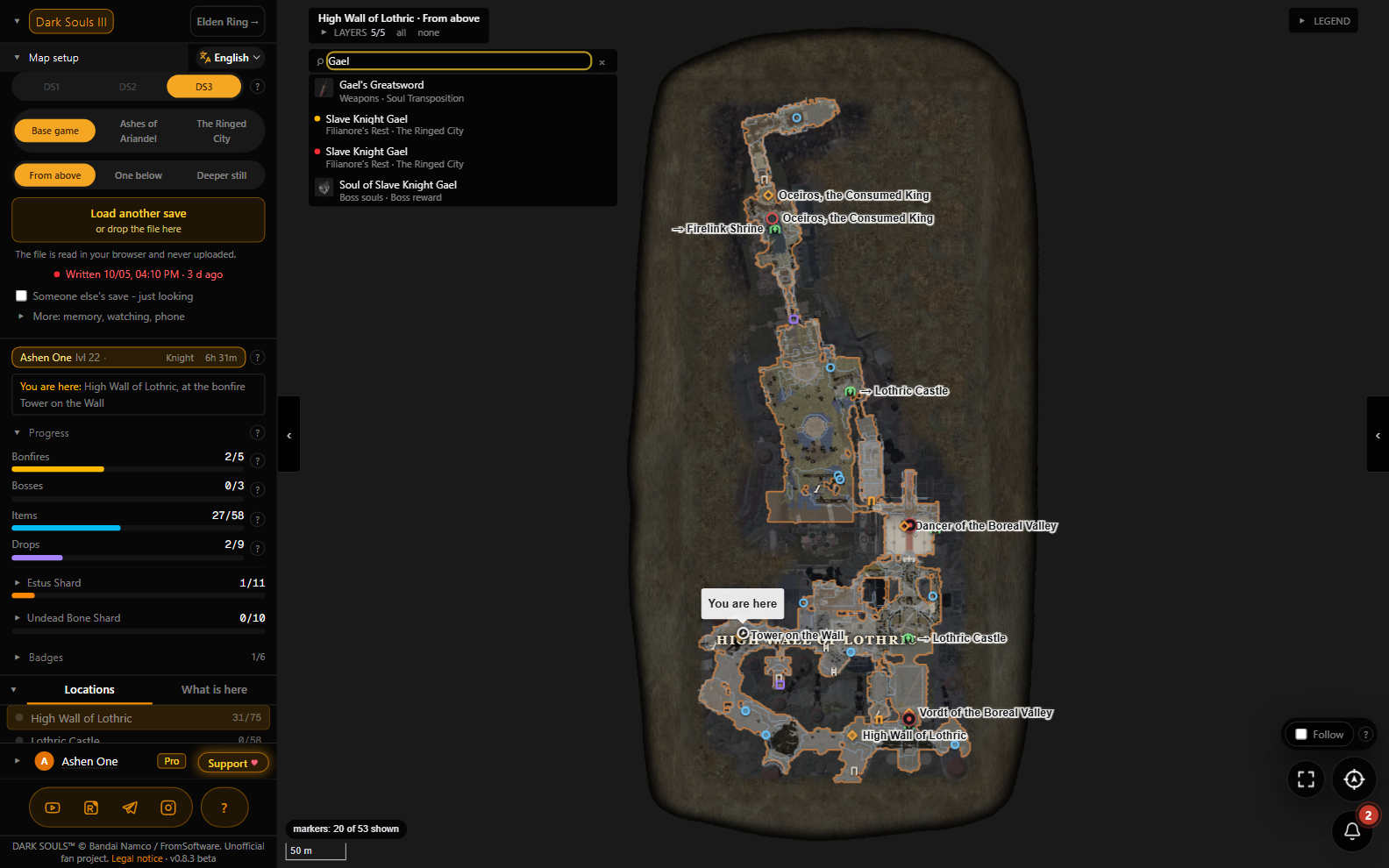
The map then opens where your character stopped, with a "You are here" arrow, and the panel says it in words: "You are here: High Wall of Lothric, at the bonfire Tower on the Wall". Level, class and playtime sit right above.


Below that are the progress bars for the current map: bonfires, bosses, items and drops, found out of the total. Estus Shards and Undead Bone Shards are counted for the whole game at once, out of 11 and out of 10, and every shard can be opened to see where it lies and whether your save already has it.

How to use it
What is on the map

What
How many
Maps
16: 12 in the base game, 1 in Ashes of Ariandel, 3 in The Ringed City
Bonfires
78
Boss fights
25, from Iudex Gundyr to Slave Knight Gael
Items lying in the world
885 spots, about 560 distinct items; 37 of them are rings the game only places from NG+ on
Drops from particular enemies
156
Estus Shards / Undead Bone Shards
11 / 10
Ways through: doors, levers, ladders, lifts
254, nine of them shortcuts
Merchants
11, in 23 spots
NPC questlines
20

The map is a top-down view of the ground you can actually walk on. Around it, walls and drops show through as dark relief, and zones are labelled, so Firelink Shrine is recognisable at a glance. Zooming in makes the picture sharper instead of blurrier.

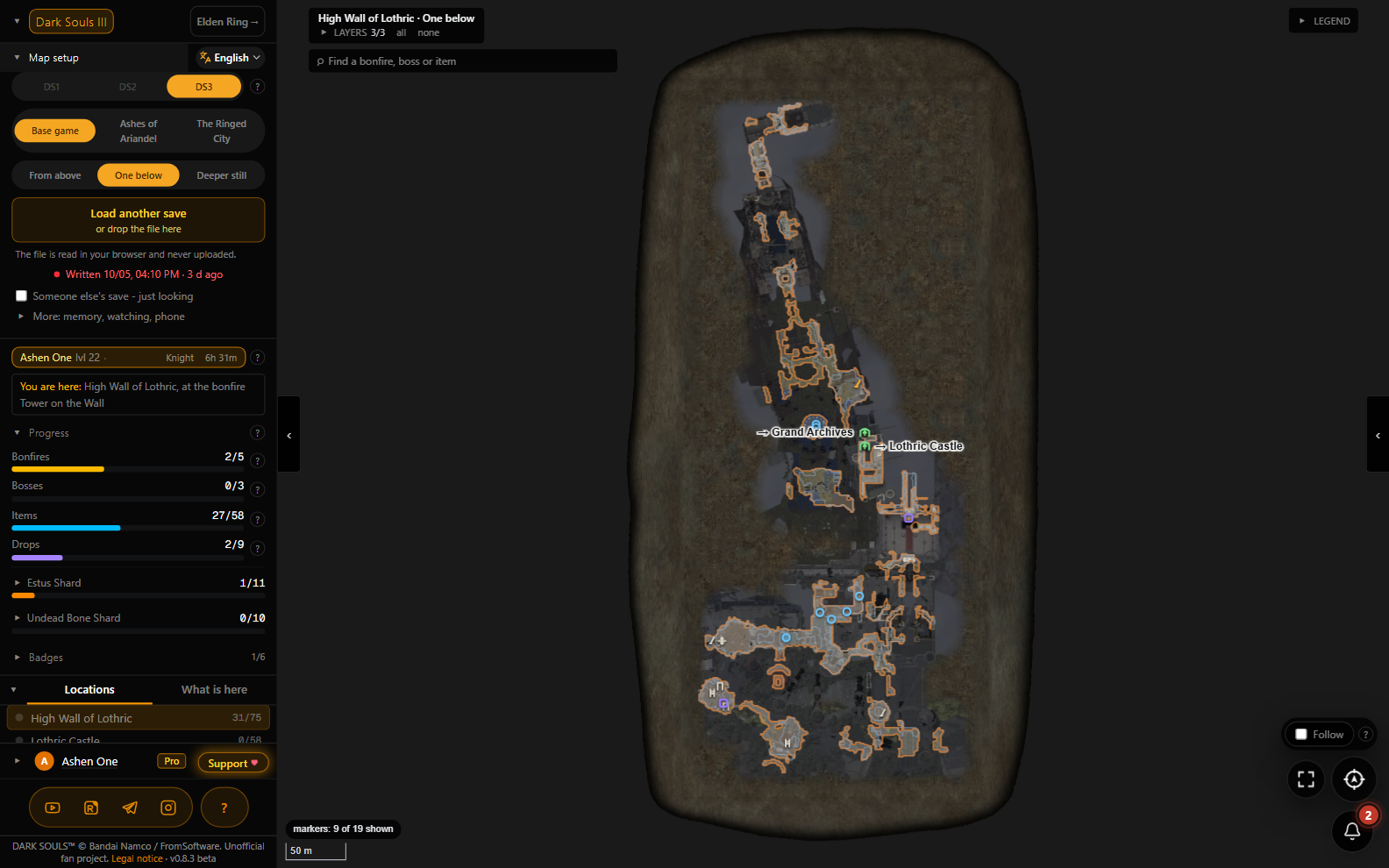
Where a location has several levels, it is split into storeys ("From above", "One below", "Deeper still") instead of painting one over another.

Untended Graves is a location of its own, even though in the game it is the same map as Firelink Shrine. The +1, +2 and +3 rings that the game only places from NG+ on are hidden and left out of the counts on a first journey, and on NG+ they show up and count like everything else: the tracker reads the journey number from the save. Find one of those rings through the search too early and the map shows it marked "only from journey 2 (NG+)".


The map, step by step

Layers and "only what is left"

The Layers line at the top is a row of switches: bonfires, bosses, items, drops, ways through, merchants, progression order. Below them the items are split into kinds: equipment, key items and spells, consumables, materials, souls. By default only equipment and key items with spells are on, so the map is not buried under Titanite Shards and soul items; switch on the rest when you want them.

"only what is left" removes everything your save has already confirmed. On a second run, when three shards and one ring are all that is missing, the difference between "a map with every pin" and "a map with four pins" is the difference between an evening and ten minutes. Next to it sits "new since last time": only what you have found since the previous load of this character's save.


The marker card

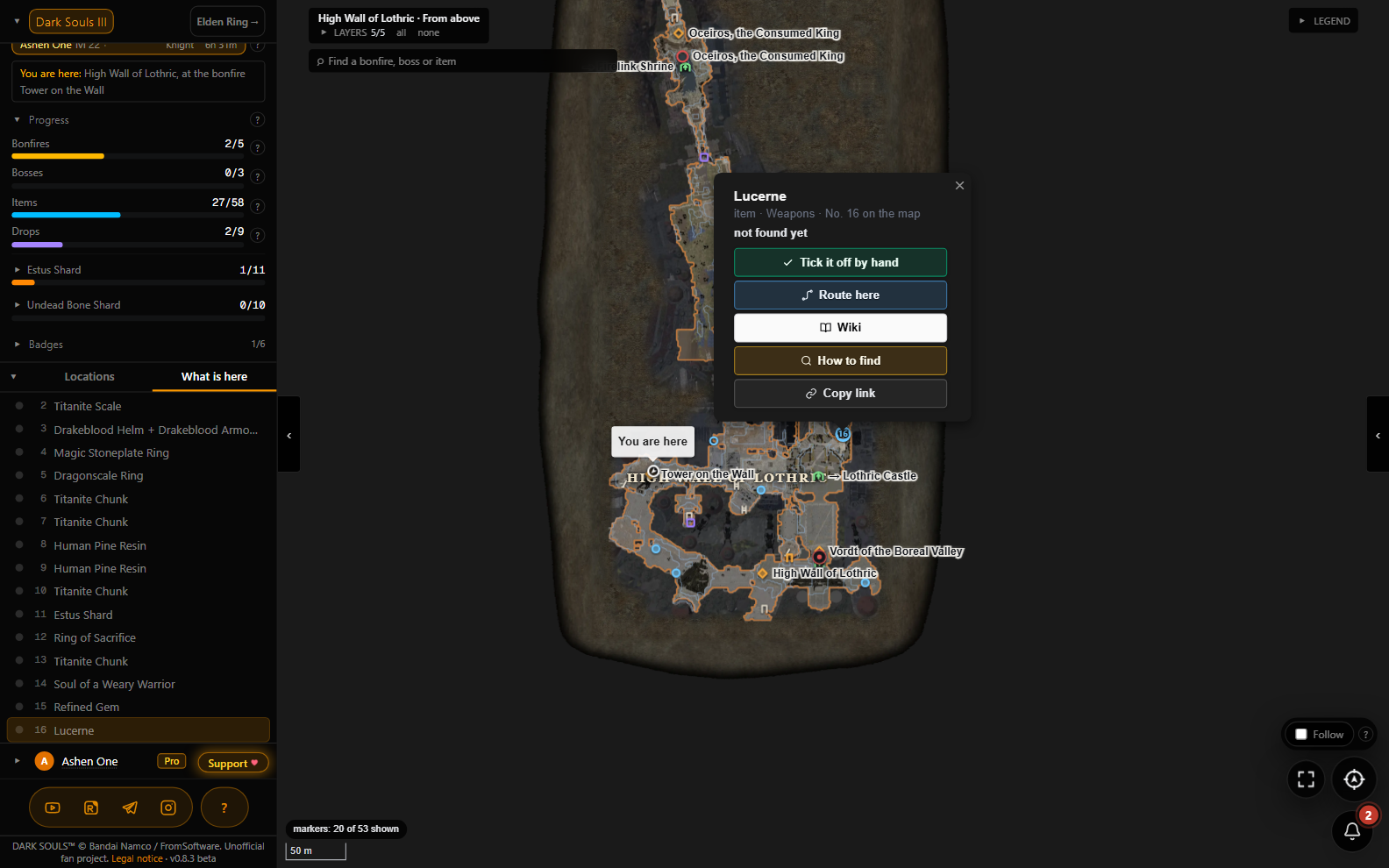
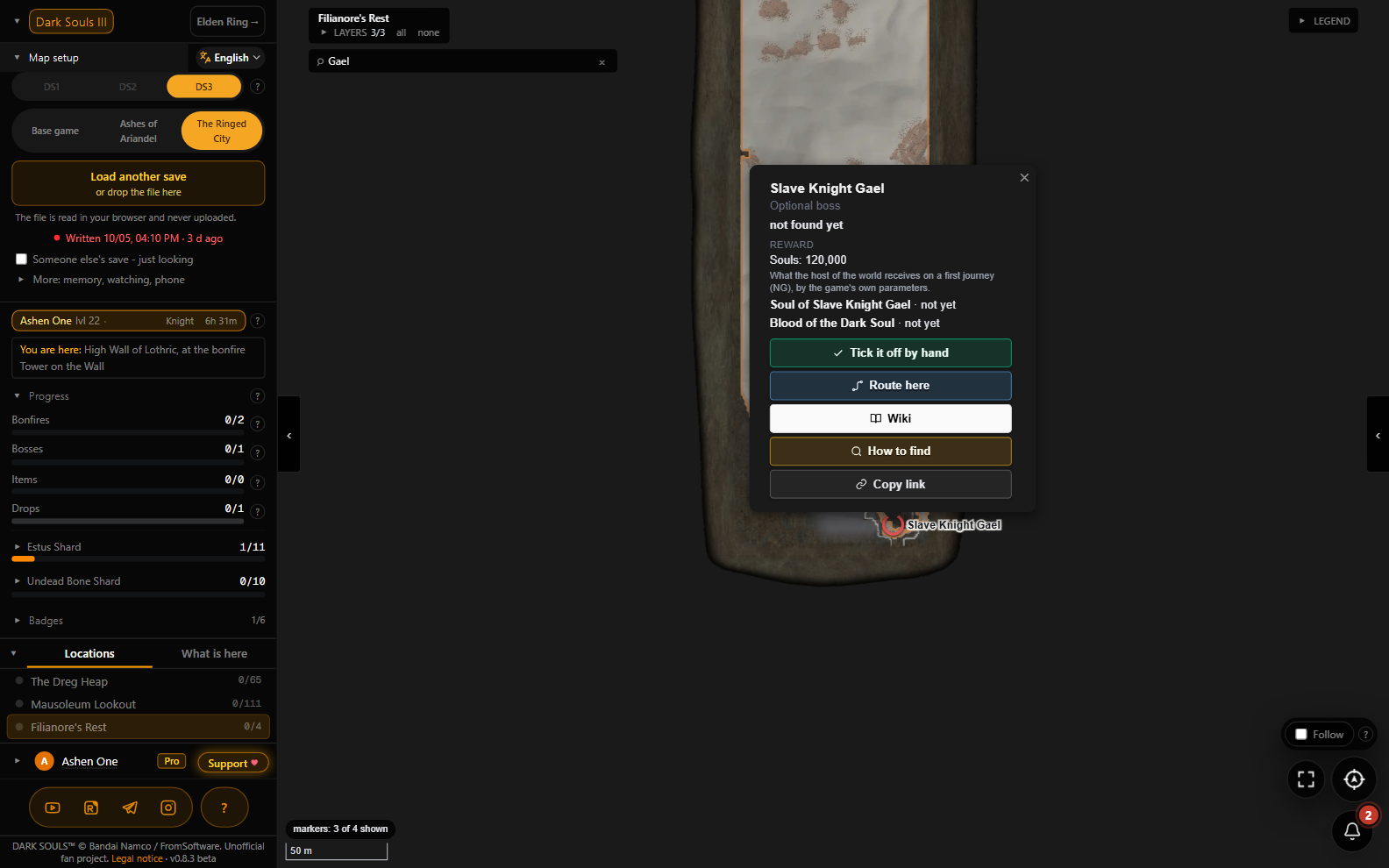
Click a marker and a card opens: what it is, its number on the map, whether your save says you already have it. A boss card also shows the reward and how many souls the host gets on the first journey. The buttons:

  • Tick it off by hand: for things the save cannot confirm. The tick is kept in your account.
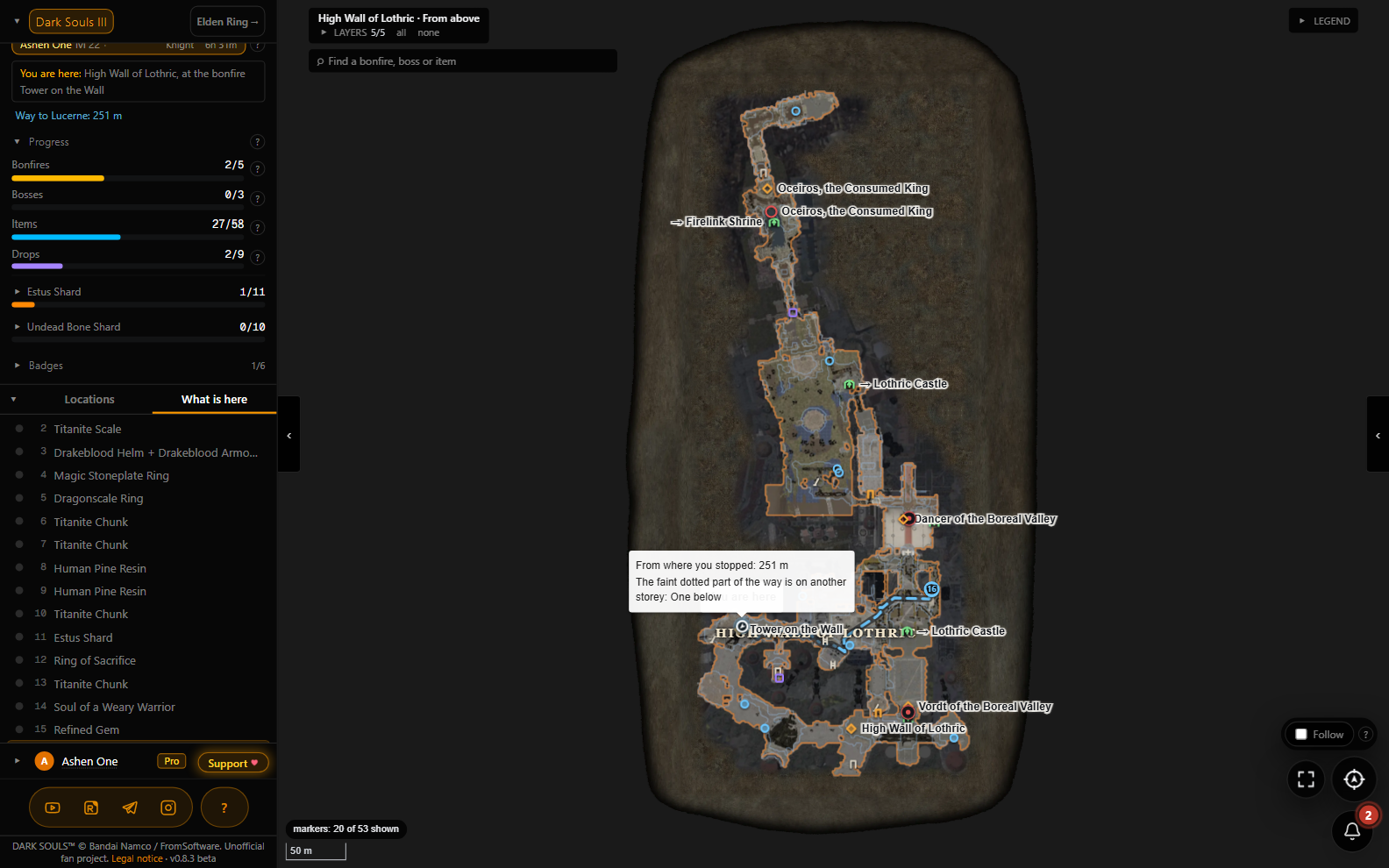
  • Route here: a line to the marker on the map.
  • Where to farm: for drops, the areas where enemies drop the item on every kill.
  • Wiki and How to find: the item's wiki page and a web search.
  • Copy link: an address that opens the map right on this marker with the card open. Easier to paste into a chat than "you know, past the dragon, down the ladder".


The way there

"Route here" draws a path on the map and names its length in metres. It starts where your character stopped if that is on the same map, otherwise at the nearest bonfire you have lit. A part of the path on another storey is drawn as a faint dotted line.


Storeys

Undead Settlement, Irithyll Dungeon, Lothric Castle and the rest have levels under levels. The switch in the left panel shows one storey at a time: what lies in the cellar does not pile up on top of the courtyard.


Search across the whole game

Type at least two letters and the tracker finds bonfires, bosses and items on every map at once, both DLCs included. Names are matched in English, in Russian and in the site language at the same time.

An item card from the search says how many places the item has and how many of them you have already found, which merchants sell it, which boss gives it, which enemies drop it and where to farm them, and whether it comes from an event, a covenant or a starting class.


Three campaigns

The base game, Ashes of Ariandel and The Ringed City are switched at the top of the left panel. The DLCs have their own bonfires, bosses, items and questlines, and search finds things there too.


"Show where I am" and "Follow"

The round button opens the campaign, the map and the storey where the save left your character. The Follow box moves the map to your character with every new save.
Browser extension
So you do not have to drag the file every ten minutes

The game rewrites the save on its own: at a bonfire, when you quit, and simply as you play. The tracker has no way of knowing: you drop the file once, you see the progress as of that moment, and it goes stale from there. To refresh by hand, pick the file again with "Load another save".

The page cannot re-read the file by itself, and that is not laziness. Browsers keep %APPDATA% on a blocked list: neither the file picker nor drag-and-drop grants a page the right to look in there a second time. That is a rule of the browser itself and it applies to every site equally. Answering "Remember" in the Save opened window spares you the file picker after a page reload, but it opens the same copy you gave last time, not a fresh one.

What can look is a browser extension. It hands the fresh file to the open tracker tab every time the game saves, and the map catches up within seconds. The same extension serves both Dark Souls III and Elden Ring:

Get the extension on the Chrome Web Store[chromewebstore.google.com]

It installs in Chrome, and also in Edge and other Chromium browsers. There is no Firefox build. After installing, open the extension's details and switch on "Allow access to file URLs": without that box it cannot read the save file.

The extension has no network permission. Not "it does not send anything, trust me": literally, its manifest carries no network rights, so it physically cannot send the file anywhere. The file goes to the tracker tab and nowhere else. What it does and does not do is on the extension privacy page[darksouls.krut.top].

Without the extension there is "Watch the file": the browser keeps an eye on a copy of the save outside AppData while the tab is open. It sits, together with the phone, under the "More: memory, watching, phone" line by the load button.
Tools, price
The tools panel

The panel on the right has tabs: Bonfires and Bosses of the campaign (required fights first, then optional, with rewards), Ways through, and Gear: your character out of the save, with level, souls, soul memory, flasks, stats, what is equipped and the attuned spells.

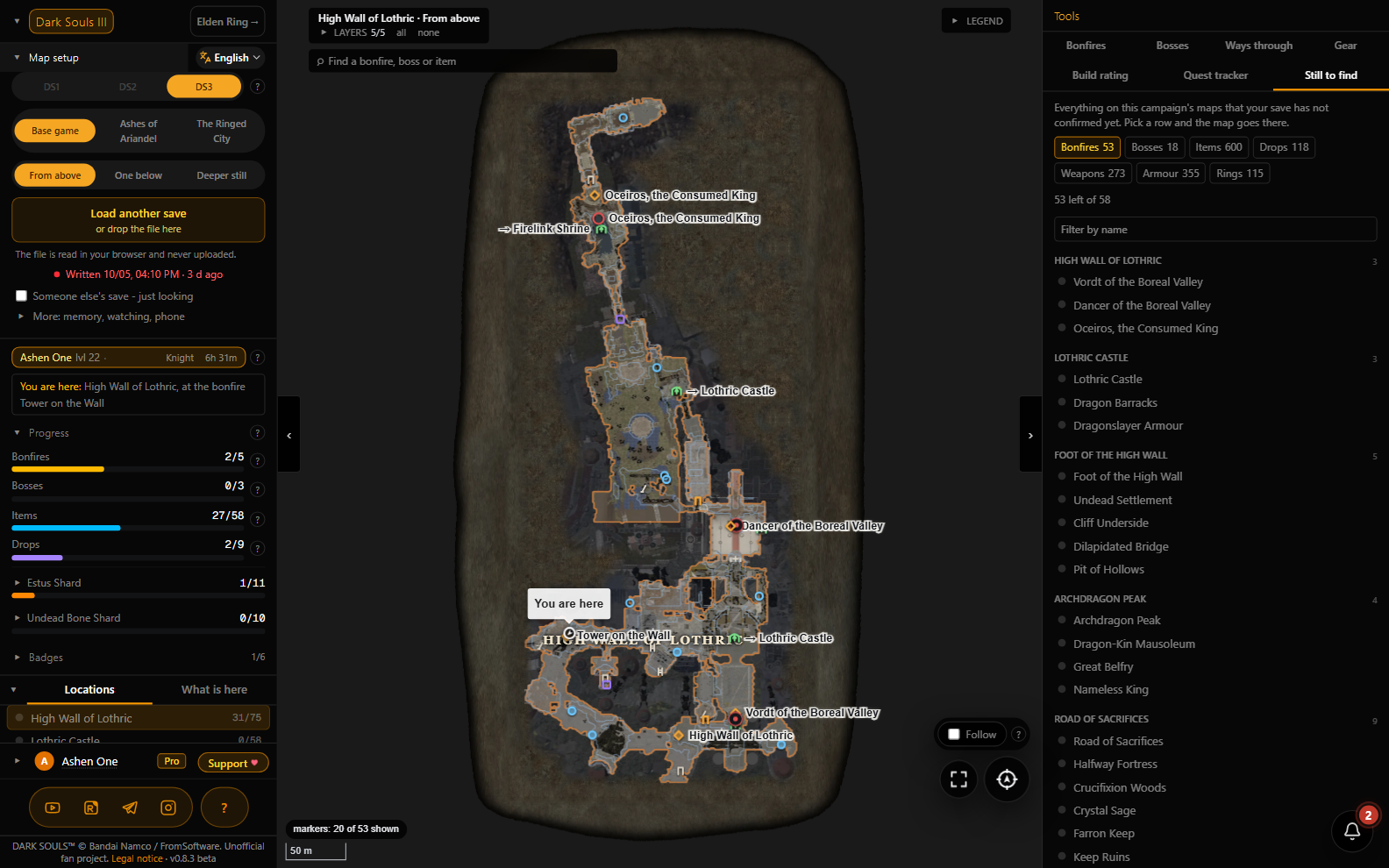
Still to find is a list of everything on the campaign's maps that your save has not confirmed yet, location by location, with a jump to each one on the map. It also lists the equipment of the whole game that your character does not have.


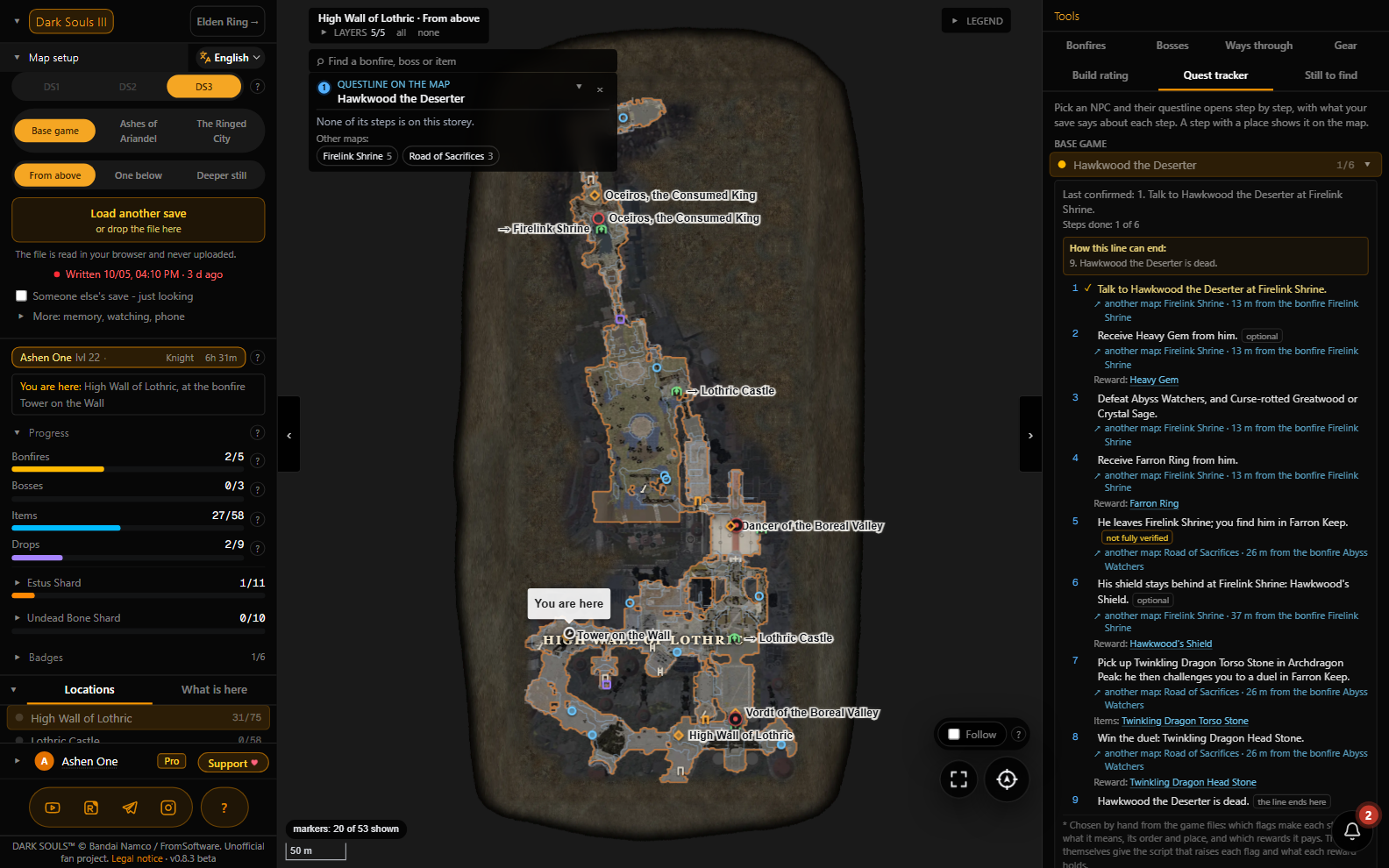
Quest tracker. Dark Souls III does not tell you that a questline has quietly closed. The panel follows all 20 NPC lines step by step: what your save says is done, what comes next, how the line can end, and where each step happens on the map.


Build rating. An index of your build worked out from the save: the right-hand weapon's hit times the attack tempo, averaged over every boss of the game, and a shared leaderboard next to other players. The character name is never shown on the board.


The phone as a second screen

Show on phone puts the tracker on your phone next to the monitor: scan the QR code or type the code at https://darksouls.krut.top/screen, no sign-in on the phone needed. The phone gets one map for an hour, view only, and it updates when a new save arrives. The game stays full screen on the PC.


Privacy, and how to check instead of trusting

The save file does not leave your computer. It takes a minute to verify, and verifying is the right instinct:

  1. Open the tracker and press F12 for the developer tools.
  2. Go to the Network tab and clear the list.
  3. Drag your save file onto the page.
  4. Watch the requests: there is no request carrying your file. Map data shows up, things travelling to you, not from you.

The account keeps your hand ticks, which character you picked in each file, the campaign and the map view. The build rating receives only the build itself (level, stats, right-hand weapon), and only if you answered "Yes" to "Show the build in the rating?"; the board shows a shortened account name, never the character name. "Remember" keeps a copy of the file in this browser on this device and deletes it when you sign out. The second screen keeps a snapshot of your progress on the server only while the phone's hour lasts.


What it costs

Free: the maps and every marker on them, the layers, the search and the cards, reading your save, hand ticks, progress bars, shards and badges, the shareable achievements card, and the build rating. No ads, no subscription. All it needs is a free account.

Pro: the Quest tracker, Still to find, the save arriving by itself through the extension, "Watch the file" and the second screen on the phone.

The price is one purchase, no subscription: $14.99, €13.50 or 1,200 ₽ on a card issued outside Russia, 790 ₽ on a Russian card. The same Pro opens the Pro tools of the Elden Ring tracker on the same site too.

Want to try first? There is one hour of Pro for free: every Pro tool for 60 minutes straight, once per Steam account. Start it when you sit down to play.

The details are on the pricing page[darksouls.krut.top].
FAQ
What the tracker does not know (yet)

The tracker is in beta (version 0.8): everything is checked against real saves, but a wrong count still happens now and then, and it is better reported than kept quiet.

  • A character standing in Untended Graves is shown at Firelink Shrine: in the game it is one map, and the coordinates cannot tell them apart.
  • Whether a door is open. Doors, levers and ladders are drawn with prompts ("Open", "Pull lever", "It's locked"), but which save flag belongs to which door is not proven yet, so the tracker does not guess.
  • Fog walls are not drawn.
  • A few markers the save cannot speak about. They are drawn with a grey dotted ring; for those there is "Tick it off by hand".
  • The progression order is the site's opinion, not the game's: 25 fights in the order that usually works.
  • Dark Souls and Dark Souls II are on the game switch, but they are not ready and there are no promised dates.


FAQ

Is this safe for my account? Can I get banned?
The tracker does nothing to the game: it reads a copy of a file you showed it. Nothing is injected, no memory is touched, no game files are replaced. Anti-cheat deals with the game, not with a website in your browser.

Does it work on the Steam Deck?
Yes, the tracker opens in a browser. The save file there lives at:
~/.local/share/Steam/steamapps/compatdata/374320/pfx/drive_c/users/steamuser/AppData/Roaming/DarkSoulsIII/<long number>/DS30000.sl2

I play on PlayStation or Xbox
The save cannot be loaded there, but the map, the search and the cards work, and after a free sign-in you can tick off bonfires, bosses and items by hand. The ticks are kept in your account.

Can I look at a friend's save?
Yes: answer "Someone else's, just looking" in the Save opened window, or tick "Someone else's save - just looking" under the load button. Such a save does not go to the rating and is not tied to your free Pro hour.

Which languages?
The interface speaks fifteen. Names of items, bosses and locations come in the thirteen languages the game was released in; Thai and Arabic readers see the English names.

I found a bug, something is counted wrong
Please write in: the site has a bug report form and it is open without signing in. A wrong count on a real run is the most useful thing you can send.
Save backups
Next door: save backups

Erdtree Keeper is a separate free, open-source program that copies save files and puts any copy back into the game. It knows Dark Souls III too. Handy before a boss, before a choice in a questline, and after playing online. It has a guide of its own: Erdtree Keeper - save backups
Links
The Elden Ring tracker lives on the same site with the same account and the same Pro: https://eldenring.krut.top


Русская версия этого руководства

If the tracker helped, a rating and a comment do far more for finding it in Steam search than anything the author can say.