Mega Man Battle Network Legacy Collection Vol. 1

Mega Man Battle Network Legacy Collection Vol. 1

Not enough ratings
Using save files from other users in BN1/2/3
By wchill
Wanting to use your friend's save file? It's not quite that easy. The Steam version of the Legacy Collection has checksums and your Steam ID encoded into the save file which are verified when the game loads the save - a mismatched checksum or Steam ID will cause the game to ignore the save.

This guide will teach you how to use a save from a different Steam account.
2
   
Award
Favorite
Favorited
Unfavorite
Intro
Wanting to use your friend's save file? It's not quite that easy. The Steam version of the Legacy Collection has checksums and your Steam ID encoded into the save file which are verified when the game loads the save - a mismatched checksum or Steam ID will cause the game to ignore the save.

Today, I'll be teaching you how to use a save from a different Steam account.

Do be warned that the method described here does not work for BN4/5/6. Additional steps are required for those games due to some save obfuscation. For those games, follow this guide instead: https://steamcommunity.com/sharedfiles/filedetails/?id=3097375572
What you need
What you'll need:
* The numeric part of your SteamID3 (look it up on https://steamid.io/lookup ). For example, my SteamID3 is
[U:1:89051843]
and the part I care about is
89051843
* A hex editor. On Windows, I like to use HxD[mh-nexus.de]
* A copy of the save you want to use.
Backup your save
Before you begin, make sure you backup your existing save. Your save is located at
C:\Program Files (x86)\Steam\userdata\<your Steam ID>\1798010\remote

Make a copy and keep it somewhere safe as you will obviously need to overwrite it to use someone else's save.

The actual files you need to back up are:
* exe1_save_0.bin
* exe2_save_0.bin
* exe3b_save_0.bin
* exe3w_save_0.bin
Edit your new save
1. Open the game, but leave it at the main menu. The reason is that the game will attempt to redownload your save from Steam Cloud, which will wipe out any changes you make here.

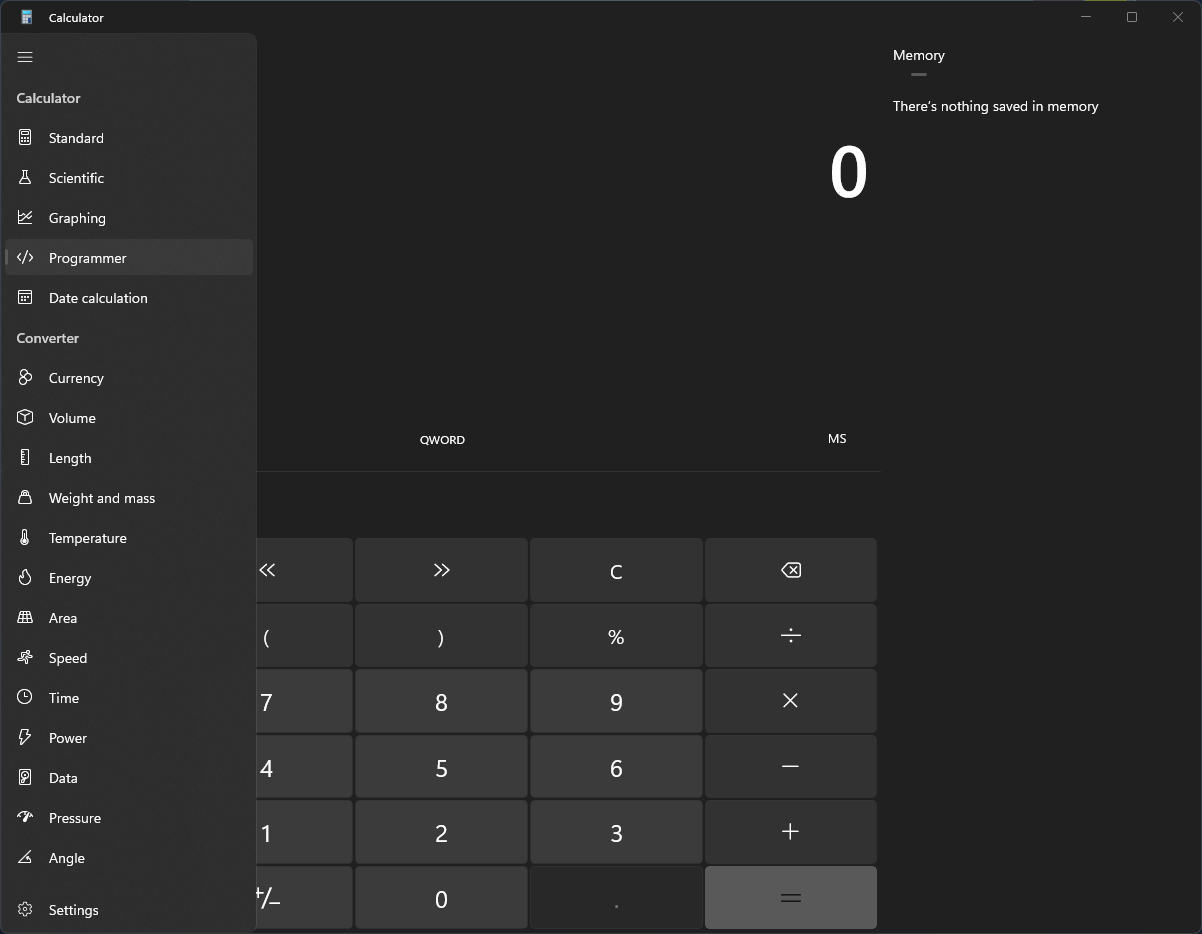
2. Open up Calculator and switch it to Programmer mode.


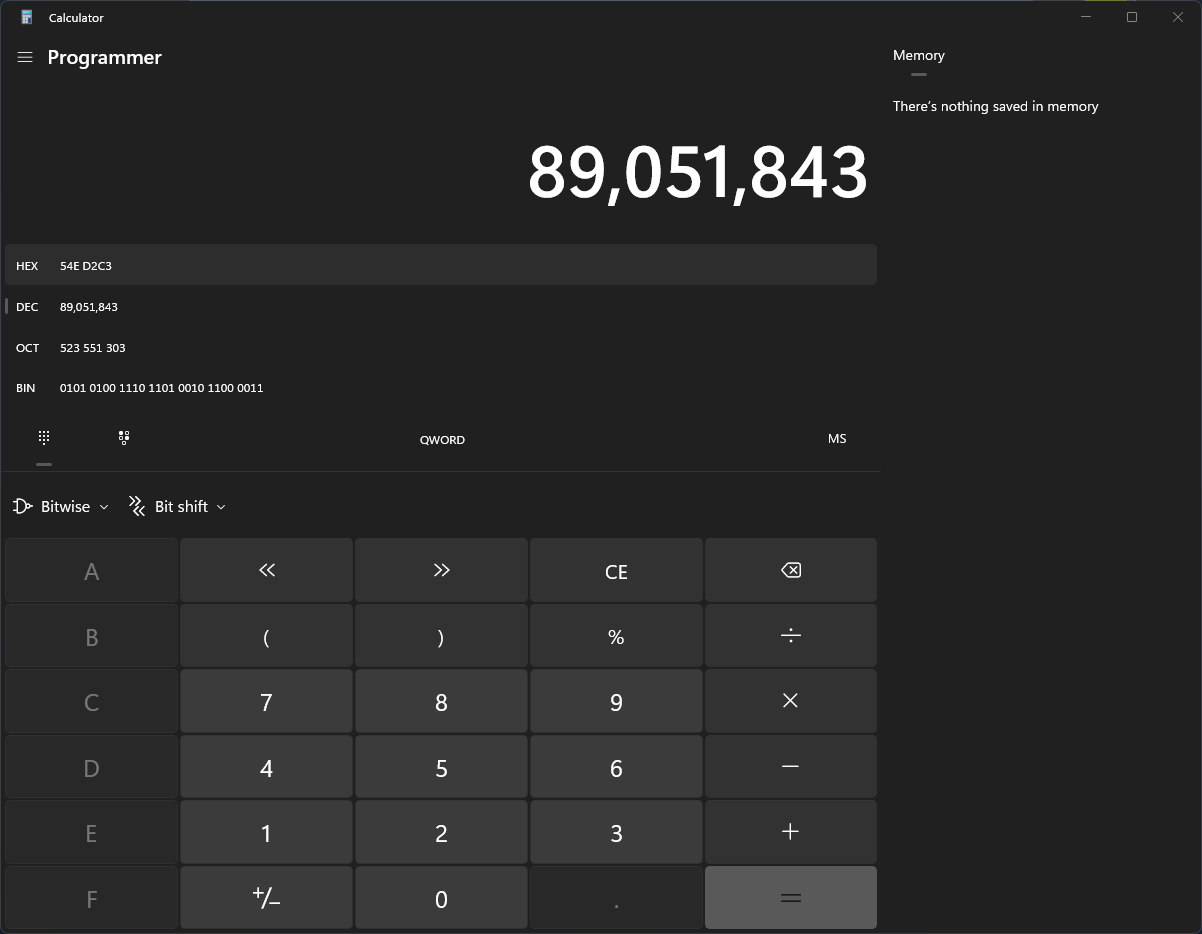
3. Select DEC, then punch in your SteamID3. Take whatever is shown in HEX, and then separate the hex digits into groups of 2. If you only have 7 digits, then add a 0 to the left side. For example, I punched in 89051843, and Calculator says that it is 54E D2C3. I should write it out as 05 4E D2 C3.


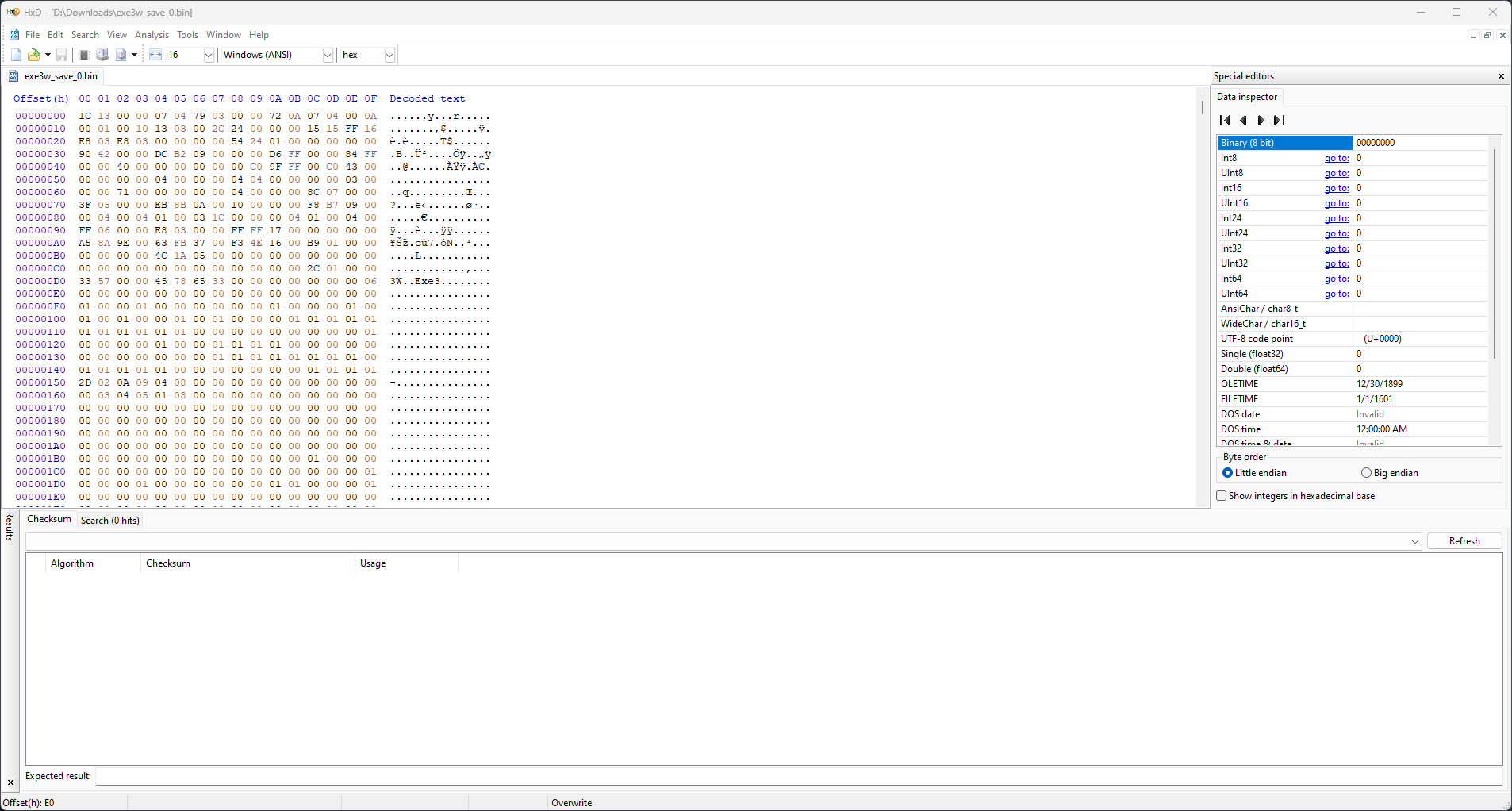
4. Open up your save in HxD. Select the correct offset based on your game.
BN1: 000000BC BN2: 00000104 BN3: 000000E0


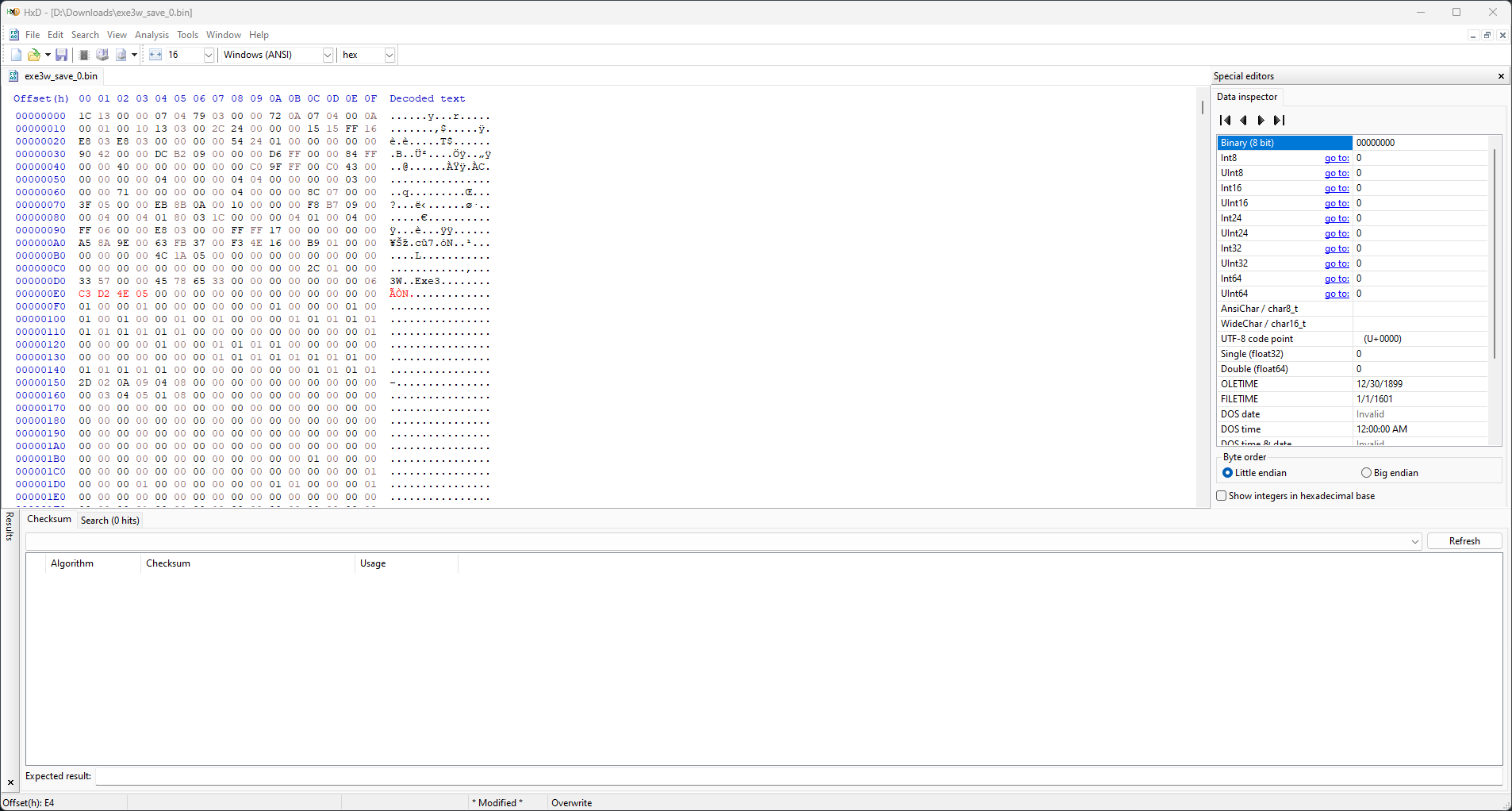
5. Type in each set of 2 hex digits, but backwards. So, in my case, I would type C3 D2 4E 05.


6. Save the file and copy it to
C:\Program Files (x86)\Steam\userdata\<your Steam ID>\1798010\remote

7. Start BN1/2/3 from the main menu. It should load your save!
12 Comments
Nov 2, 2025 @ 4:51pm 
Hey, thanks for the guide. I wrote a JavaScript version that runs in the browser for all EXE games. Simply give it the save file, specify the game, and the SteamID3. Should make this a lot easier.

https://blog.claranguyen.me/post/2025/11/02/exe-ac-steam-patcher/#web_app
Apr 1, 2025 @ 3:28pm 
I want to point out to anyone trying to use this method.

To get the Complete Icon on the main menu screen for Battle Network 1, you must defeat Bass by hook or by crook. It simply doesn't carry over like BN2 and Both versions of BN3 just by changing ID. So changing ID alone doesn't give you that and you must earn it.

You could use trainer to make encounter rate spawn faster but that's about it.
Jan 24, 2025 @ 5:29am 
late but i just went through this, those addresses can be found down that row on the column indicated by the ending digits, you can scan down that row for the steam id you're trying to replace and it'll help
Nov 12, 2024 @ 11:22am 
BN1: 000000BC
BN2: 00000104
BN3: 000000E0

The only one of any of these I can find is BN3. When I open the saves for BN1 & BN2, 000000BC & 00000104 aren't in the lists but 000000E0 is always there.
Nov 23, 2023 @ 6:38am 
the steam id website gives me an error, any other way to know my steamid3'
Jul 13, 2023 @ 6:58am 
Thanks!I‘m looking forward to your progress.
I hope the reverse engineering won't be too difficult.
wchill  [author]
Jul 11, 2023 @ 1:52pm 
Vol2 games calculate save checksums in a more complicated way, and I haven't verified publicly available info yet. It will likely require reverse engineering of the game on my part, so more time is needed.
Jul 6, 2023 @ 1:14am 
yes
Jul 5, 2023 @ 7:11pm 
Not Serenade or BassGS .

And thanks. You meant the exe3b_save_0.bin files, right?
Jul 5, 2023 @ 7:02pm 
U can just backup your save file before you want to rebattle the boss.
and by the way,every boss can be fought Unlimited times,you just find the v2 and v3 on Specific area.