Myth of Empires

Myth of Empires

Not enough ratings
Boost Performance and Graphics (4K)
By ΞND𝒵ΞI† (CIVIL WAR 2029)
How to get more FPS and better Optic.
   
Award
Favorite
Favorited
Unfavorite
Test PC Specifications
I7-10700KF 8*5,1ghz /// Geforce RTX 3080 10GB /// 32GB DDR4-3200
Samsung Evo SSD /// 58` Ultra 4K TV

Engine.ini
***!!! USE BY OWN RISK !!!***
PLEASE REMIND CHANGING THIS FILE MAY CAN LEAD TO A BAN SINCE YOU CHANGE ENGINE SETTINGS WHICH MAY CAN USE FOR CHEATING IN PVP!
(I personally play on an official PvE Server and had no Problem even change more Settings, yet.)


Locate the File in your "AppData" Folder:

*:\Users\***YOURPCNAME***\AppData\Local\MOE\Saved\Config\WindowsClient

Open "Engine.ini" with Texteditor/Notepad.

And add this Lines:

[SystemSettings]
r.ViewDistanceScale=0.5
foliage.DensityScale=0.5

You can play around for your own Taste.

1st
changes the whole Distance View of all Graphical Kinds

2nd
changes the Density of Grasses and Bushes


Optional Settings not been used/tested yet:

r.StaticMeshLODDistanceScale=1
foliage.LODDistanceScale=1
grass.densityScale=1
r.MaterialQualityLevel=4
r.EyeAdaptationQuality=4
r.HighQualityLightMaps=4
r.PostProcessAAQuality=0
r.MaxAnisotropy=16
r.LandscapeLOD0DistributionScale=2
r.DefaultFeature.MotionBlur=0
r.DepthOfField=0
r.DepthOfFieldQuality=0
r.SceneColorFringe.Max=0
r.SceneColorFringeQuality=0
r.Tonemapper.Quality=0
r.Shadow.DistanceScale=3
r.Shadow.TransitionScale=4
r.Shadow.CSM.TransitionScale=4
r.Streaming.FullyLoadUsedTextures=1
r.Streaming.HLODStrategy=4
r.Streaming.UseFixedPoolSize=1
r.Streaming.PoolSize=0
r.Streaming.FramesForFullUpdate=0
r.SSR.Quality=0
r.BloomQuality=0
r.Color.Max=1.0
r.Color.Mid=0.5
r.Color.Min=0
r.SkylightIntensityMultiplier=0.5
r.Fog=1


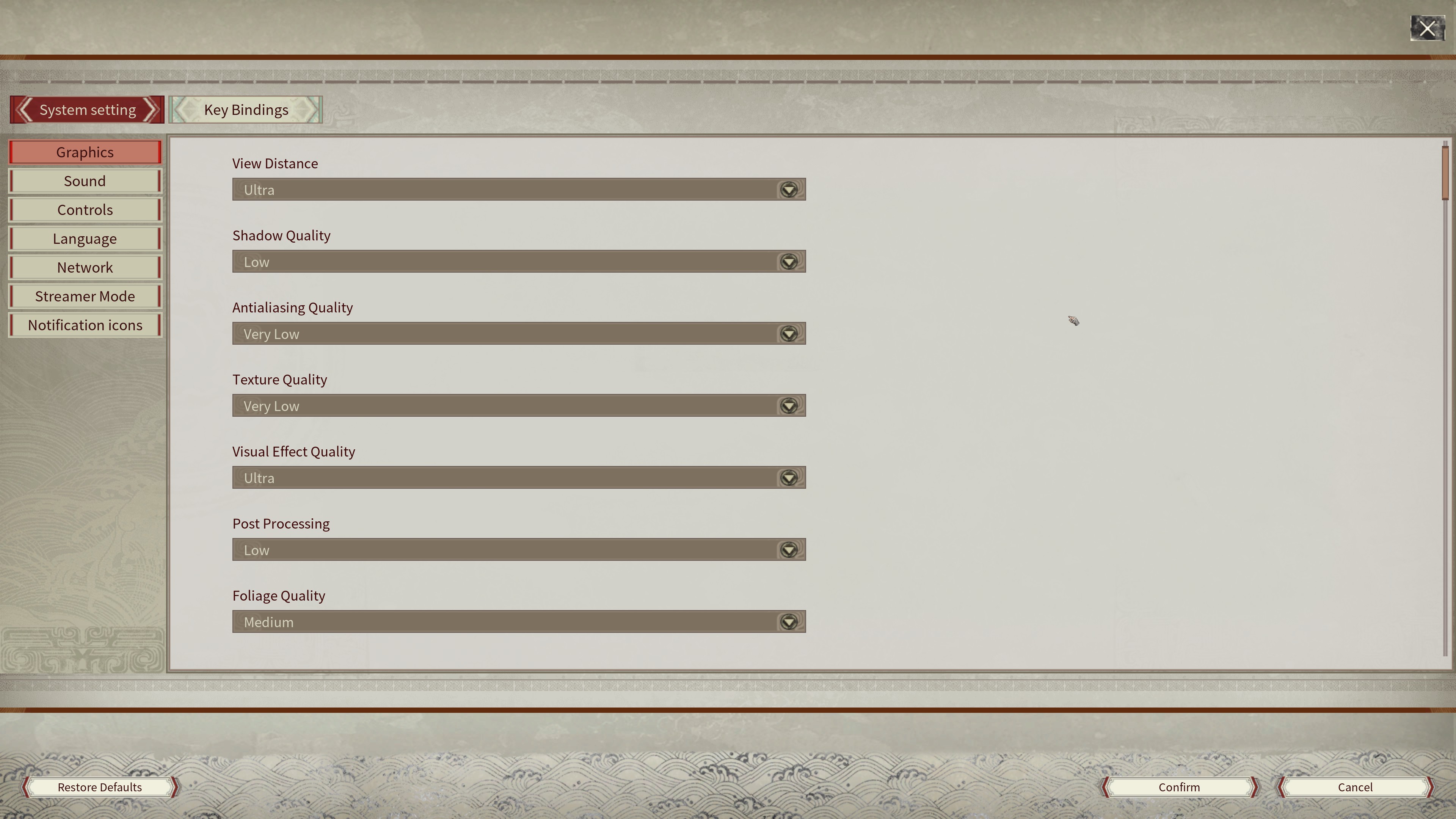
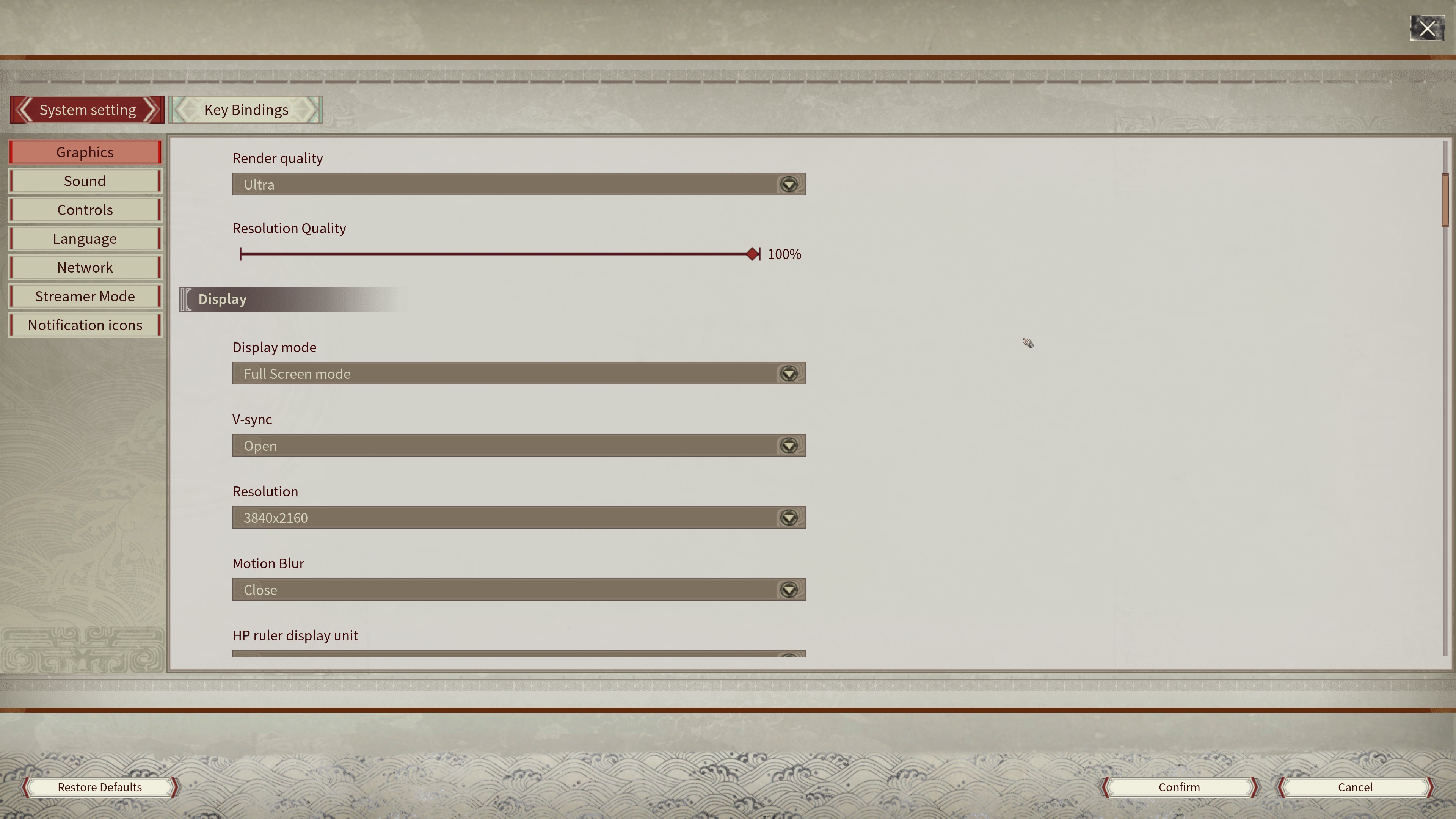
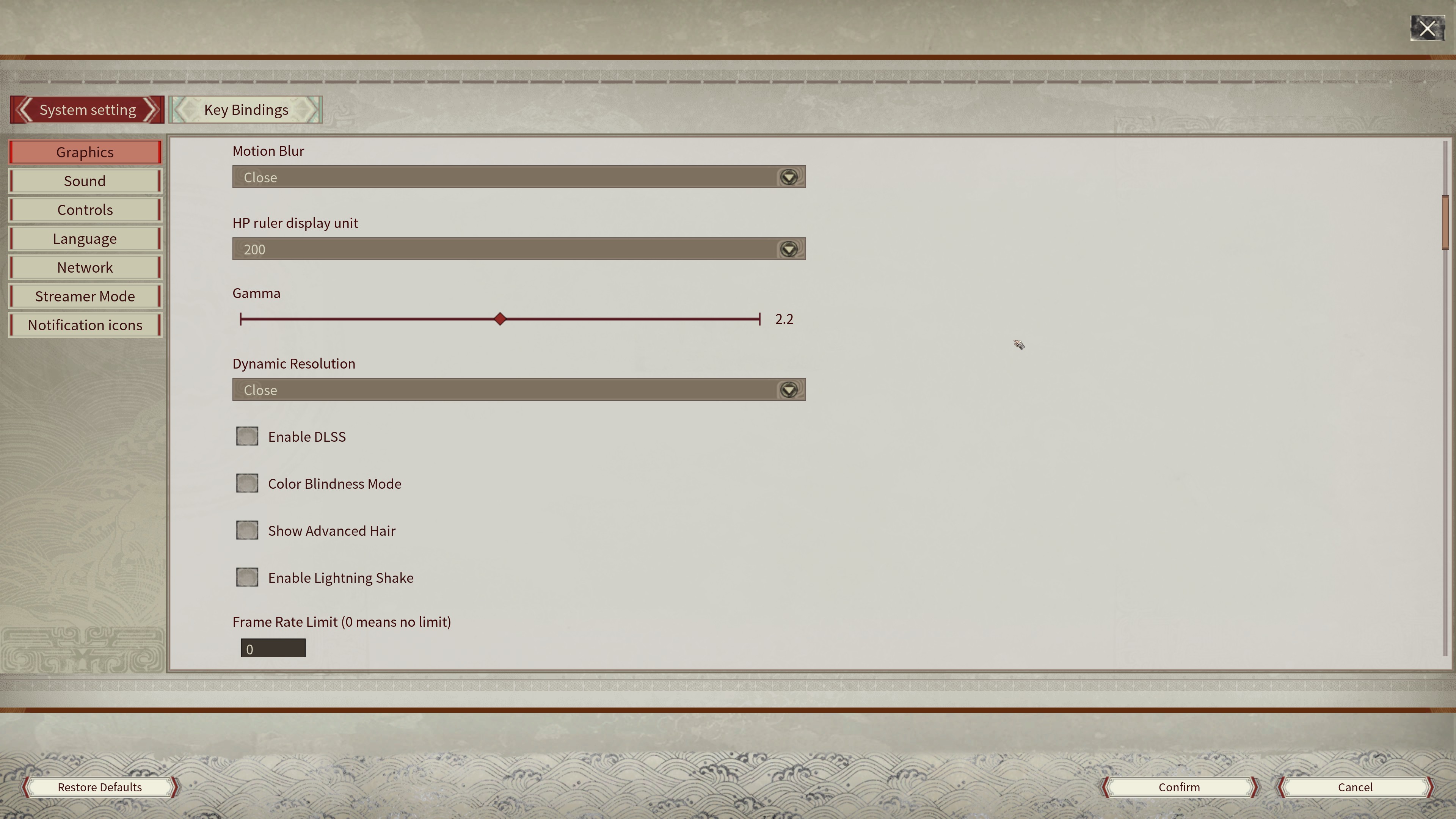
Graphic Settings Ingame
Please remind i use 4K and have high Performance Problems with the Size of Textures and i aim for steady 60FPS with balanced Optic, you can set this ofc by your own Taste, but this gave me the best Balance and i´m still try to optimizing:


Share your Settings
Feel free to join this Guide and add you´re own Experiences/Tests or post you´re PC Specs and help Others to find balanced Settings.

5 Comments
Same issue as Jordan, cant zoomout on my toon, iam on chest lvl..i can scroll in do XD any advice
Nov 22, 2021 @ 4:26am 
@Jordan
I´m not common with this Issue.
But i had the Problem the Menu/HUD Screen wasn´t 100% accurate to Resolution, so i disabled "Fullscreen optimizing" over the MOE.exe -> Right click -> "compatibility"
(SteamLibrary\steamapps\common\Myth of Empires\MOE\Binaries\Win64)
May this helps.

Also found this in "GamerUserSettings.ini"
WindowPosX=-1
WindowPosY=-1
Nov 22, 2021 @ 3:00am 
Any FoV fix for widescreen users?
Nov 22, 2021 @ 1:36am 
@ChaiN
It mainly halfs the overall View Distance and Grass Density which cost a lot of FPS.
But you can do a lot more for fine Tuning.
Screenshots coming later.
Nov 21, 2021 @ 6:31pm 
and what does it changes exactly, can u show us a screenshot from before and after?