Counter-Strike 2

Counter-Strike 2

197 ratings
Animated Clan Tag in CS:GO
By gi
In this guide, I'll show how you can use my animated tag in CS:GO or create your own animated tag. This only uses CS:GO Commands so it's 100% secure. Don't forget to Rate and Favorite.
   
Award
Favorite
Favorited
Unfavorite
Introduction
In this guide I will teach you how to create a clan tag in CS:GO and I will make my tag available to anyone who wants to use it.
First of all, I will leave here my personal guide of all my configuration in CS:GO and more, it's still under construction, if you want to check it out:
https://steamcommunity.com/sharedfiles/filedetails/?id=1352596985
Check my YouTube and subscribe if you want something featured in it.
How it Looks
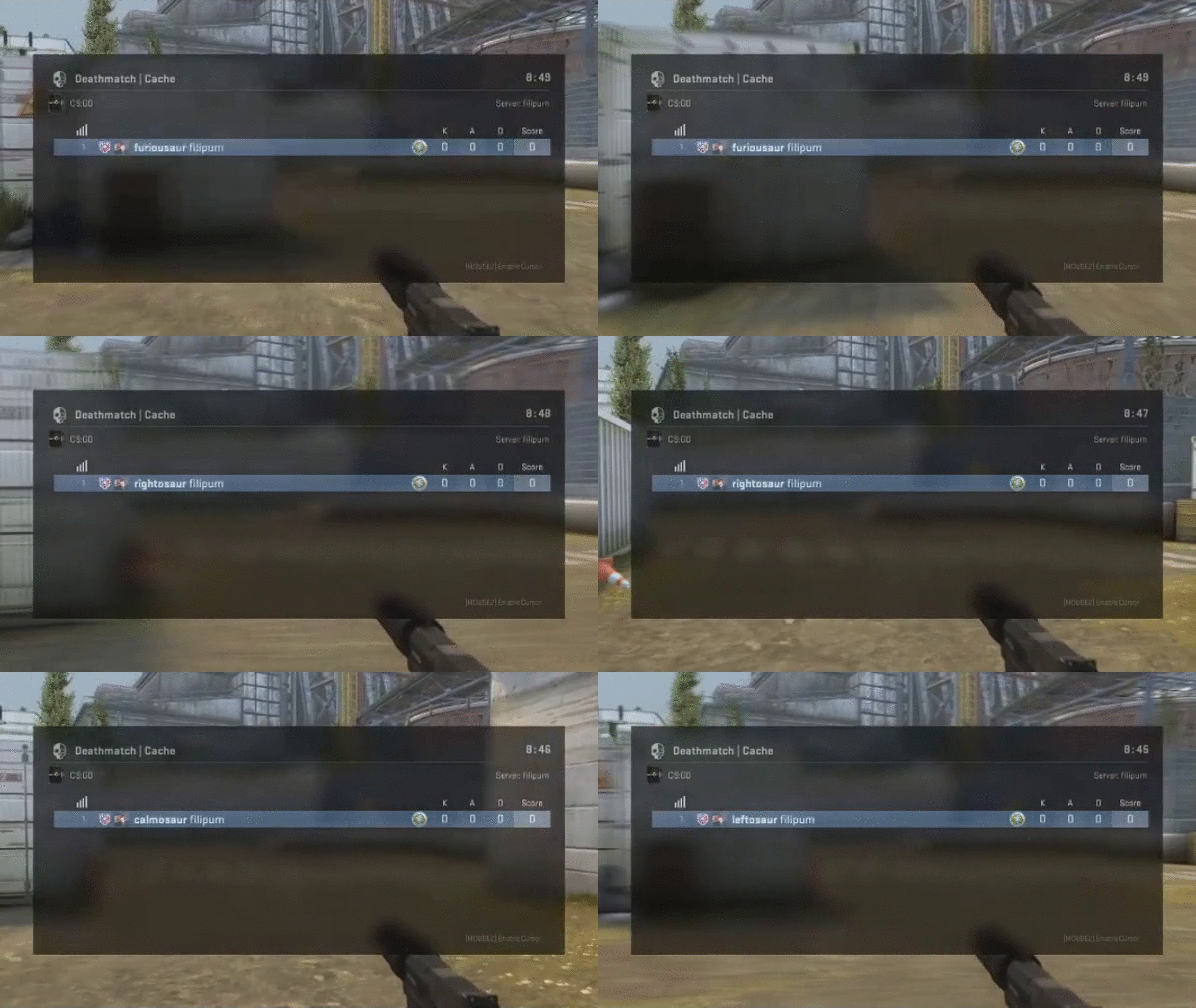
Now I'll show you how my clan tag looks and works.

The furiousaur is when we use forward, righosaur is for right, calmosaur is for backwards and leftosaur is for left. This is available for everyone who wants to use it.

How to Get the Animated Tag
First of all, you must join all my groups that I'll show under here so you can use the tag.

My groups are open for everyone who wants to use them.
Now you have to open your developer console in CS:GO and paste the following command.

Command: bind "w" "+forward; cl_clanid 37799191;"; bind "a" "+moveleft; cl_clanid 37799412"; bind "d" "+moveright; cl_clanid 37799409"; bind "s" "+back; cl_clanid 37799388"
How to Create a Clan Tag
Now I'll show you how to create your own Clan Tag and use it in-game.

Create a group with your desired tag, go to edit group and copy the group ID. Now you just need to bind it to any key using this command.

Command: bind "P" "cl_clanid ID" - Replace the "ID" with your group ID.

Or use the WASD Command.

Command: [/b]bind "w" "+forward; cl_clanid ID;"; bind "a" "+moveleft; cl_clanid ID"; bind "d" "+moveright; cl_clanid ID"; bind "s" "+back; cl_clanid ID" - Replace the "ID" with your group ID.
Other
Thanks for having a look in my guide, don't forget to Rate and Favorite.
If you have any ideas or changes to my guide, make sure you comment them below so I can see them, I'm always attentive to the comments.

I accept donations and I'm very thankful https://steamcommunity.com/tradeoffer/new/?partner=320132550&token=XS-CCi9W
61 Comments
bbClutch Dec 8, 2020 @ 2:54am 
It only show 1 clan tag name... anyone can help ?
gi  [author] Dec 7, 2020 @ 7:41am 
i have no idea
bbClutch Dec 7, 2020 @ 7:33am 
how come i follow all the steps and is not working
76561198895638798 Nov 19, 2020 @ 6:50am 
after unbind I cant change my clan tag can you help please
gi  [author] Jun 2, 2020 @ 10:00am 
bind "w" "+forward;"; bind "a" "+moveleft"; bind "d" "+moveright"; bind "s" "+back"
W3ndigo Jun 1, 2020 @ 9:54pm 
how to unbind?

KVX May 24, 2020 @ 6:23pm 
REP 4 REP INSTANTLY!
ENG: Copy&Paste one of these OR write whatever you want and I will rep you back 100% i'm online now
RU: пишете что-то из списка ниже , и я вам пишу что захотите я щас в онлайне :))
+rep kind person
+rep good teammate
+rep nice skill
+rep good leader
+rep USP unbelievable
+rep best profile ever
+rep not a scammer
+rep nice person
+rep machine
+rep awp GOD
+rep awp pro
+rep top player
+rep best of the best
+rep friendly
+rep thanks for carry
+rep one tap
+rep very nice profile
+rep non-toxic player
+rep AYYY LMAO
+rep +rep rly good
+rep have a nice day
+rep csgo one love^_^
+rep I LOVE YOU <3
pascal May 24, 2020 @ 9:22am 
cringe
Kugelfisch May 24, 2020 @ 6:14am 
this is trash. tells your opponent if u camping
?? May 24, 2020 @ 3:00am 
la cringe