Path of Exile

Path of Exile

Not enough ratings
Simple Item Filter (English)
By Tomojiro
Simple Item Filter created by myself


→日本語版ページはこちら

>>> for POE2

1
   
Award
Favorite
Favorited
Unfavorite
Latest ChangeLog
Update for 3.30x Covens of Umbra
(Caution : Updated filters don't work on 3.29x. Wait for replacement until 3.30 begins)
There are always mistakes and omissions in GGG's item filter advance information,
so I will probably need to update filters again after 3.30 begins.


Check completed
Works correctly


  • Add Frayed Thread
  • Add Royal Visage
  • Add Allflames
  • Add Soul Cores
  • Add Visceras
  • Add Mycelium Core
  • The others are already included.

Common function (including All.filter)
For 3.30x Covens of Umbra

Large Fonts
Hide normal and magic Equipment&Jewels

(But still show RGB linked sockets item, 6 sockets item, Abyss Jewels, etc.)

Download
(Caution : Updated filters don't work on 3.29x. Wait for replacement until 3.30 begins)


tom1All.filter[drive.google.com]
 Basic Filter
tom2NoGem.filter[drive.google.com]
 All.filter + Hide Gems available from vendors,
 Make Scroll background color transparent (Wisdom, Portal)
 (But still show drop-only-Gems and quality-Gems)
tom3NoRecFlaskNoGem.filter[drive.google.com]
 2.Filter + Hide Recovery-Flasks
 (But still show unique Flasks, Utility Flasks, and quality-Flasks)
tom4NoU60SetNoAllFlaskNoGem.filter[drive.google.com]
 3.Filter + Hide rare equipment with item level 59 or lower, Hide All Flasks except unique
tom5NoRareNoAllFlaskNoGem.filter[drive.google.com]
 4.Filter + Hide rare equipment except Rings&Amulets with item level 60 or higher.

Details and Screenshots
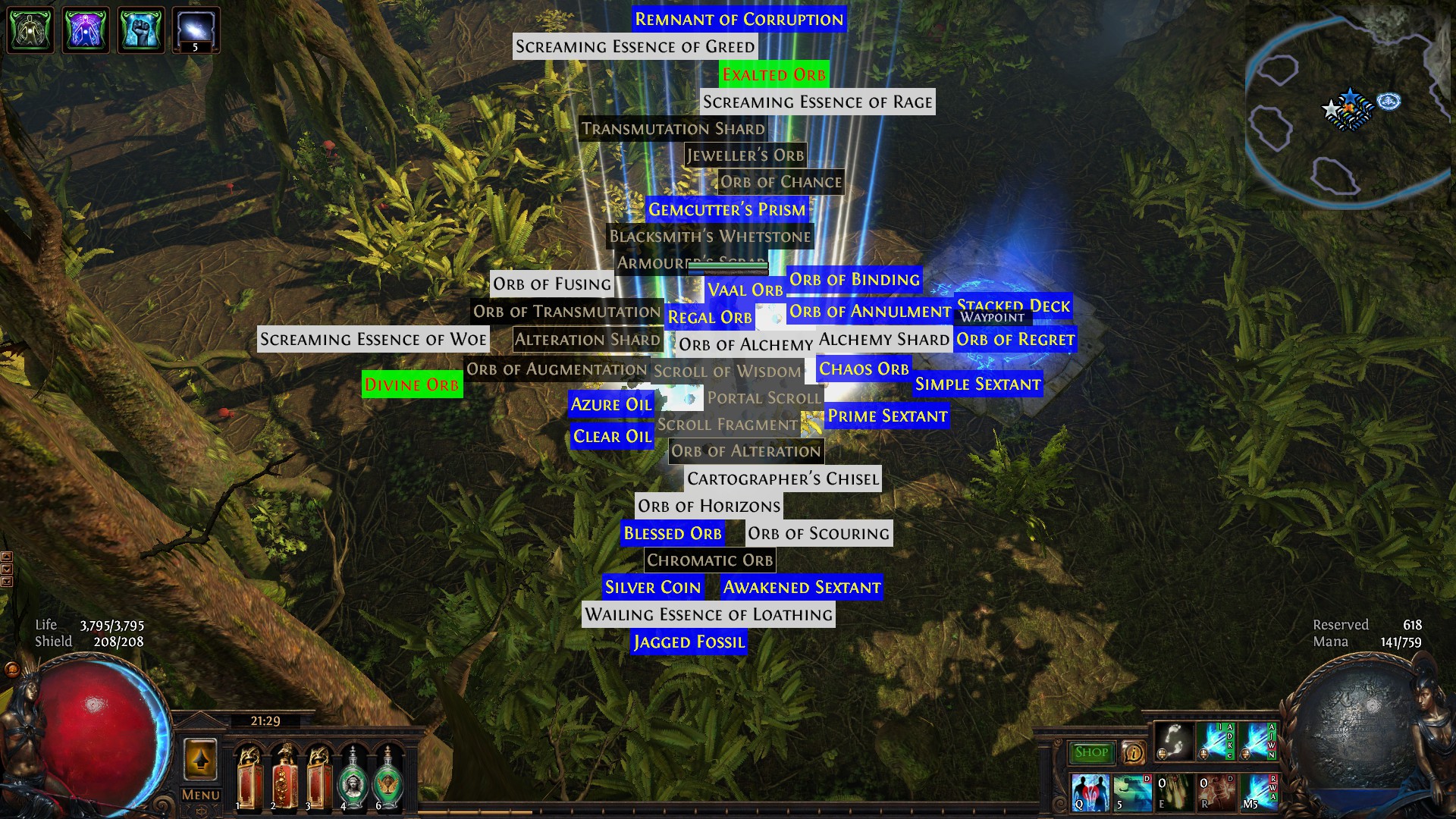
Currency

Some Currencies are displayed as Star Icon on mini map.

Click image to enlarge


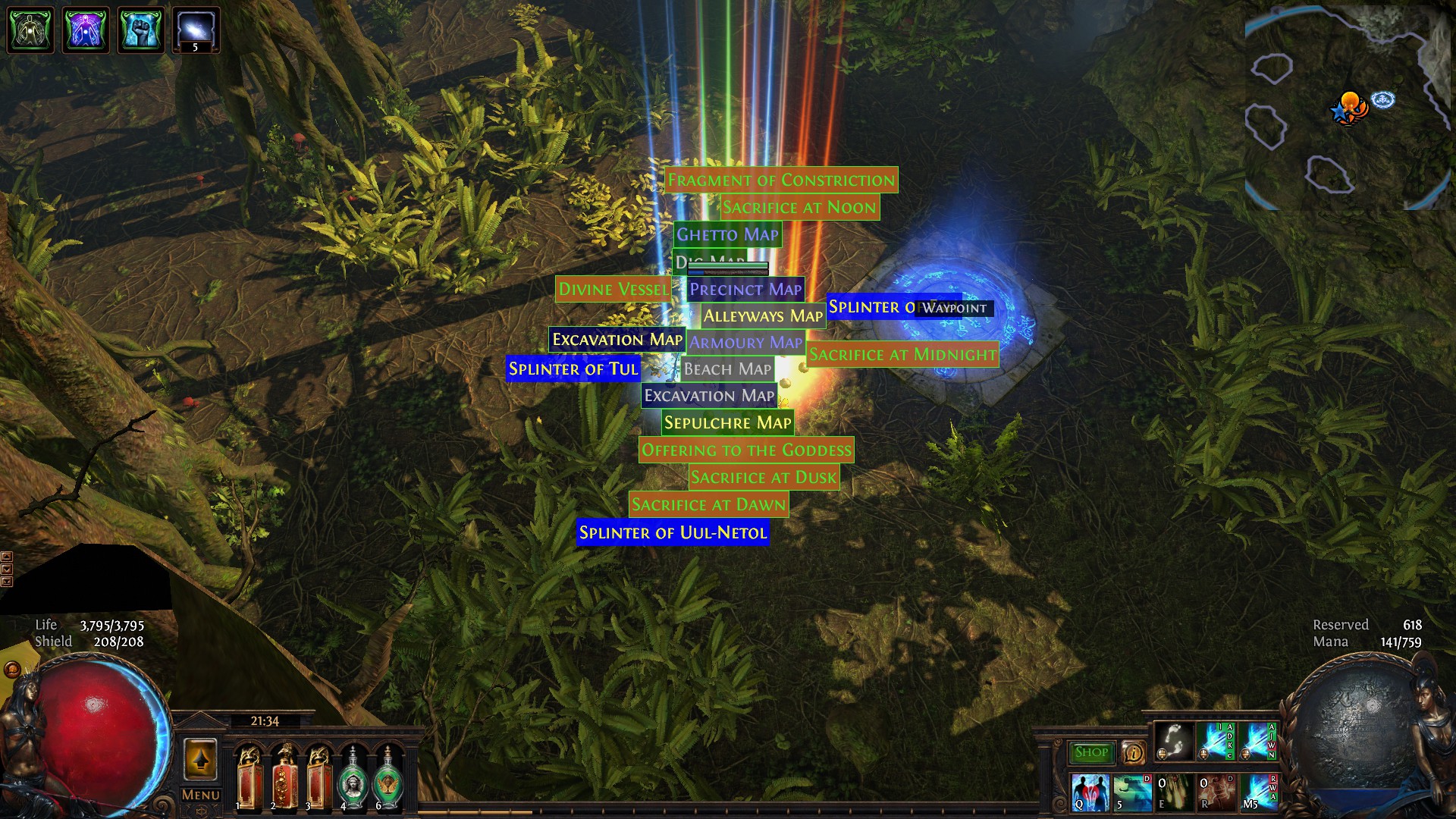
Maps

Maps are displayed as Circle Icon on mini map.
Maps have a Green border.

Gray background : Tier1-5,
Blue background : Tier6-10,
Green background : Tier11-15,
Red background : Tier16-

Click image to enlarge


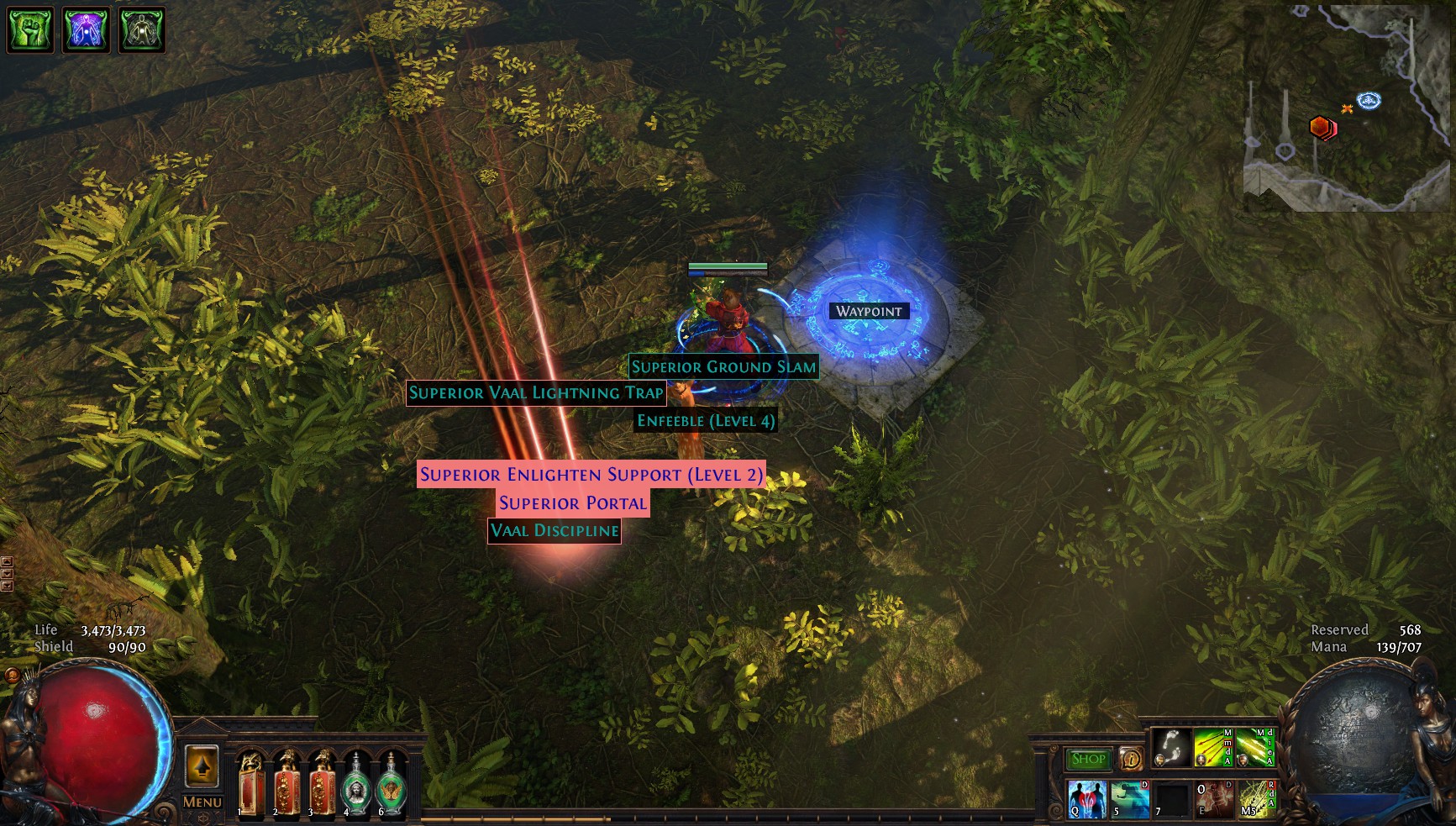
Gems

Some Gems are displayed as Hexagon Icon on mini map.

Quality-Gems have a border of the same color as the text color.
Vaal Skill Gems have a Dark Pink border.
Valuable Gems have a Dark Pink background.

Click image to enlarge


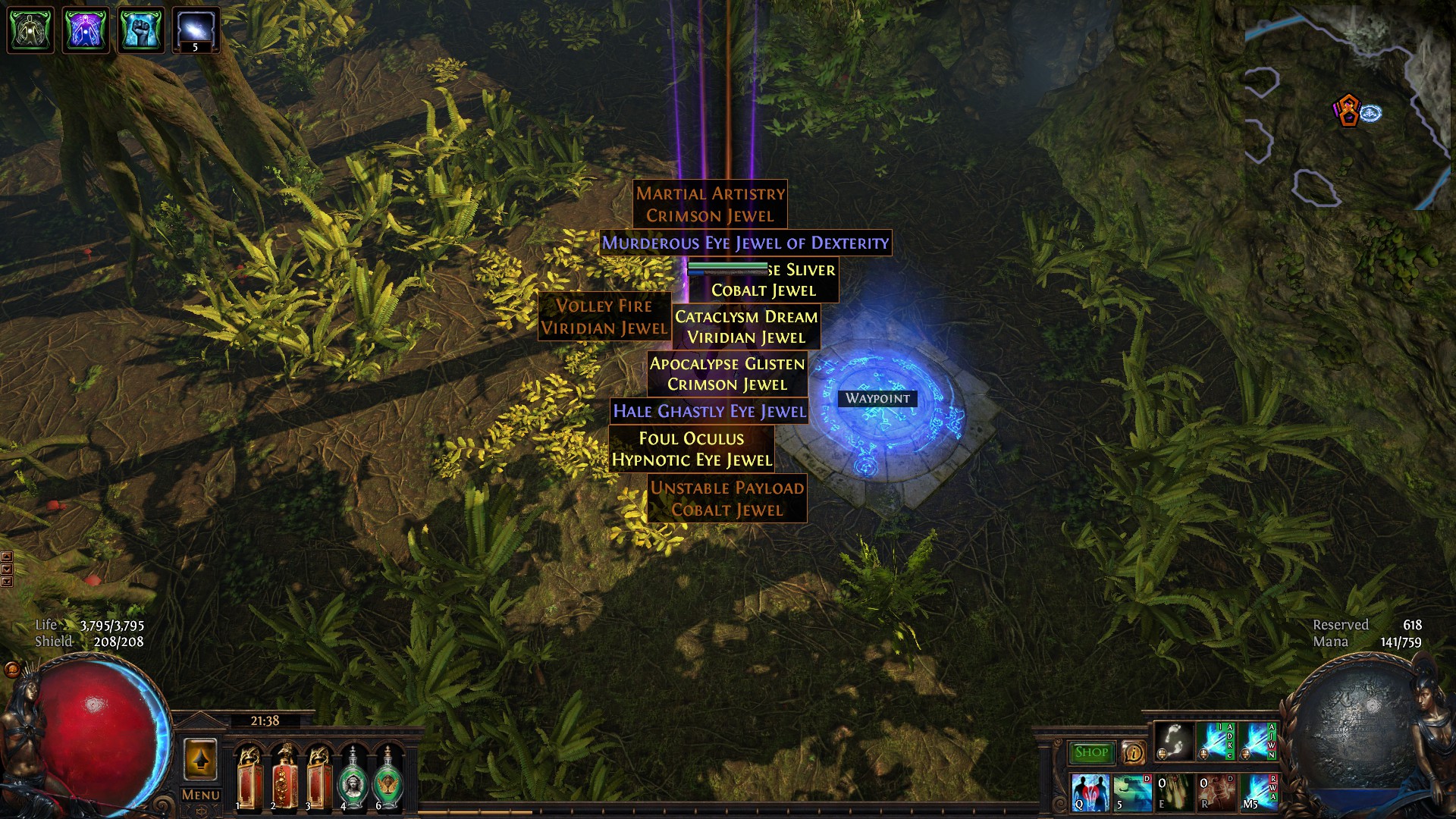
Jewels

Some Jewels are displayed as Pentagon Icon on mini map.
Jewels have a Brown border.


Click image to enlarge


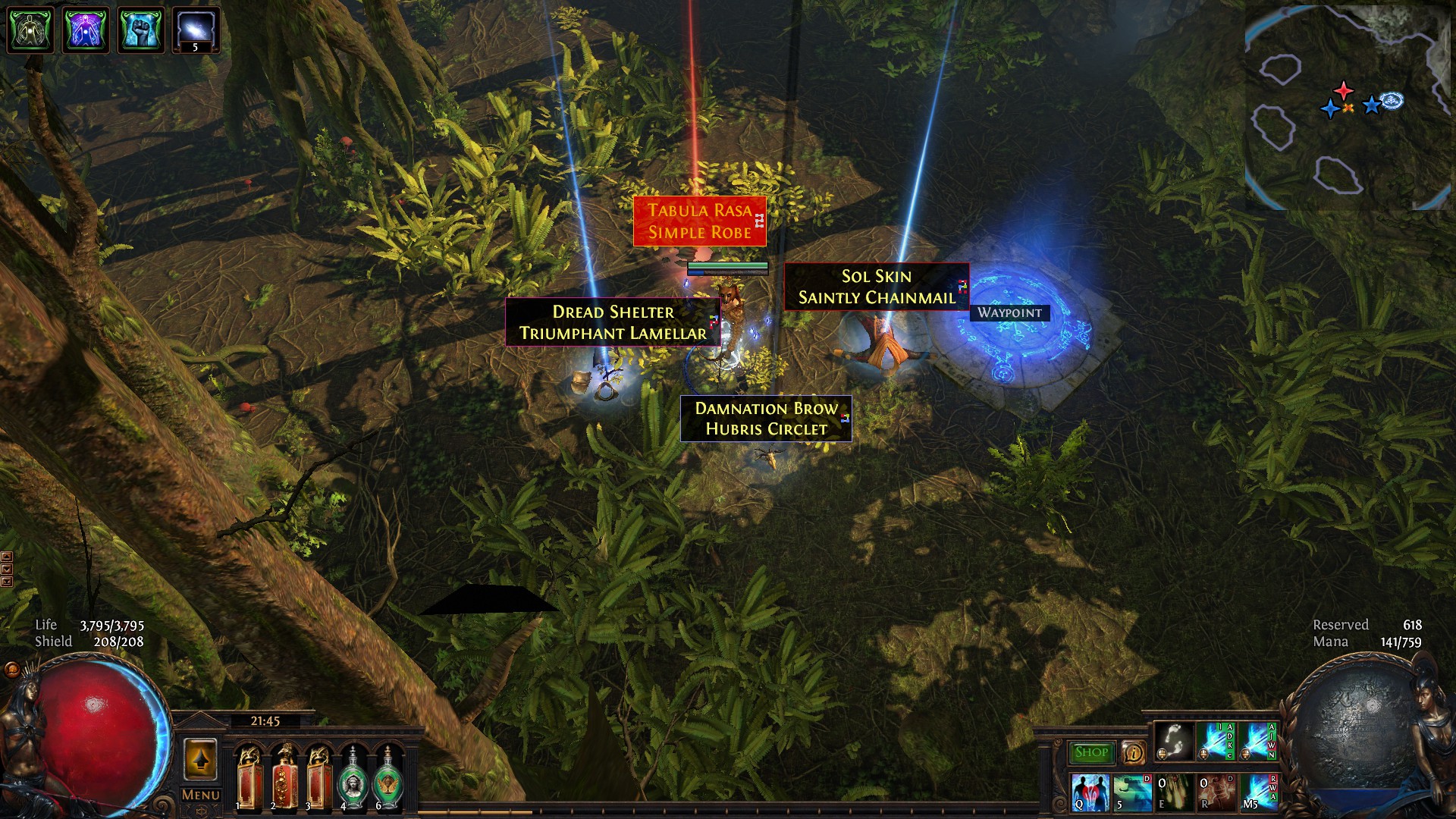
Sockets

Red background : 6 linked sockets,
Red border : 6 sockets, 
Purple border : 5 linked sockets,(only in 1&2.filter)
Dark Green border : 4 linked sockets,(only in 1.filter)
Blue border : RGB linked sockets


Click image to enlarge


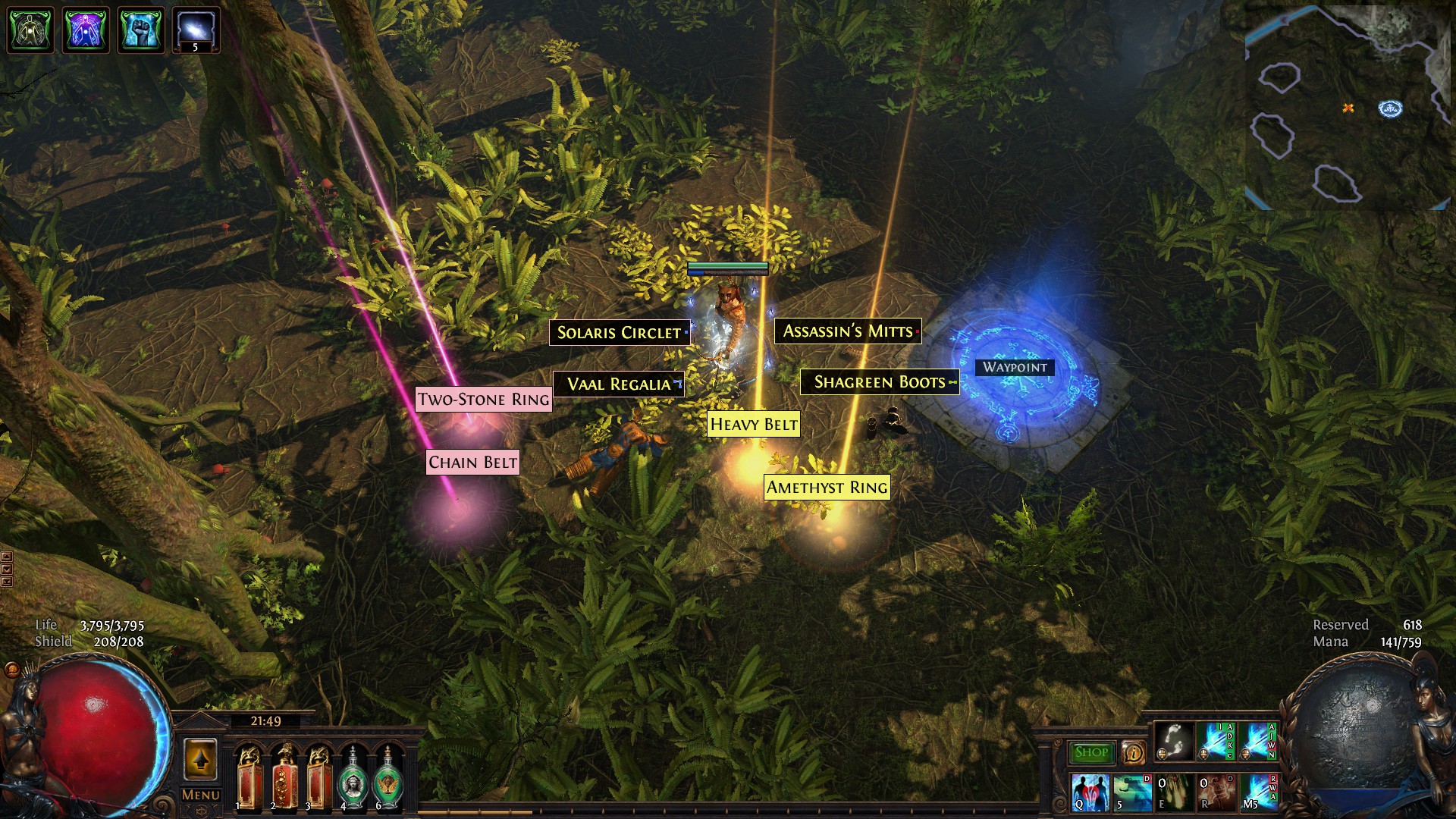
Full Rare Sets vendor recipes

Rare Equipment has a Yellow border for Chaos Orb recipe.
(Rings, Amulets, Belts : Yellow background and Black Fonts)
Rare Equipment has a Pink border for Regal Orb recipe.
(Rings, Amulets, Belts : Pink background and Black Fonts)

Click image to enlarge


Others

Quality-Flasks have a Light Blue border.
Other Items such as Divination Cards and Quest Items are changed only the font size.
Unique Items have a Brown pillar of light effect. And they are displayed as Brown Square Icon on mini map.
Stygian Vise and Talisman have a Red pillar of light effect. And they are displayed as Red Triangle Icon on mini map.
Incursion Items are also changed appearance. And they are displayed as Green UpsideDownHouse Icon on mini map.
(Incursion Items : Stone and Keg in Alva's area)

Shaper, Elder, Conquerors, Fractured, Synthesised, items are also changed background color.

1 Comments
Tomojiro  [author]
May 23, 2023 @ 11:11pm 
Thanks for award.