Friday the 13th: The Game

Friday the 13th: The Game

Not enough ratings
How to enable Motion Blur
By Wheatley
Motion blur is a visual effect used by many games to create a blur effect when objects are moving quickly. This is thought by some to make the game look smoother, and is mostly supported by the game.
   
Award
Favorite
Favorited
Unfavorite
Enabling Motion Blur
To start, you want to find your config files, this is located in

C:\Users\USERNAME\AppData\Local\SummerCamp\Saved\Config\WindowsNoEditor
Replace USERNAME with your PC Account's Username

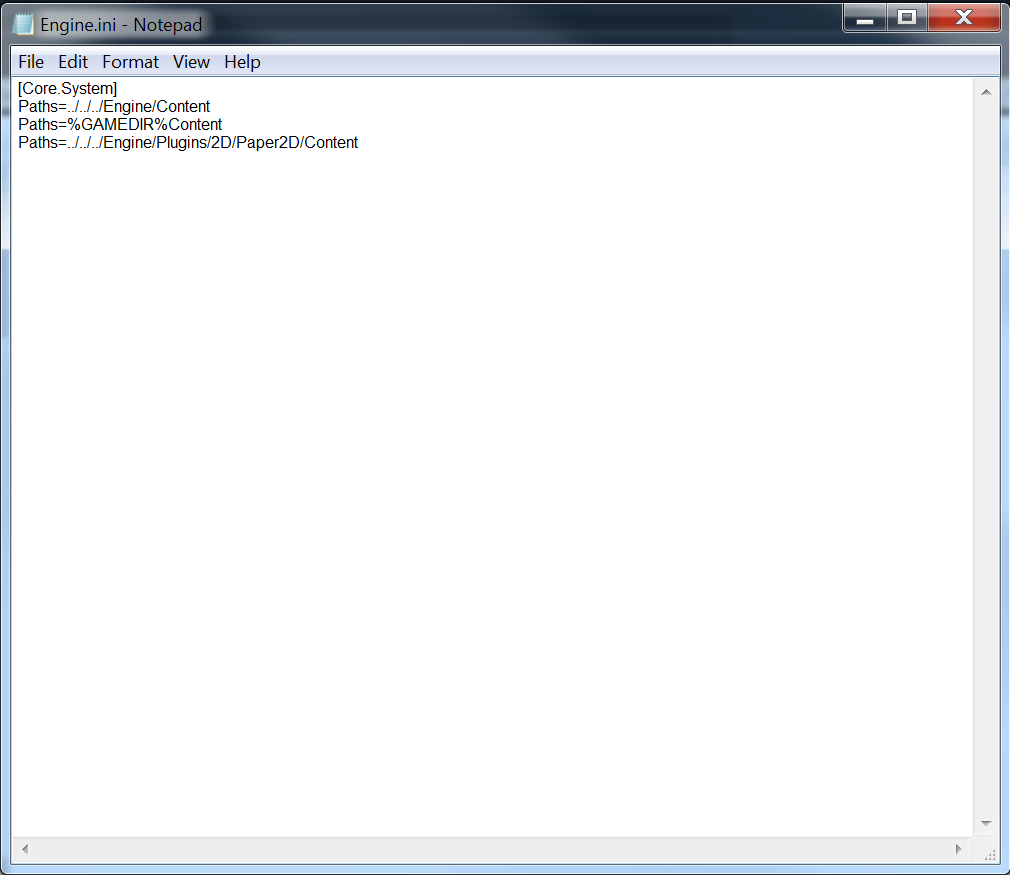
Now you want to open Engine.ini and it should look something like this

Then you want to copy this:

[/script/engine.renderersettings] r.DefaultFeature.MotionBlur=True

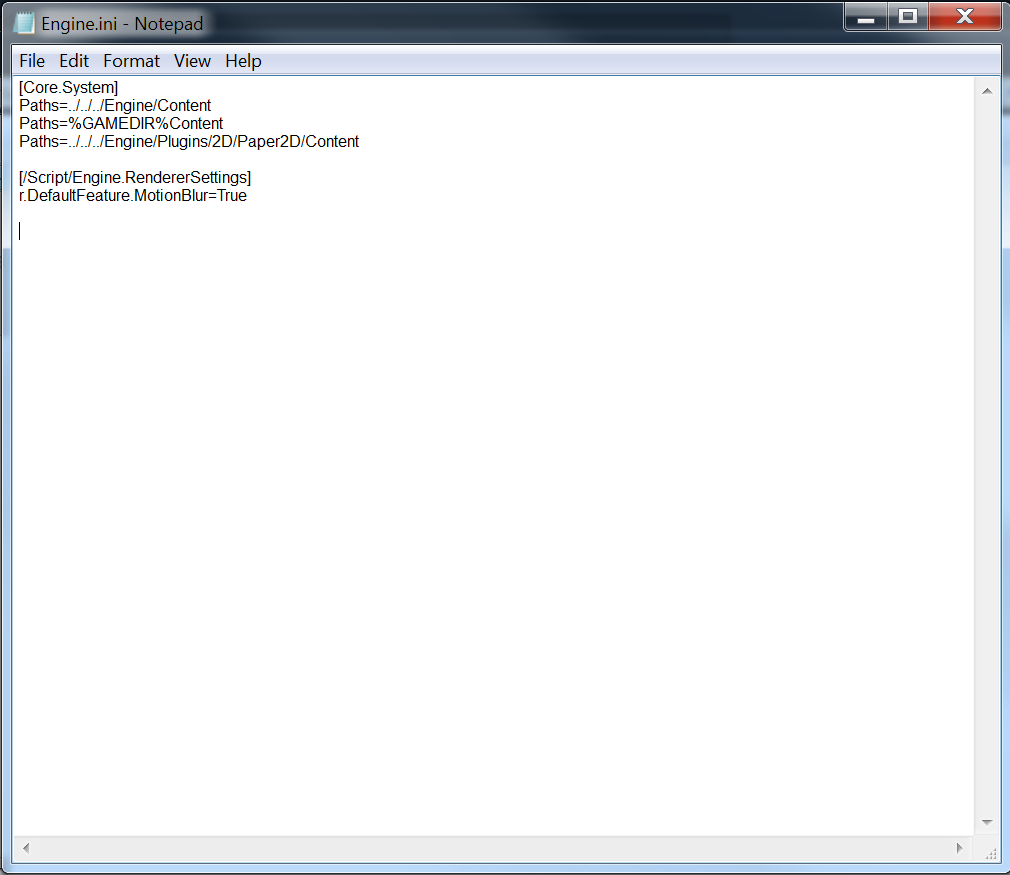
and paste it at the end of the file with one line of space between the old and new text so it looks like this
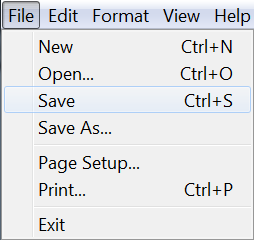
Once that's done, click File, Save, then close the program and open the game. Motion blur should now be enabled.
The Real Question
9 Comments
Cryalonern Jan 19, 2019 @ 8:33pm 
why would you want this
MacabreRoses Jan 17, 2019 @ 3:34pm 
Yes it does work! Thank You! :dexo_glad:
Voorhees Jan 8, 2019 @ 5:02am 
Does this works ? :steammocking:
Snake Dec 27, 2018 @ 4:48am 
ЯЧМУЧМЬМТТМЬТЬТЬТМТЬТ ЬТ ВСЫФКБЮБЮЩЕИКНСЛТВАСЫЧМТЬЬКМВМТЧСВВЧСММВСЧМССМТЫСВЬЯЧЧЫВФЫТМТТМЬМ
Snake Dec 27, 2018 @ 4:47am 
ТММЬТ
БЮЬТ
=-СЯЯ
2ЧСЯЧСЬТ
Snake Dec 27, 2018 @ 4:47am 
КТЬТКЬТКТ
4ТМАМ
Snake Dec 27, 2018 @ 4:46am 
4ЧЬМ
МЯТ
Snake Dec 27, 2018 @ 4:46am 
КЧТНННЧЬТ
エミリア Dec 26, 2018 @ 8:42pm 
does this work?