Borderlands 2

Borderlands 2

42 ratings
Nvidia Anti Alias Guide
By Kalameet
Brief guide to Enable Sparse Grid Supersampling to Borderlands 2, to achieve superior graphic quality.
Works with Nvidia Graphic cards.
   
Award
Favorite
Favorited
Unfavorite
Introduction
Hi all,

In this guide i'll show you how to apply Anti Aliasing effects on Borderlands 2.

Update as per June 22 2025
The guide i provided is old and outdated, and unfortunately i don't have neither the time, an Nvidia Card, and the will to play the game to test any new settings.
User @VladGromov in the comments kindly pointed out some updated settings. These will be offered here AS-IS
For the current version of the game, use at least these settings ( and disable FXAA in the game ): Antialiasing - Compatibility (DX9) - 0x080000C1; Antialiasing Fix (DX9) - On; Antialiasing - Transparency Supersampling - 2x Supersampling; Antialiasing (MSAA) - Behavior Flags - None; Antialiasing (MSAA) - Mode - Override any application setting; Antialiasing (MSAA) - Setting - 2x [2x Multisampling]

Borderlands 2 has already got an efficent form of Anti-Aliasing, called "FXAA" or "Fast-Approximate-AA" which can be activated in the Graphic options of the game.
Though FXAA does a nice Work, adds a little quantity of Blur to the image and does not eliminate Aliasing on Fences, grates and so on.

This Guide is meant for Nvidia Graphic Cards, and the scenario i'm going to illustrate works best with at least a GTX Series-5 graphic card,
because You're going to Super-sample the whole frame. In few words, you'll multiply the internal resolution of the image which is a non indifferent load for the Graphic card.

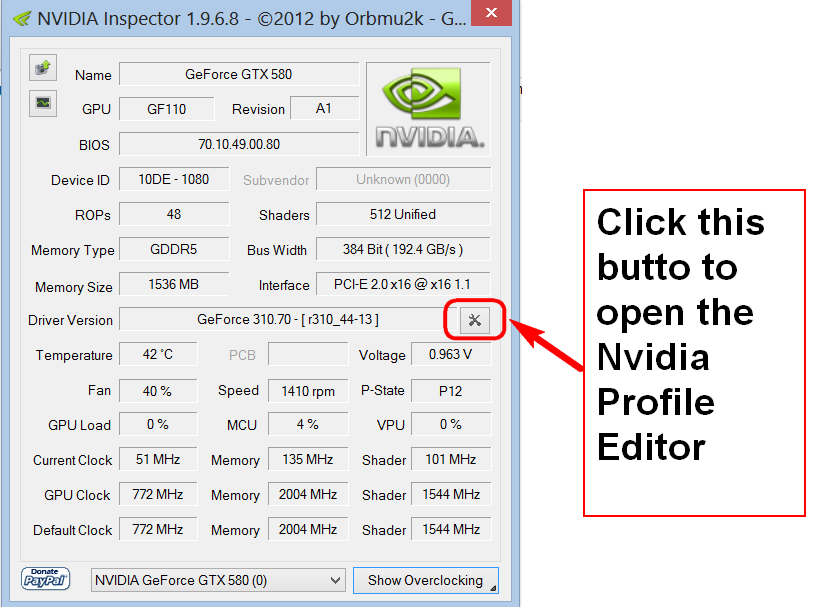
First of all, you need nvidia inspector.
You can download it for free over the web.
Setting Up antialiasing
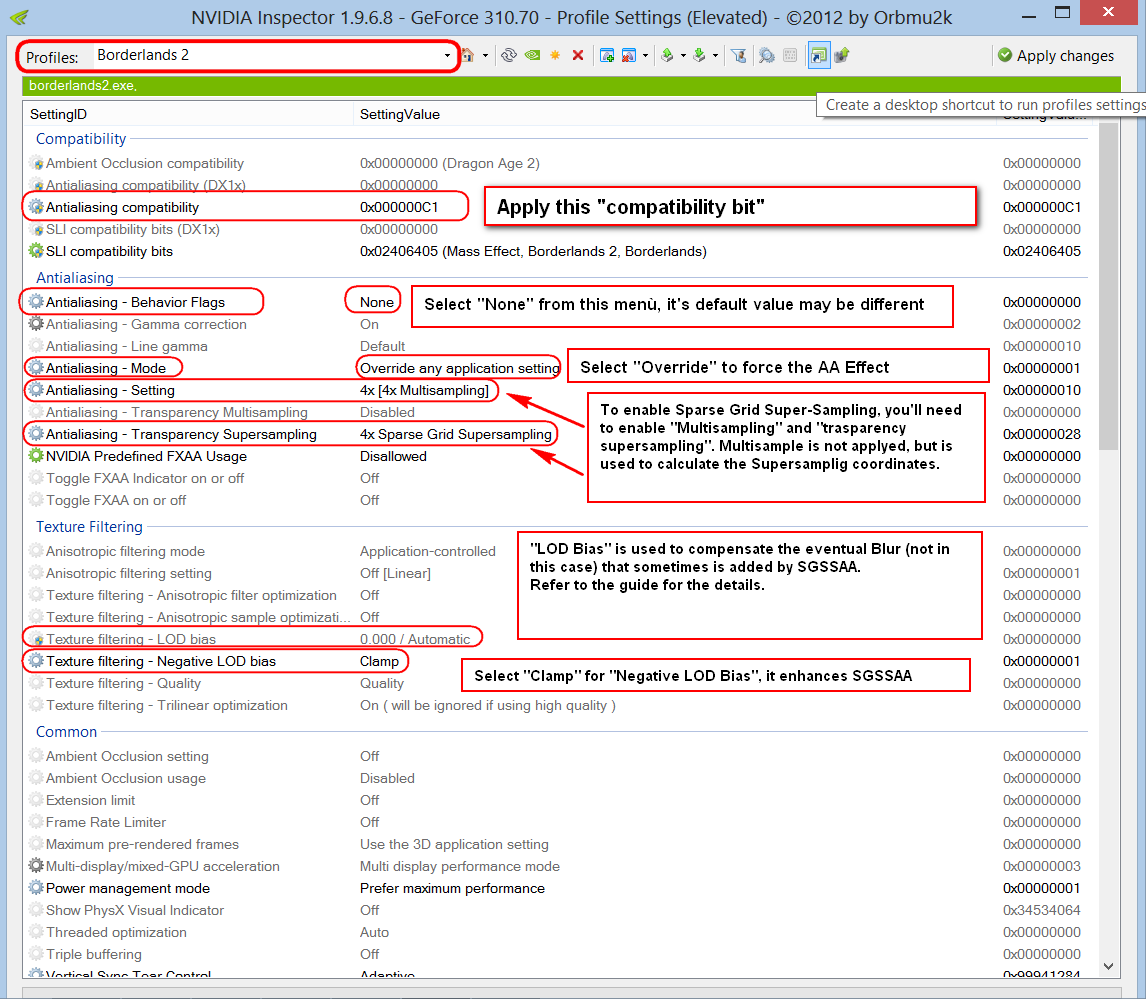
2a. Select From the Drop-down menù the "Borderlands 2" Profile
2b. Select/Type "0x000000C1" into "Antialias Compatibility"
2c. Select "None" from "Antialias - Behavior Flags"
2d. Select "Override any application setting" from "Antialias - Mode"
2e. Select the desidered amount of Multisampling in "Antialiasing - Mode"
This is necessary for Sparse Grid Supersampling, though is not applied to the image... it's used to perform the calculation of the screen coordinates.
NOTE: Use the same value that you set for the next step, "Trasparency Supersampling" (2x, 4x, 8x)... any other value has no effect and gives any benefit.

2f. Select the desidered amount of "Sparse Grid Supersampling" in "Antialias - Trasparency Supersampling"
NOTE: Use the same amount that you set into Multisampling (2x, 4x, 8x)... any other value has no effect and disables the effect.
You may be tempted to use "standard" (non Sparse Grid) Supersampling... these modes has no effect and disables the effect.

2g. Select "Clamp" from "Texture Filtering - Negative LOD Bias"
2h. Select the desidered value of LOD Bias (OPTIONAL..... if you want, if occour)

NOTES:
1.To enable Sparse Grid SUpersampling, you need to set identical values in "Antialias - Trasparency Supersampling" and in "Antialiasing - Mode".
Suggested combinations are:
2x Multisampling => 2x Sparse Grid SUpersampling
4x Multisampling => 4x Sparse Grid SUpersampling
8x Multisampling => 8x Sparse Grid SUpersampling

2. keep in mind that SGSSAA adds a high load to your graphic card... and your framerates during your play session may suffer.
3. 8x Sparse Grid Supersampling's load is huge.. and may force your system to crawl.
4. this configuration is smooth, and has been tested on the following rig:
CPU AMD Phenom II X4 955
VGA Nvidia GTX 580 (standard, no overclock, as Nvidia designed it :) )
4GB Ram DDR3
Full-HD resolution (aka 1920x1080)
Low - Medium PhysX Effects

5. This Guide and/or setting are meant for Nvidia Geforce Graphic cards; it doesn't work for AMD GPU's (sorry)
6. Editing any game profile can be dangerous: in case of troubles, press the little button with the Nvidia Logo, right to the profile drop-down menù, to restore the profile to it's default values
7. If you need to use LOD Bias (negative values, of course), use these combinations:
2x Sparse Grid SUpersampling => -0.5
2x Sparse Grid SUpersampling => -1.0
2x Sparse Grid SUpersampling => -1.5

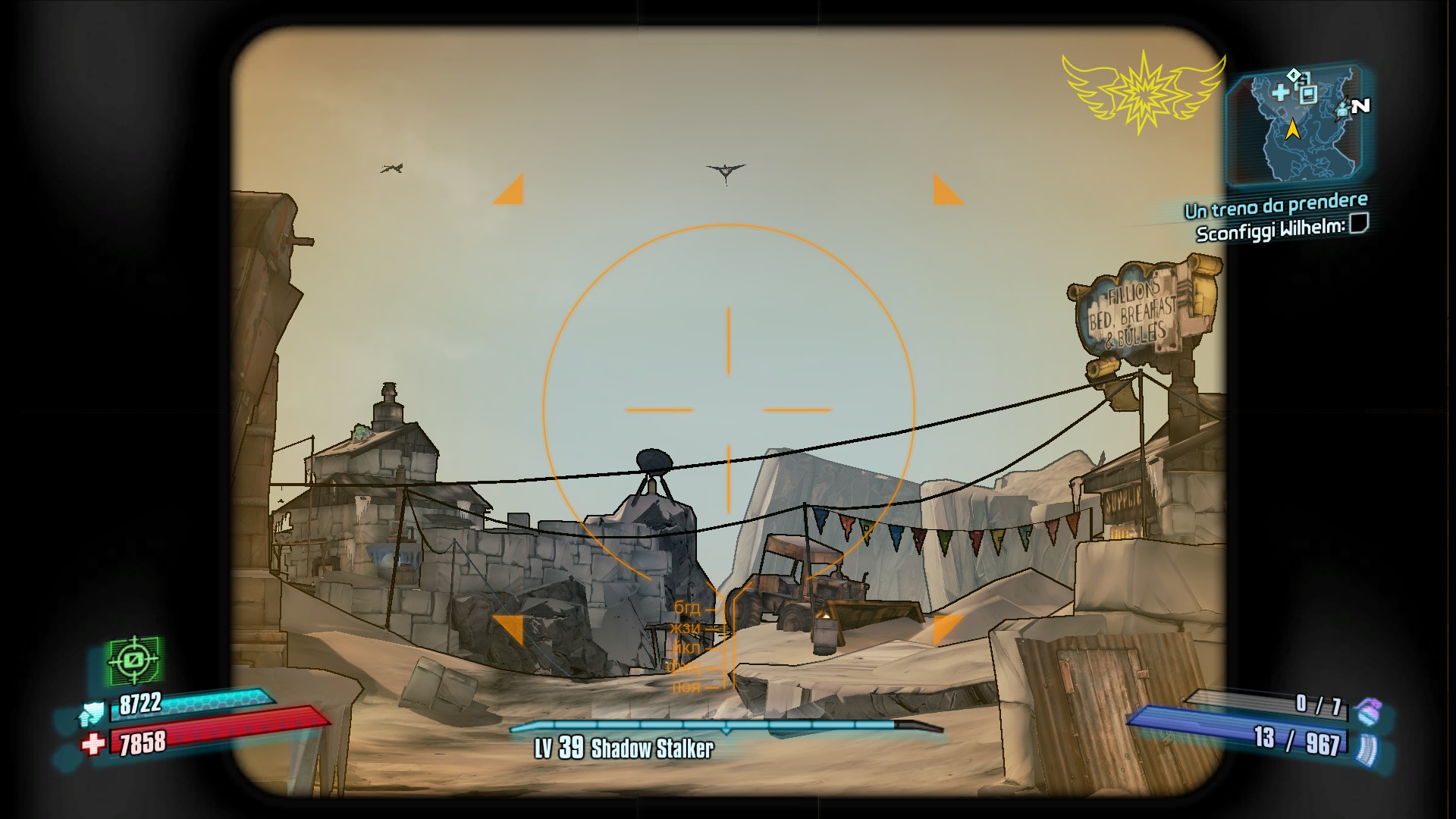
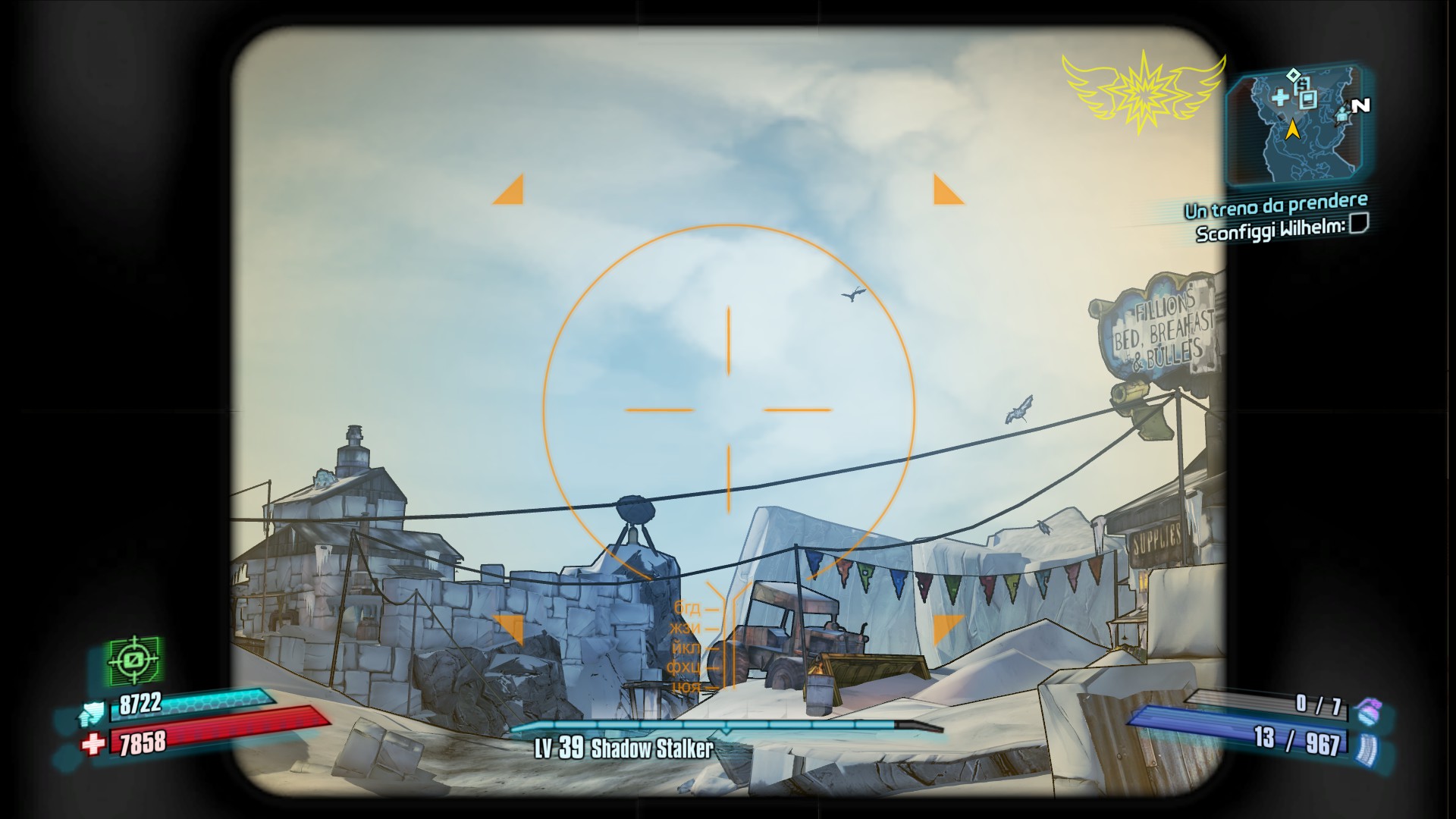
HERE THE RESULTS:
BEFORE

AFTER
31 Comments
Kalameet  [author] Jun 22 @ 6:06am 
@VladGromov I apologize the content the guide provided is not relevant anymore; Technology advances.

Unfortunately i don't have:
[list]
[*] Nvidia Hardware right now
[*] access/knowledge to apply updated compatibility bits under Linux (my main platform is linux now)
[*] any will to play Borderlands 2 (or any future Borderlands game) in the near future. :steamsad:
[/list]

What i can do is update the Guide to put your findings as a note.
VladGromov Jun 18 @ 8:09am 
These settings are no longer relevant. For the current version of the game, use at least these settings ( and disable FXAA in the game ):

Antialiasing - Compatibility (DX9) - 0x080000C1;
Antialiasing Fix (DX9) - On;
Antialiasing - Transparency Supersampling - 2x Supersampling;
Antialiasing (MSAA) - Behavior Flags - None;
Antialiasing (MSAA) - Mode - Override any application setting;
Antialiasing (MSAA) - Setting - 2x [2x Multisampling]
i have a gun and am a schizo Dec 21, 2020 @ 7:37am 
Do I have to disable the in-game FXAA first?
Jade Nov 14, 2020 @ 6:35am 
Thank you so much for this guide!! The antialiasing went from terrible to AMAZING, without losing any framerate at all! Game finally looks great :)
BlankFX Jun 9, 2019 @ 3:45am 
It's always a good idea to set a negative lod bias while you just set to "clamp" instead of "allow", disallowing the use of negative lod bias at all.
Aside from that, good guide.
Forkinator Apr 17, 2019 @ 1:30pm 
And that website is where everyone gets reshade.
Forkinator Apr 17, 2019 @ 1:30pm 
@kalameet Its known that Reshade does not work with Super Sample anti aliasing in Borderlands 2. Try it.
Kalameet  [author] Apr 17, 2019 @ 11:53am 
PSA: i know this guide is dated 2013, and i can't guarantee that still works in 2019. let me know :)
Kalameet  [author] Apr 17, 2019 @ 11:51am 
@Forkinator Reshade is an external method (it injects shader-based effects), and shouldn't interfere with this guide.
Did you try

https://reshade.me/

?
Forkinator Apr 6, 2019 @ 6:20pm 
If someone gets this working with Reshade. I will personally send them 5$. I know its not much, but i would greatly appreciate it.